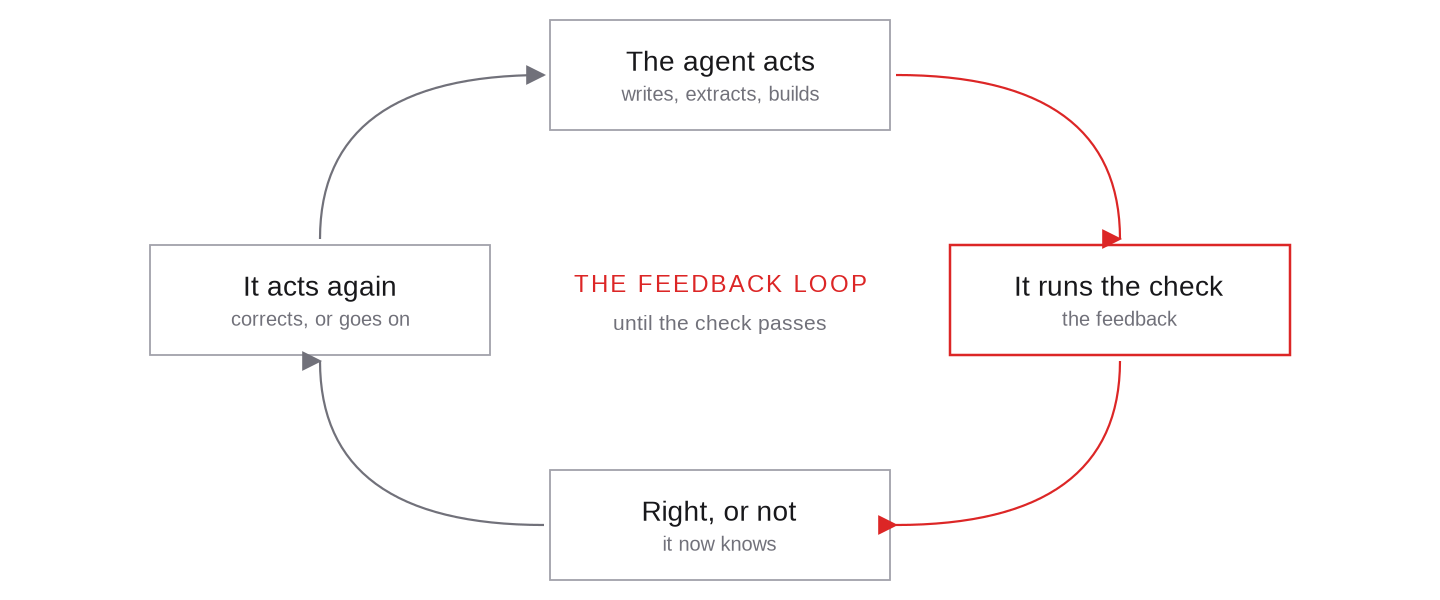
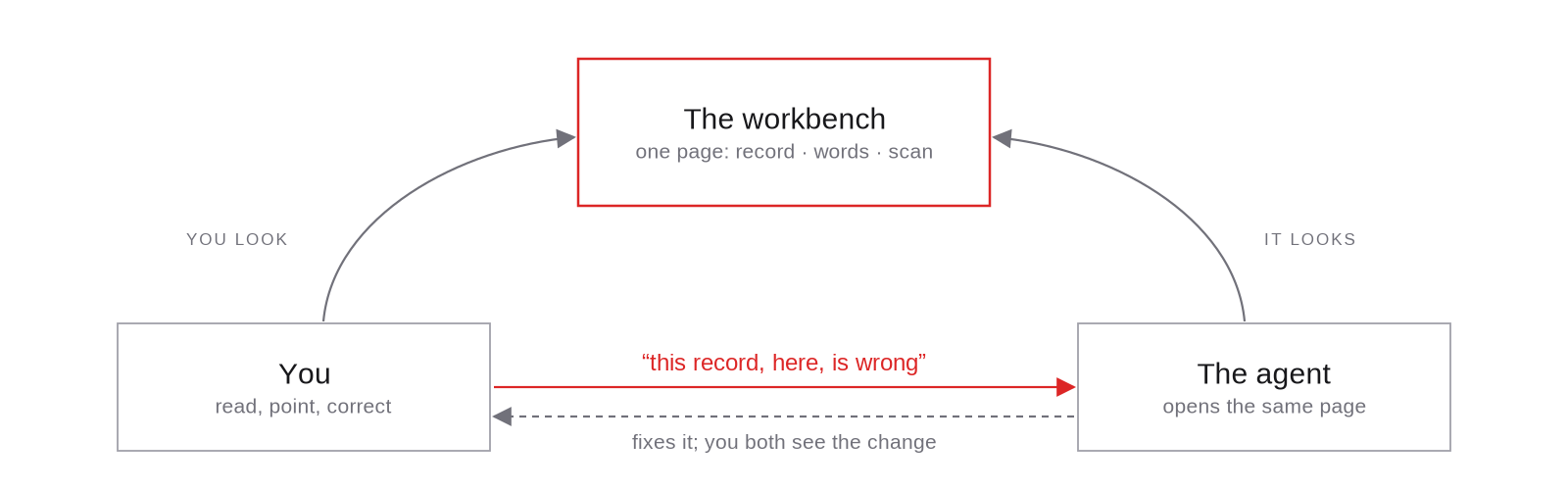
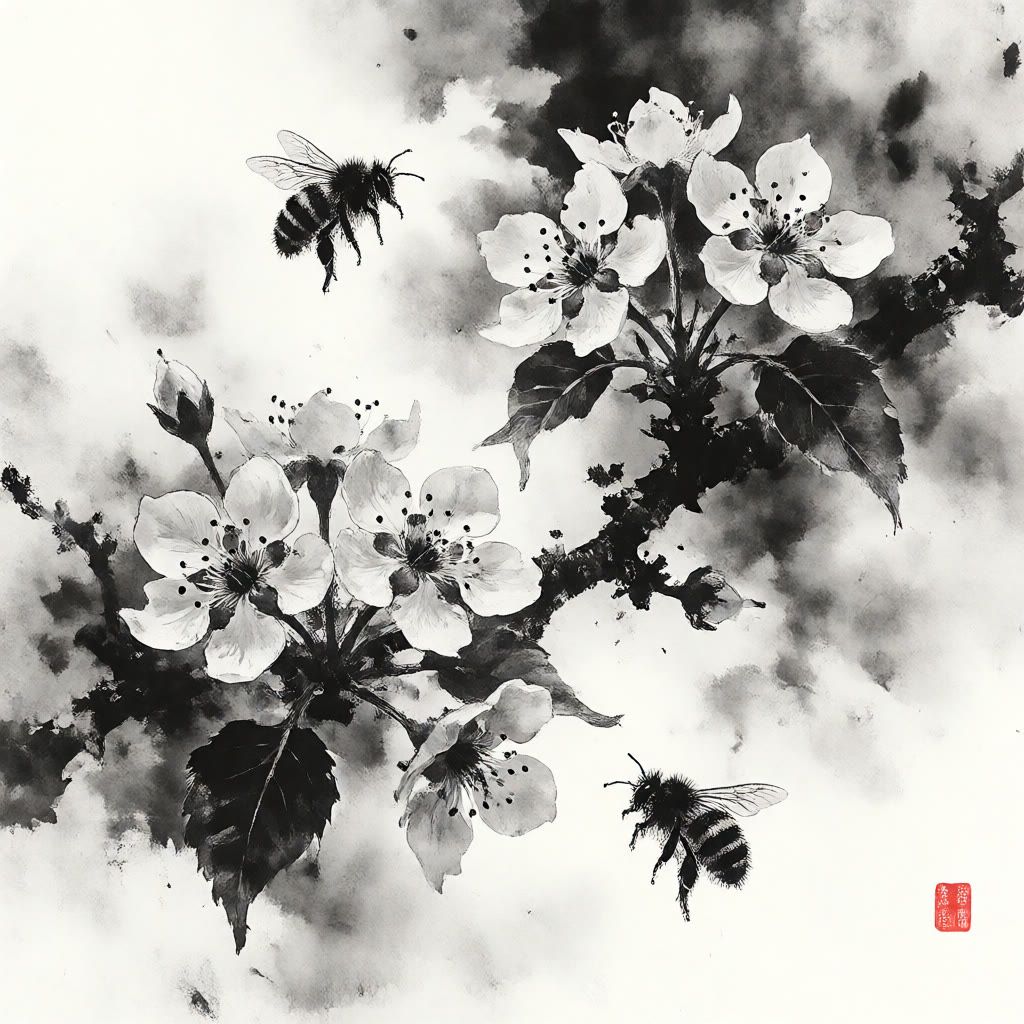
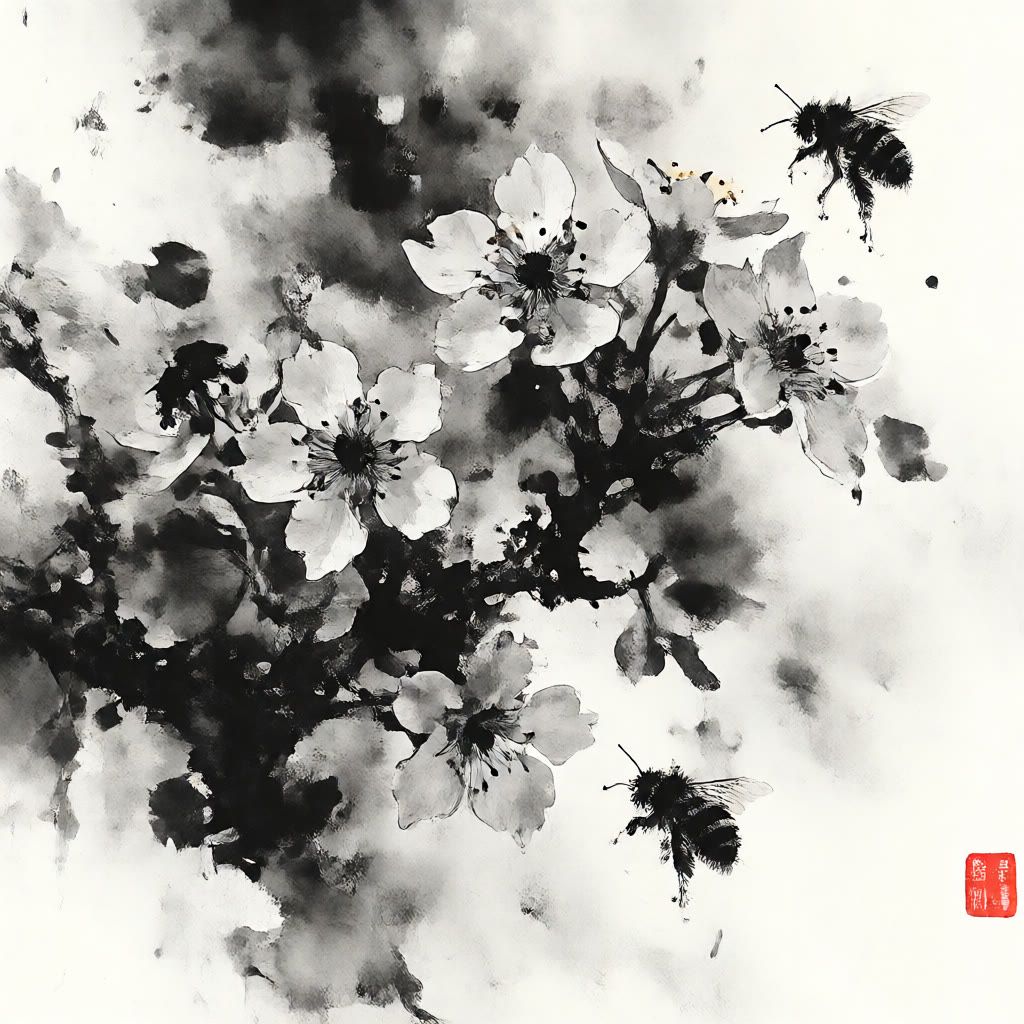
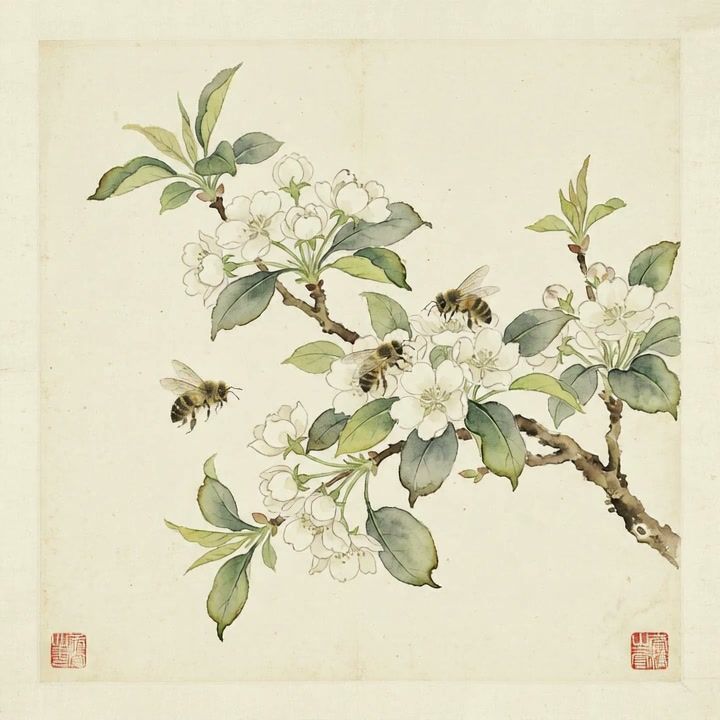
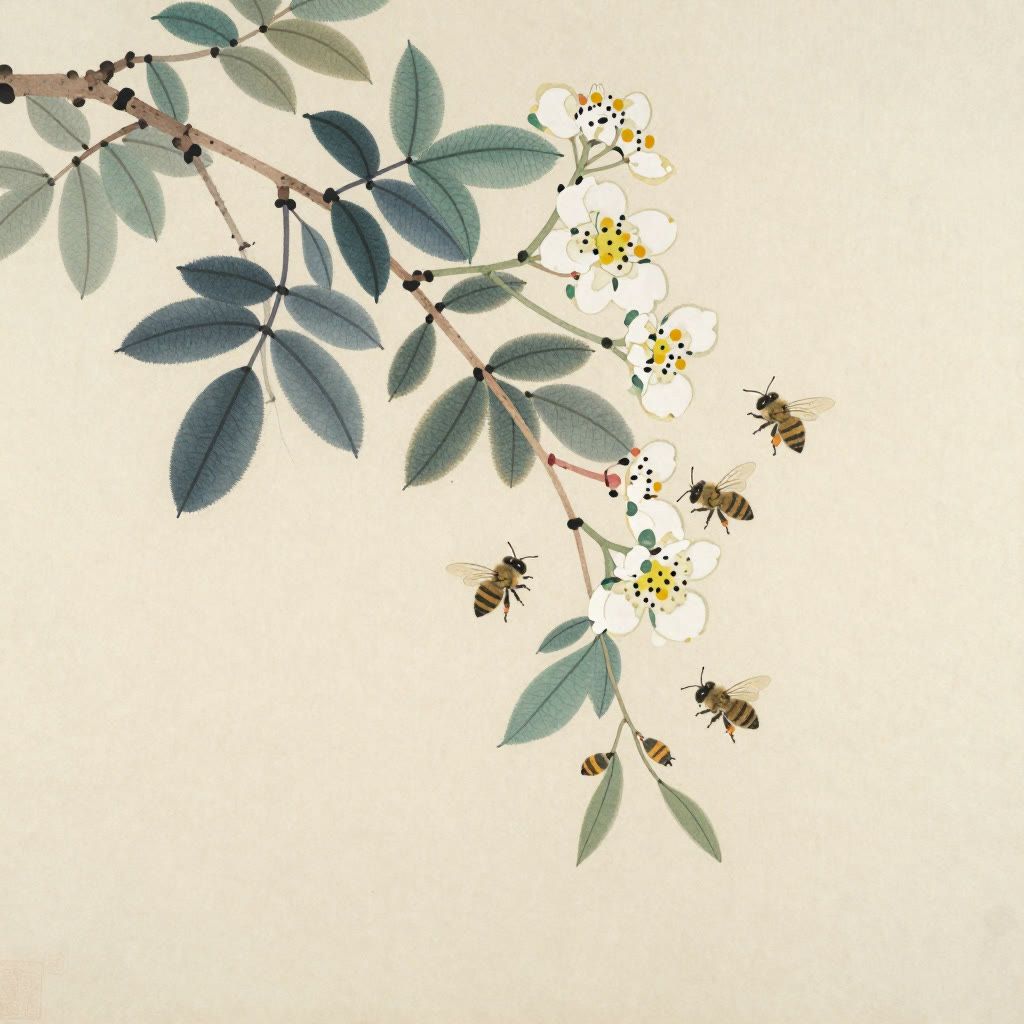
through these, one idea: the feedback loop, and working with an LLM in rounds
Last week was the basic workflow. Today we build a database and some software of our own, and put research out. One idea runs through all of it: working with a language model in rounds, with feedback in each round.
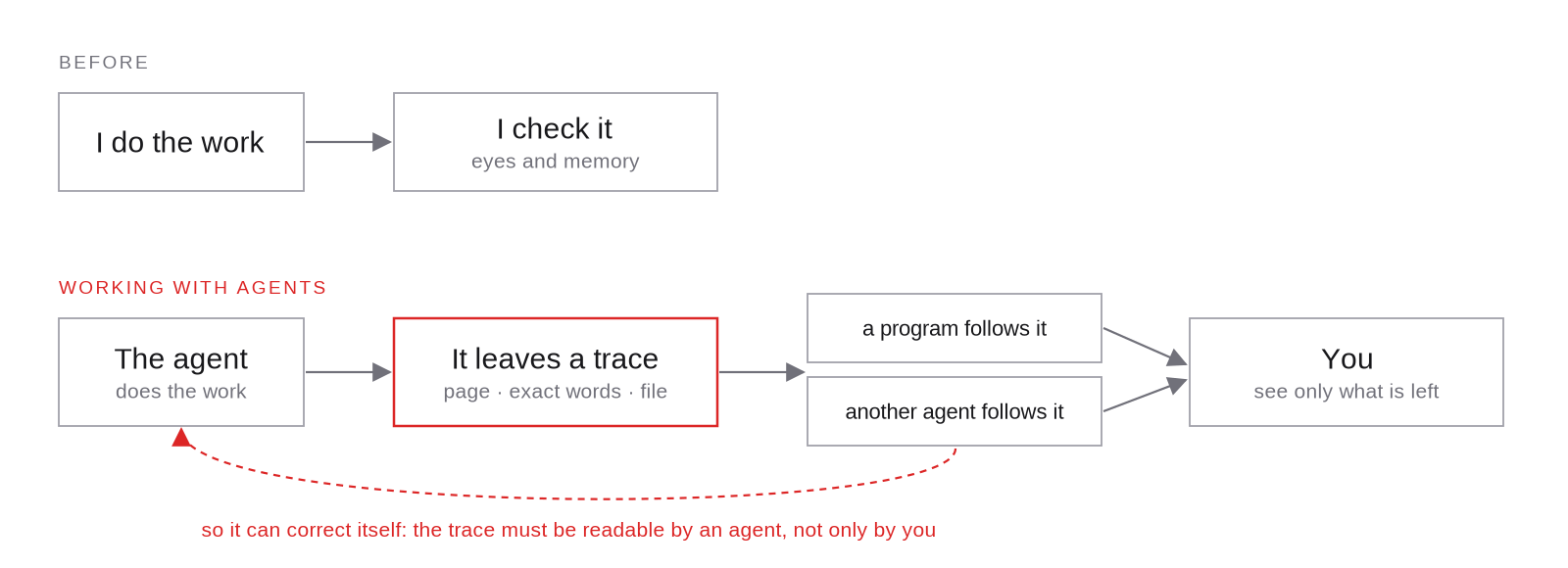
Working with agents: the trace must be one the agent can check, too.
Diagram for this workshop
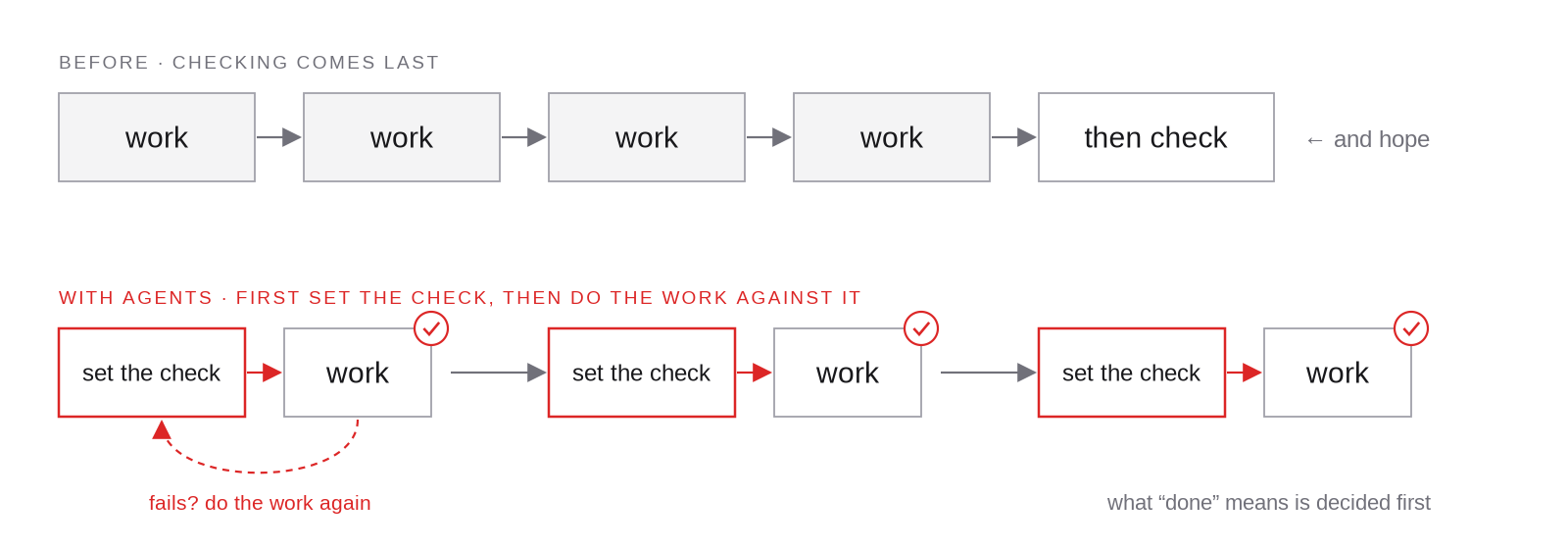
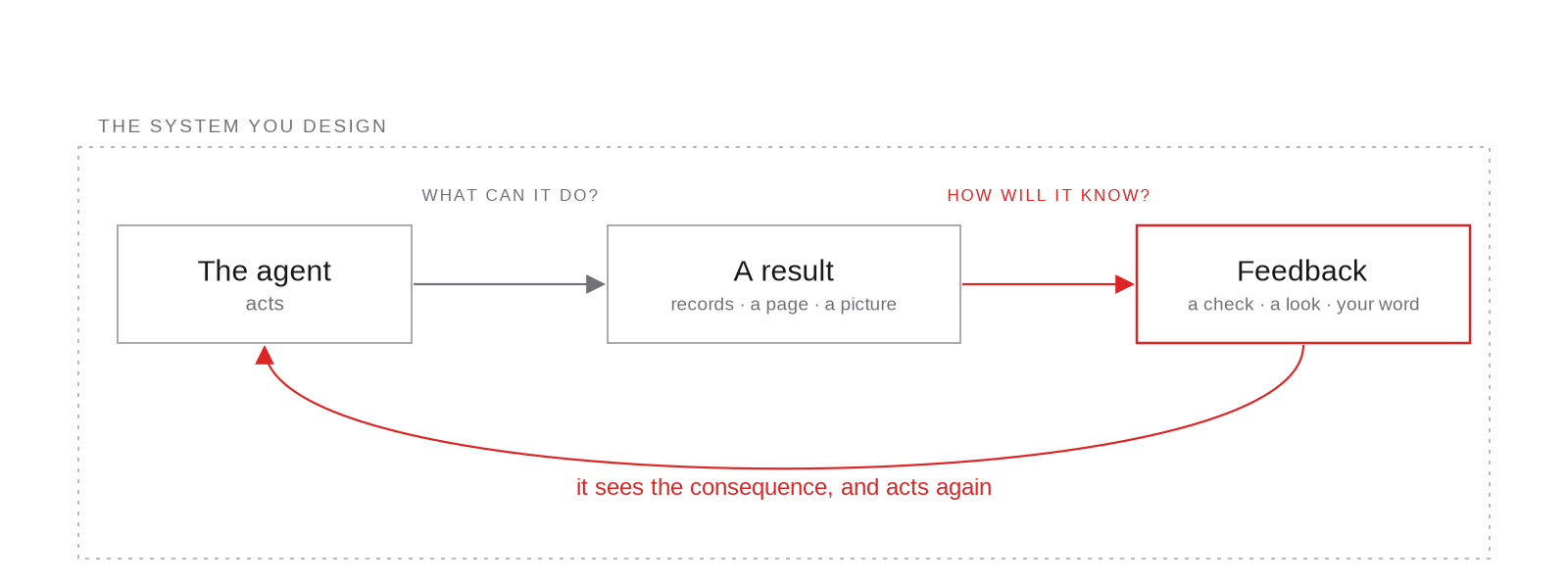
When an agent does much of the work, every step has to leave a trace. The trace also has to be one that an agent can follow and check, so that checking can be handed to an agent as well.
An example from last week: one sentence, and what in it can be checked.
Diagram for this workshop
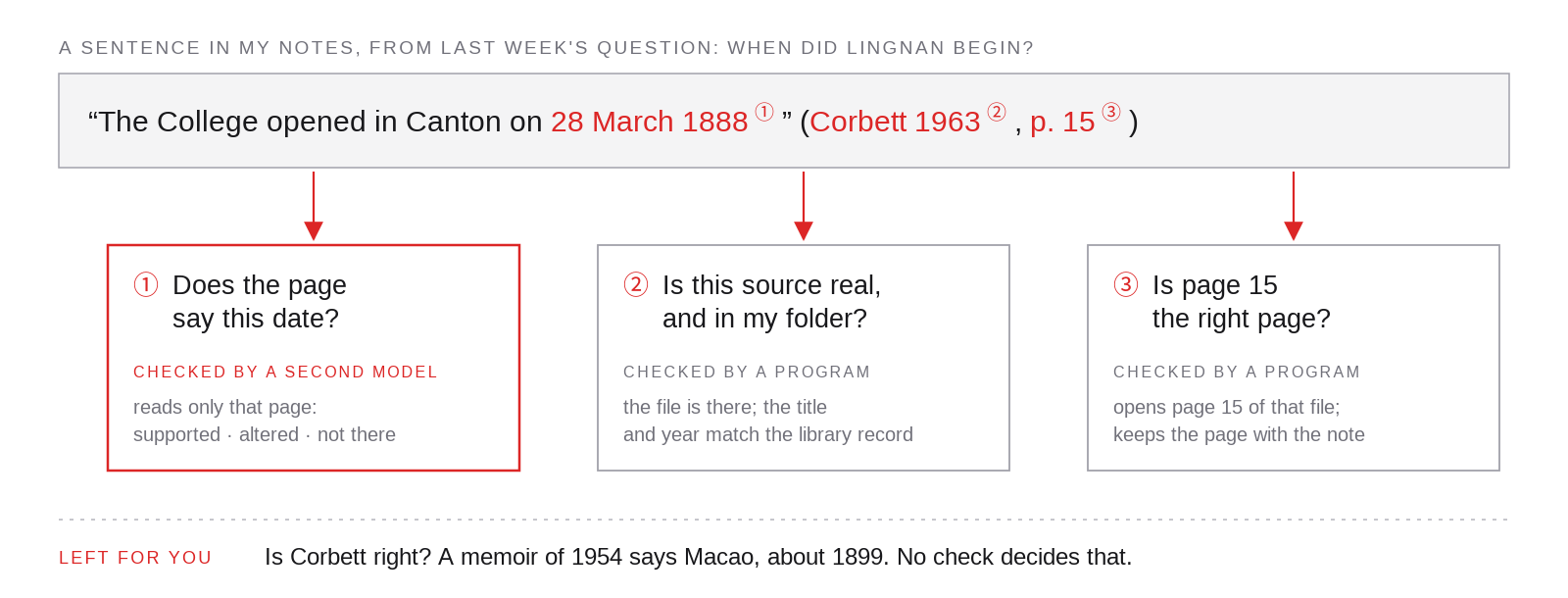
Take one sentence from last week: "The College opened in Canton on 28 March 1888 (Corbett 1963, p. 15)". A second model can check that the page gives this date. A program can check that the source exists and that page 15 is the right page. Whether Corbett is right is left to the researcher, since a memoir of 1954 says Macao, about 1899.
Git, as promised: every saved state of a folder is kept, with who and why.
Our workshop workspace on GitHub · every saved state · open it
Screenshot of github.com, the workshop's public workspace, 13 Nov 2026
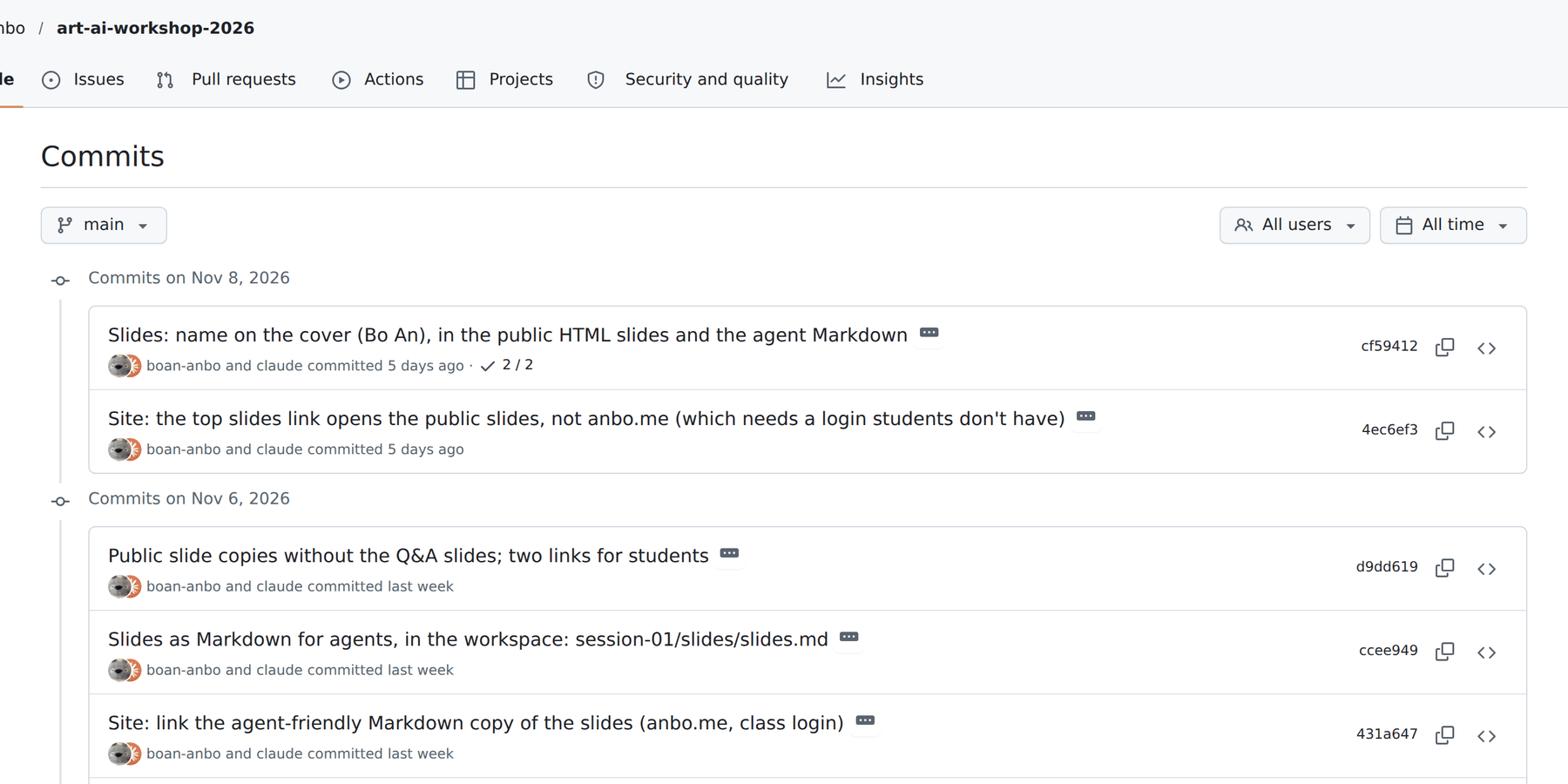
Git keeps every saved state of a folder, and records who saved it, when and why. The workshop's workspace is kept this way on GitHub, a website that holds a copy of that history. The page shown lists the saved states, one per line.
Between any two states, Git shows exactly what changed: before, and after.
Last week · the memoir's author corrected, in two files · open it
Screenshot of github.com, the workshop's public workspace, 13 Nov 2026
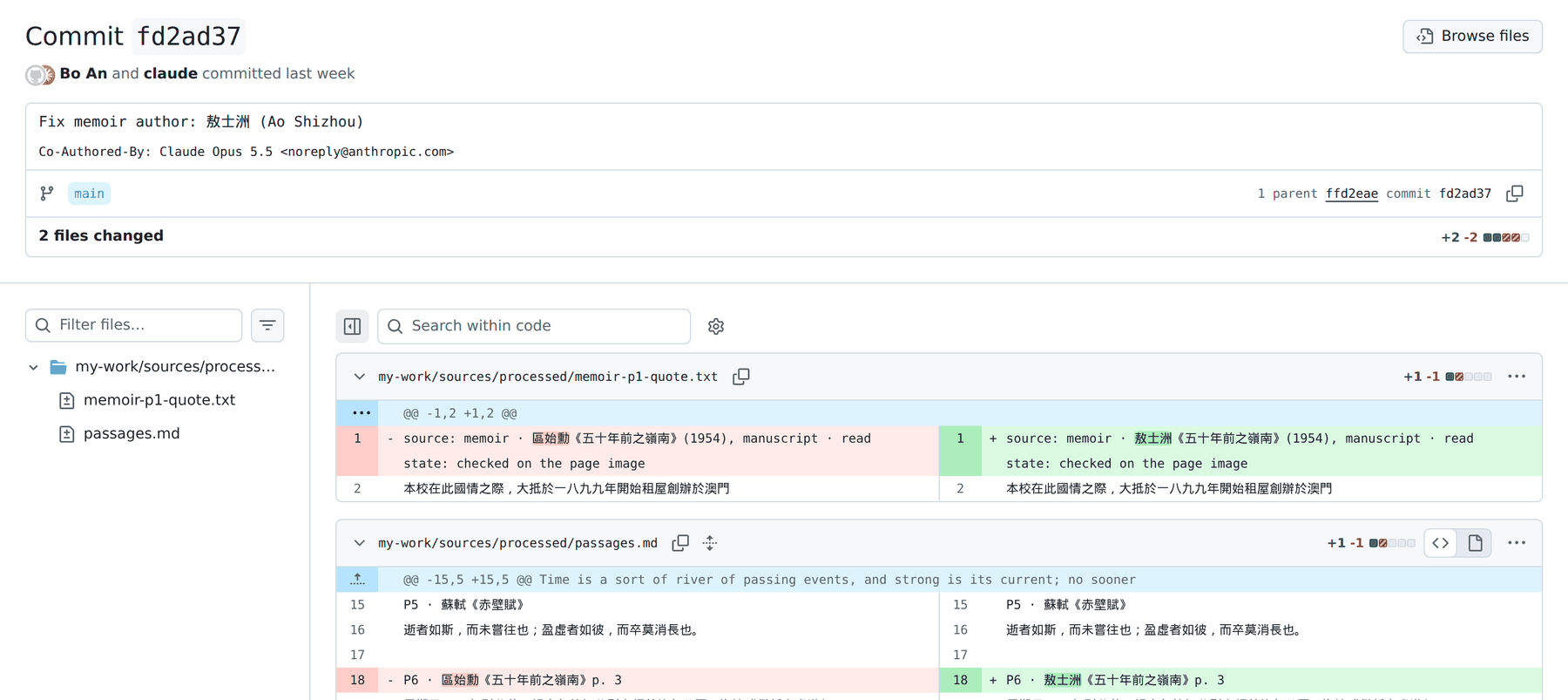
Git can show what changed between any two saved states. In this example from last week, the memoir's author had been entered as 區始勳 and was corrected to 敖士洲 in two files. When you work with an agent you can review each change, see which lines are yours and which are the agent's, and undo a bad round. Git does not tell you whether a line is true.
Verification is no longer an afterthought. It is an essential part of any agentic work.
Diagram for this workshop
Programmers call it test-driven development. For us: before you start, ask “can this be checked?” If not, change the way you work until it can.
In work done by agents, the first question before any task is whether the result can be checked. Programmers know this as test-driven development. If a process cannot be verified, change the process until it can.
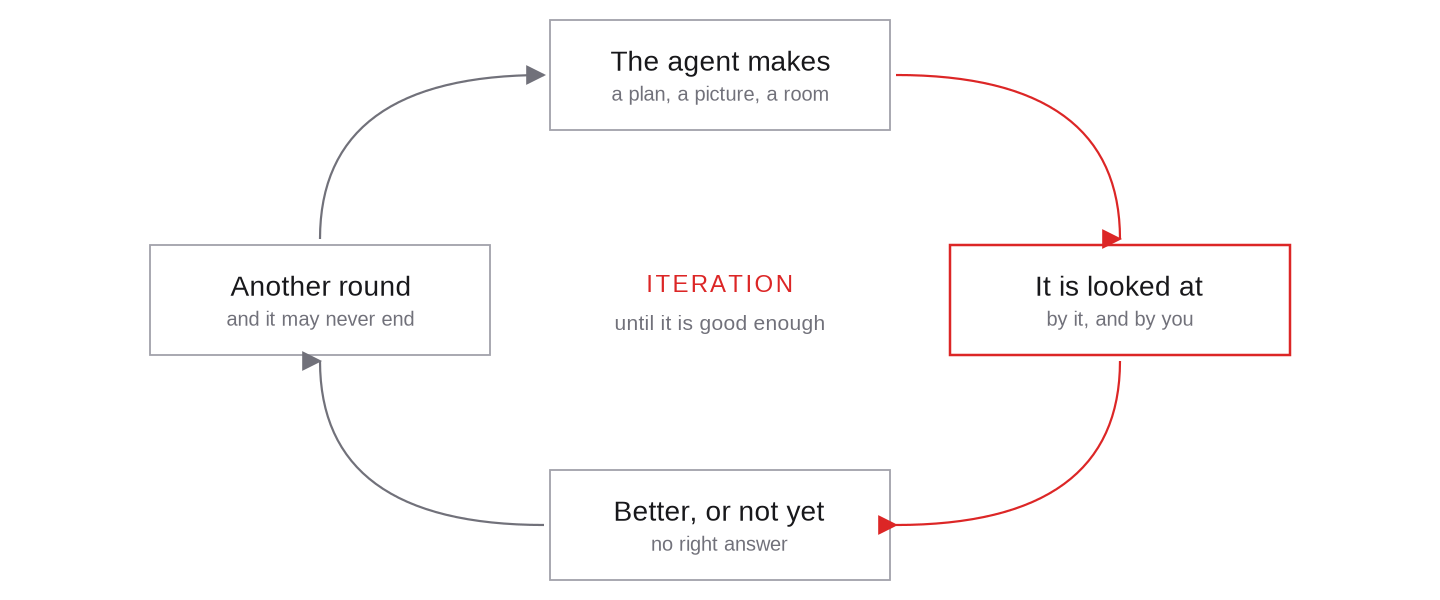
Other loops are not about right or wrong: iteration.
Diagram for this workshop
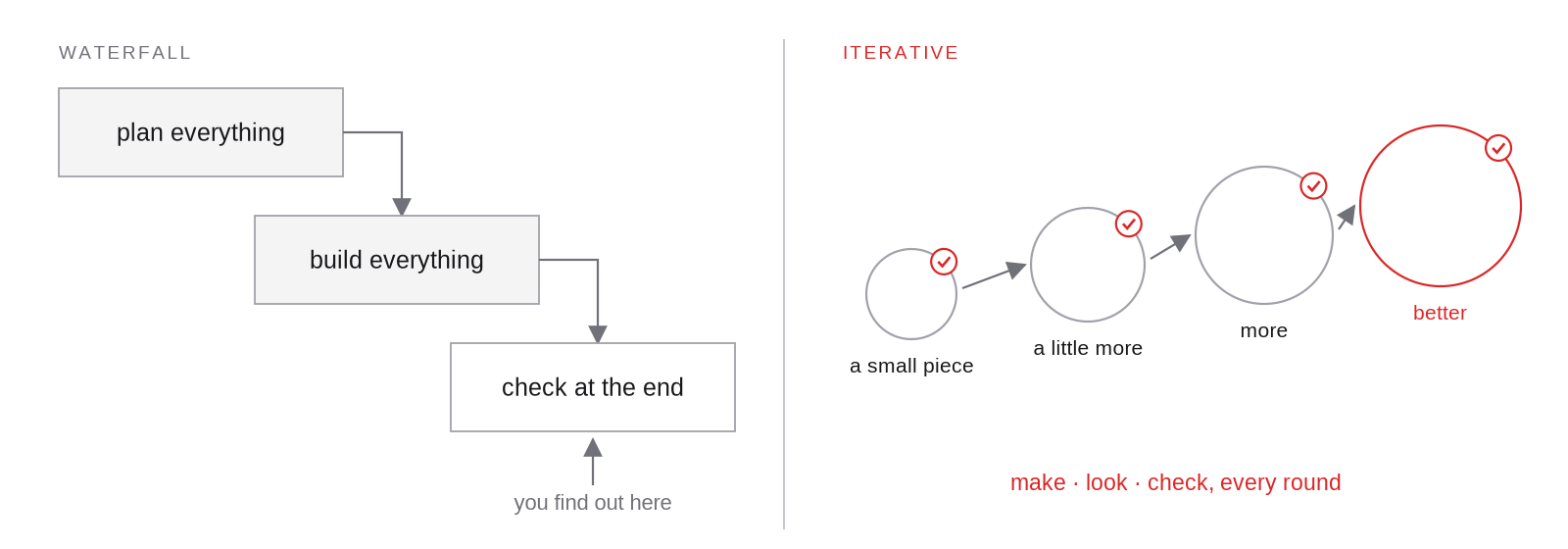
Some loops have no right answer. Something is made, looked at and made again, and each round is only better or not yet good enough. This is iteration, and it can go on as long as you like.
Software went through a similar change: from waterfall to iterative.
Diagram for this workshop
With agents this matters even more. Note that it is result-driven and fairly mechanical: open creative work loops differently, as we will see.
Software development used to plan and build everything before anyone saw a result, which is called waterfall. It moved to building in small pieces, each one checked. Work with agents follows the same idea.
Last week one question. Now a bigger plan: mine is Lingnan; map it onto yours.
My example · Lingnan's early history as data
who · trustees, teachers, donors
when · a timeline of events, 1884–1897
what · courses taught, money given
always · the page, and the exact words
Yours · a school of painting, a group of artists
who · painters, patrons; their names, titles, offices
when · works and events, with whom
what · what others said of them; what they did
always · where each of these was said
My example is the early history of Lingnan as data: who, when, what happened, and where each thing was said. The same plan fits an art-history study. For a school of painting or a group of artists you would record names and offices, what was said of them, their works and events, and the source of every statement.
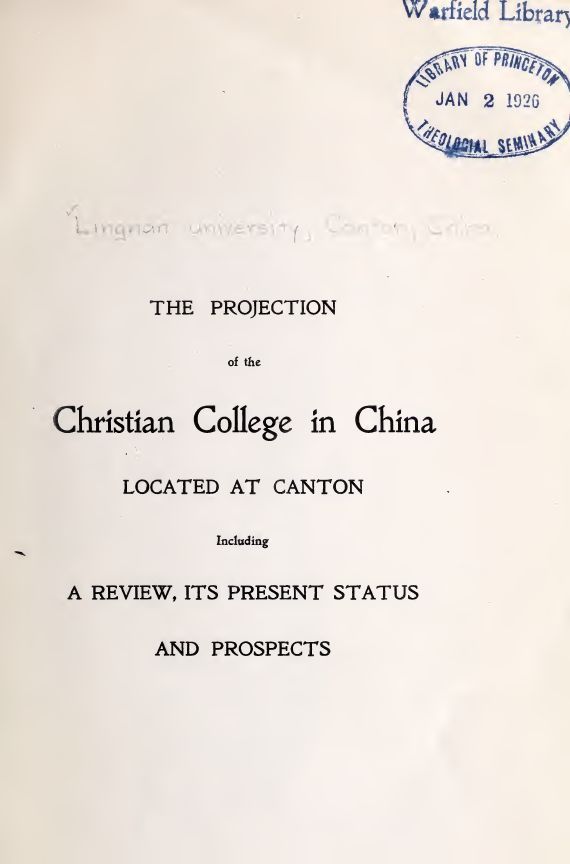
The source: a 38-page booklet about the College, from about 1897.
The Projection of the Christian College in China
The Projection of the Christian College in China (c. 1897). Internet Archive, scan from Princeton Theological Seminary Library; public domain
Inside
a history from 1884
the charter, trustees, faculty
a four-year course of study
every donor and amount, 1887–1897
The source is a 38-page booklet printed by the College's trustees around 1897. It contains a history from 1884, the charter, the trustees and faculty, a course of study, and a list of every donor.
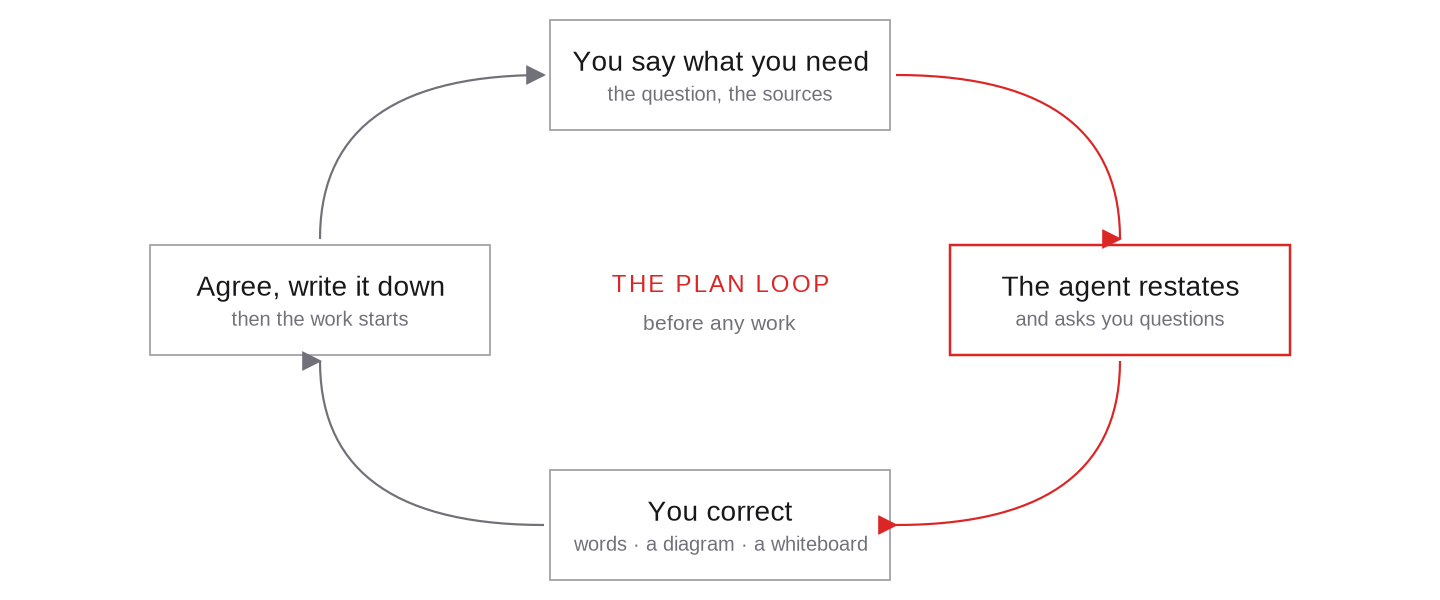
The first loop is the plan: talk until you agree, before any work.
Diagram for this workshop
The first loop happens before any work. You say what you need, the agent restates it and asks questions, and you correct it in words, on a diagram or on a whiteboard. Once you agree, the plan is written down and the work starts.
First, ask it to restate, and to name what it is unsure of.
OpenCode · Plan mode
Do not start yet. I want a database from this 1897 booklet.Restate what you will do, then give me three open questions.
1. Inspect the pages: count, OCR layout, repeats, before designing.
2. Parse each page into records, keep where each came from, flag doubtful OCR.
- What counts as one record: a whole entry, a person, or a single line?- Provenance: page number only, or page and line, traceable to the text?- OCR errors: stored as they are and flagged, or corrected on the way in?▣ Plan · DeepSeek V4.1 Flash
Plan · DeepSeek V4.1 Flash · OpenCode Go · max
In Plan mode, ask the agent to restate the task and to list three things it is unsure of. You then see its assumptions before they are built into the data.
Then let it ask you: one question at a time, until you agree.
OpenCode · Plan mode
Before any plan: interview me. One question at a time, about whatI want from this database. Stop when you could explain it back.
Q1 Who will use it: only you, or readers too?
Me first; readers later.
Q2 A person named in two ways: one row, or two until you decide?
Two, with a note that they may be the same. I decide.
Q3 When the page and the OCR disagree, which do I keep?
Both: the OCR as read, and a flag.
Plan · DeepSeek V4.1 Flash · OpenCode Go · max
Next the agent interviews you, one question at a time, until you both agree. Its questions about duplicate names, and about what to keep when the page and the OCR disagree, ask for decisions you have probably not made yet.
Open this live page ↗ A plan page: the route from 38 pages to records, tables, a second reader and a workbench, with the check at each step; three questions for the researcher; what the agent is unsure of.
I asked for a diagram of the plan, and the agent returned one HTML page to comment on. It shows the route from the 38 pages to the workbench with the check at each step, a diagram of the proposed tables, three questions for me, and what the agent is unsure of.
Or a shared whiteboard: the agent draws, you correct with a pen.
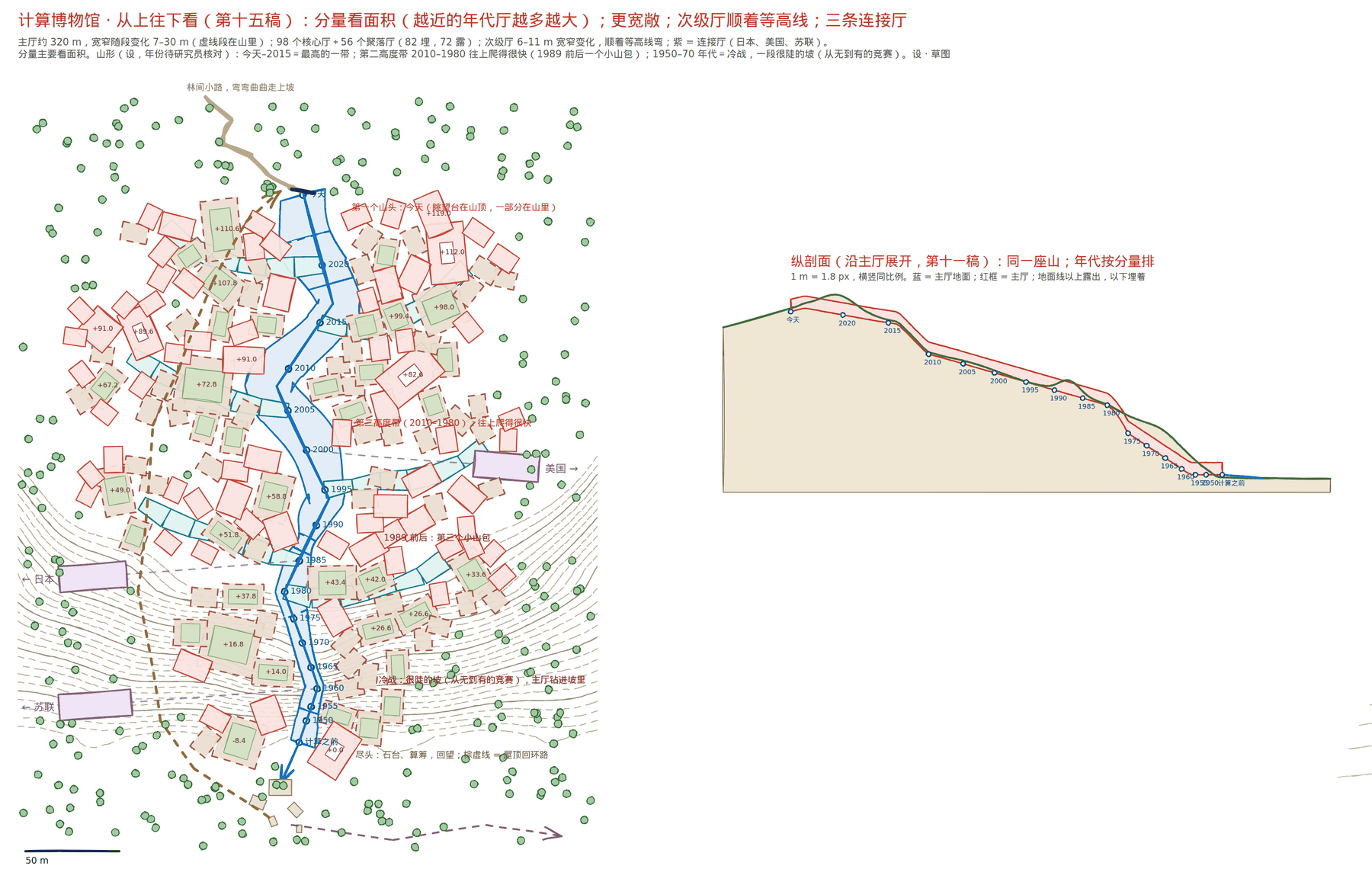
Excalidraw, a free whiteboard · drawn by an agent: a museum plan, from another project
Bo An, Virtual Museum of Chinese Computing, draft 15; drawn by the agent on Excalidraw
How it works
the agent draws on the board
you move things, circle, write
the agent reads the board back
repeat until you agree
On a shared Excalidraw whiteboard the agent draws, you correct with a pen, and the agent reads the board again. The drawing shown is a plan and section of a 320-metre museum, drawn by an agent.
Then write the agreement down. It can be rewritten.
my-work/research/design-doc.md · Plan
## Plan: a database from the 1897 booklet
- one record = one fact: a person, an event, a gift
- where it came from: the page, and the exact words
- OCR errors: kept as printed, flagged, corrected later
- checks before anything is used: see "Checks"

Agreed 12 Nov 2026: the answers to its three questions.
A first agreement, not a contract: when the data surprises you, come back and change it.
The agreed plan is written into the design doc as answers to the three questions. Each fact gets one record, with its page and exact words. OCR errors are kept and flagged. The records are checked before they are used.
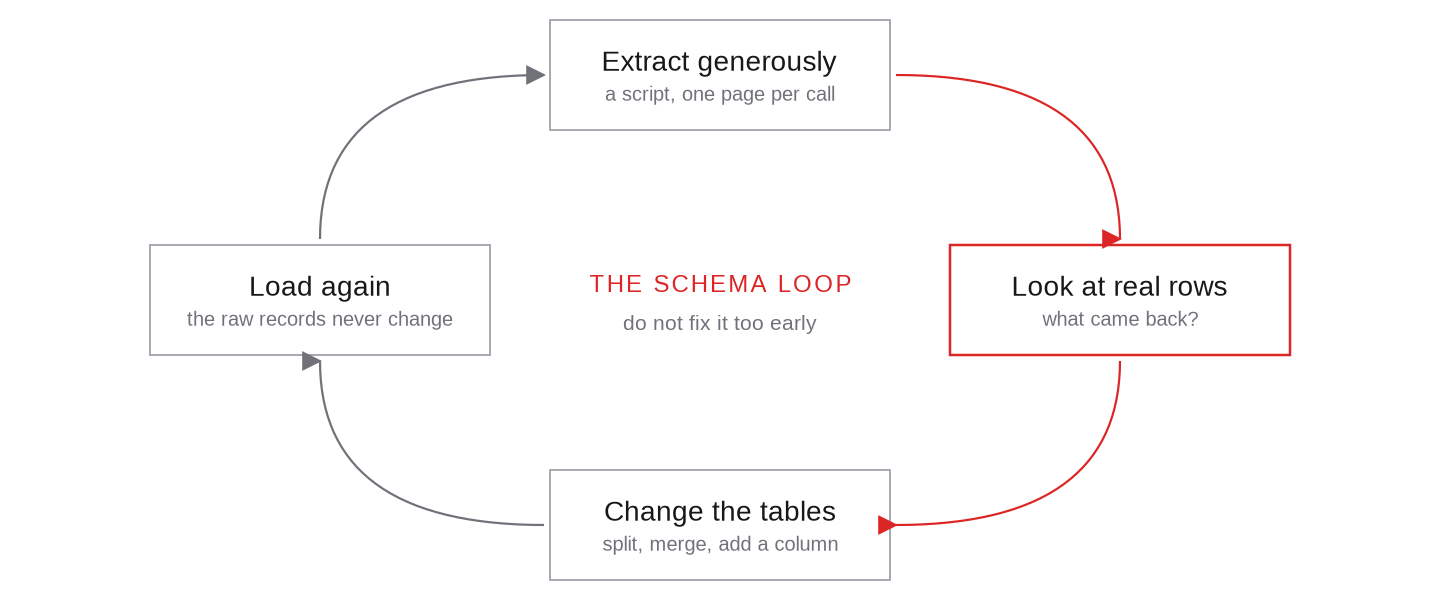
The second loop is the schema: extract generously, look, then change the tables.
Diagram for this workshop
The second loop is about the tables. A script extracts generously, one page per call, and each record keeps its page and words. You look at the real rows, change the tables and load again. The raw records are never changed, so the tables can be reworked as often as needed.
Decide what is worth extracting, and keep the way back.
The page · scan p. 12
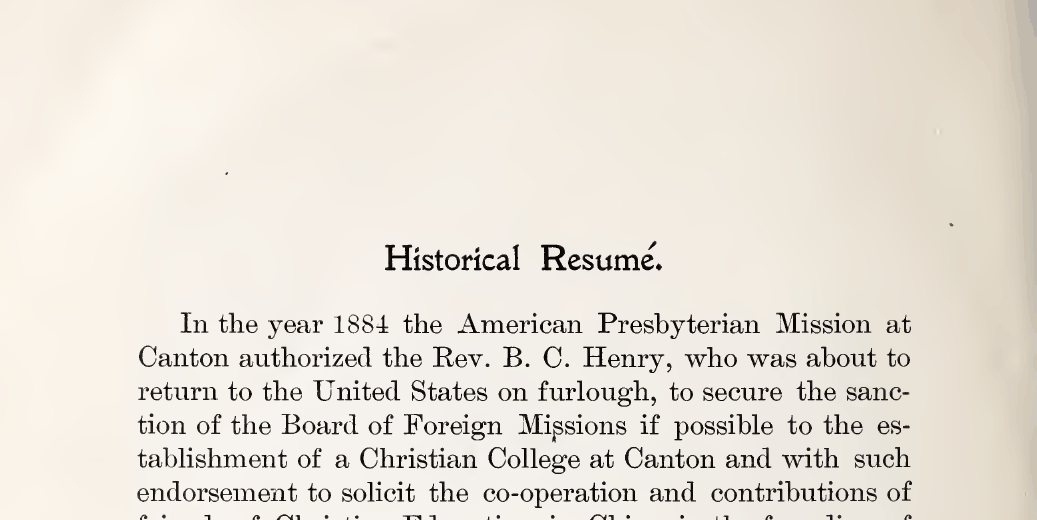
The Projection of the Christian College in China (c. 1897), scan p. 12. Internet Archive; public domain
The same sentence, marked
“In the year 1884 the American Presbyterian Mission at Canton authorized the Rev. B. C. Henry … to secure the sanction of the Board of Foreign Missions …”
who · where · when
→ one record: an event, 1884, Canton, page 12, these exact words
Extract people and organisations, events, and the lists and tables. For every record keep the page and the exact words, because without them nothing can be checked later.
How fine? The same passage, marked at two granularities.
Names only · 12 items
In the year 1884 the American Presbyterian Mission at Canton authorized the Pev. B. C. Henry, who was about to return to the United States on furlough, to secure the sanc- tion of the Board of Foreign Missions if possible to the es- tablishment of a Christian College at Canton and with such endorsement to solicit the co-operation and contributions of friends of Christian Education in China in the founding of the college at Canton. The following paper by Rev. B. C. Henry was presented to the Board of Foreign Missions of the Presbyterian Church, U. S. A., January, 1885.
Atomized · 17 atoms, 15 links between them · timeactoractionconditionpurposeobject
In the year 1884the American Presbyterian Mission at Cantonauthorizedthe Pev. B. C. Henry, who was about to return to the United States on furlough, to secure the sanc- tion of the Board of Foreign Missionsif possibleto the es- tablishment of a Christian College at Canton and with such endorsementto solicit the co-operation and contributions of friends of Christian Education in Chinain the founding of the college at Canton. The following paper by Rev. B. C. Henrywas presented to the Board of Foreign Missions of the Presbyterian Church, U. S. A., January, 1885.
The same hundred-word passage was read twice. Read for names only, it gives 12 items: people, organisations, places and dates. Read in small atoms, it gives 17 atoms and 15 links, which keep who authorized whom, when, for what purpose and on what condition ("if possible"). The finer reading can answer more questions later and costs more to check, so choose the level your question needs.
A relational database: tables whose rows point to each other.
donations · 185 rows
record_id TEXT → records.id
donor TEXT
usd REAL
page INTEGER
p28-106
Martin Henry
25000
28
p29-32
Mrs. R. L. Stuart
25000
29
p28-80
Happer, A. P
10000
28
p29-43
David Torrens
10000
29
records · 724 rows
id TEXT · key
page INTEGER → pages.page
quote TEXT
p28-106
28
Martin Henry, Cincinnati, 0 25,000.00
p29-32
29
Stuart, Mrs. R. L., New York 2.5,000.00
p28-80
28
Happer, A. P 10,000.00
p29-43
29
Torrens, David, New York 10,000.00
A relational database is a set of tables whose rows point to each other. Each row of the donations table carries the id of the record it came from, and each record carries its page and the exact words.
Domain modelling: name the things and how they relate. The schema writes it down.
Diagram for this workshop
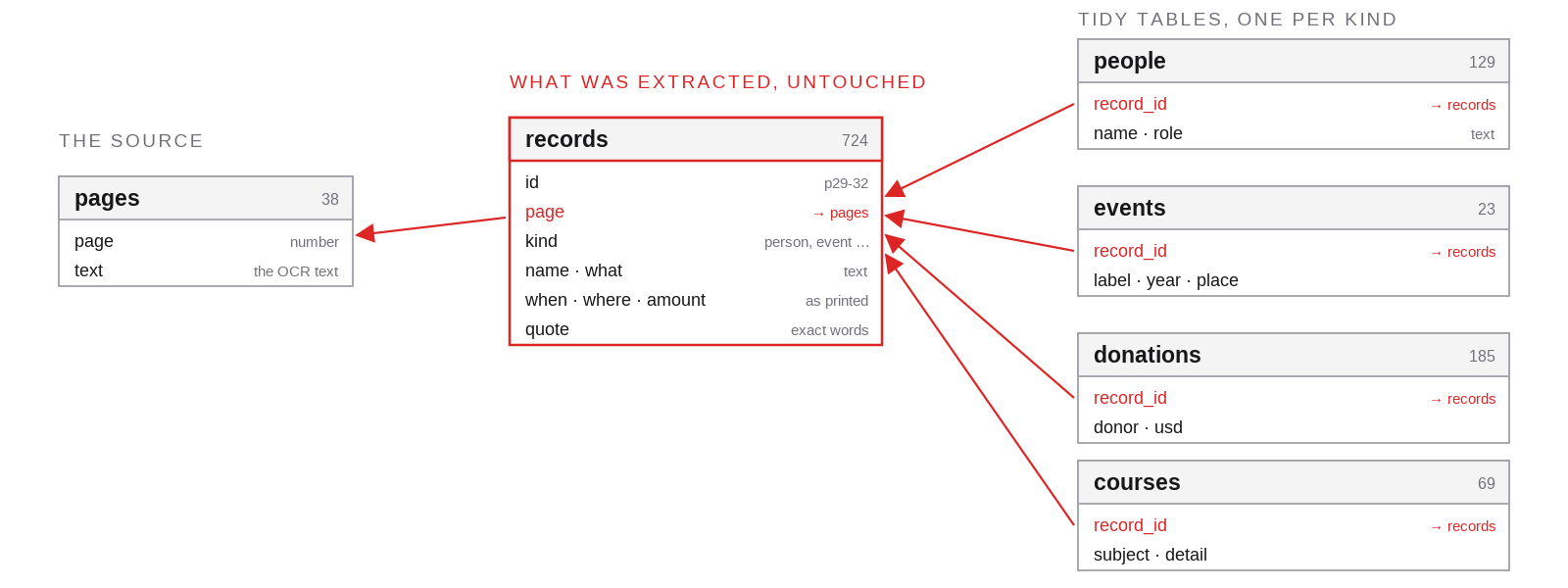
Domain modelling means naming the things in a field and how they relate, and the schema is where that is written down. Here there are 38 pages, 724 untouched records that each point to a page, and four tidy tables (people, events, donations, courses) whose rows point to their records. For a school of painting the things might be painters, works, inscriptions and sources. Choosing them is the scholar's decision.
Model in rounds: real rows show you what to change in the schema.
Round 2 · a relation was wrong
seen in the rows:
“Total … $97,433.07” and the treasurer's
accounts were counted as gifts
the change:
donations
- every record that has an amount+ only records of the donor list, pp. 28–29→ 185 rows
Round 3 · an attribute was missing
seen in the rows:
  “January, 1885” cannot be sorted

the change:
  events
      record_id  TEXT → records.id
      label      TEXT
+     year       INTEGER
      place      TEXT

→ the printed date stays in the record
You look at real rows, notice a relation or an attribute that is wrong, and change the schema. Each change is one rerun; the raw records never change.
The tables were changed twice after looking at real rows. Totals and accounts had been counted as gifts, so the donations table was limited to the donor list on pages 28 and 29 (185 rows). Printed dates could not be sorted, so a year column was added to events. Each change is one rerun of the script, and the raw records stay as they are.
Verifying is part of building: three layers, from cheapest to dearest.
Diagram for this workshop
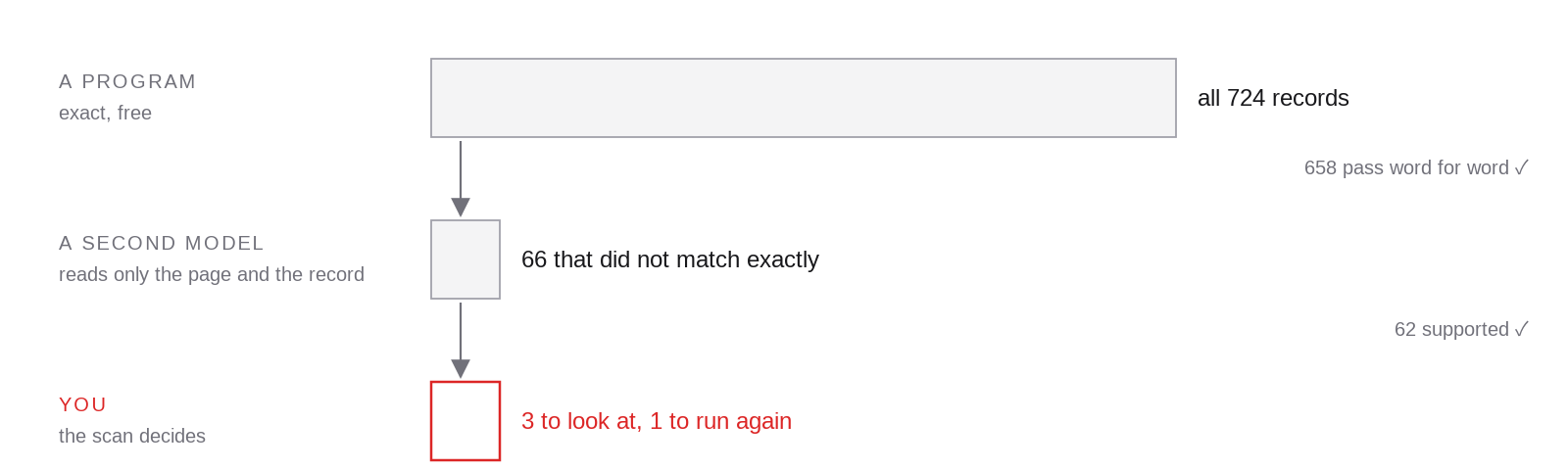
Checks are arranged from the cheapest to the most expensive. A program checks what is exact, a second model checks what needs reading, and you check the few cases that remain by looking at the scan.
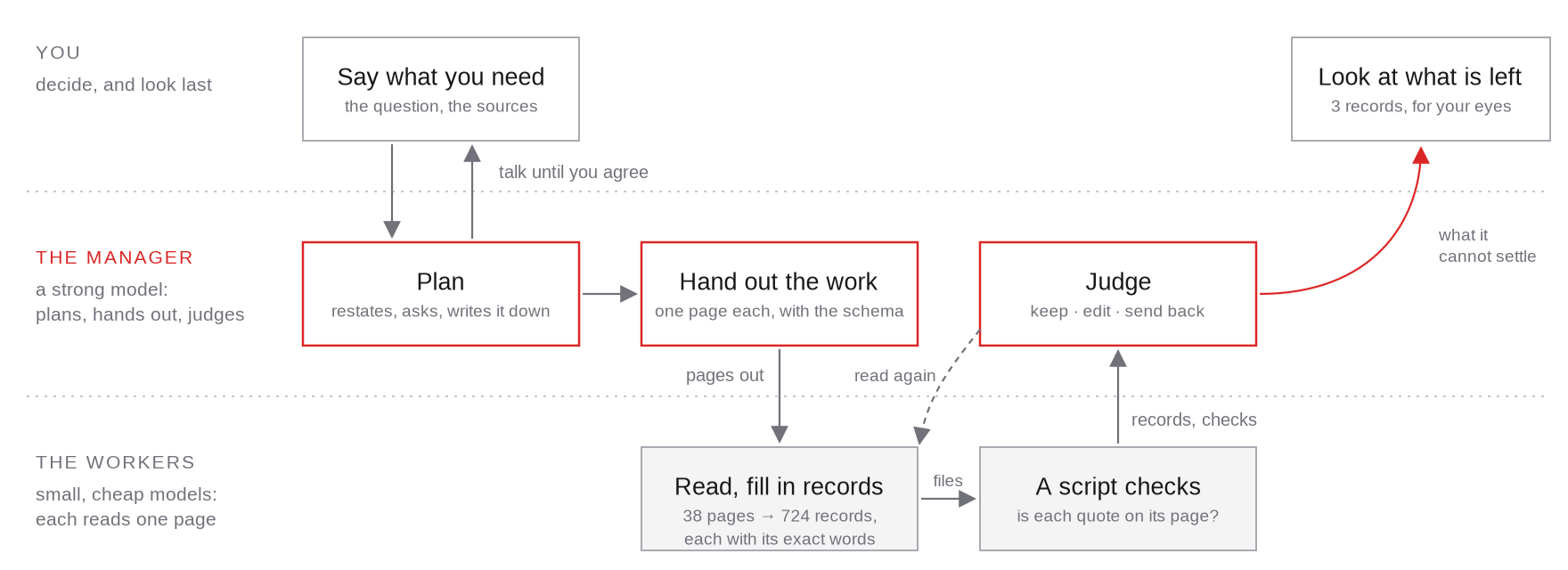
The pipeline used two kinds of model. A strong manager model plans with you, hands out the work and judges the results. Small, cheap worker models each read one page and fill in records. A script checks each quotation, the manager decides whether to keep, edit or send back a record, and three records were left for the researcher. The models pass work to each other through files.
In Module 8 the data becomes software of your own: a workbench for browsing it, a small tool for one question, a search by meaning and a map. The tests that go with them are covered too.
A workbench lets the researcher see the data, and lets the agent open and look at what it built. Both then have the same thing to look at and point to.
A workbench: each record beside its words and its scan.
The workbench
Open this live page ↗ The workbench: records on the left; on the right one record, its check, the page text with the quotation marked, and the scan.
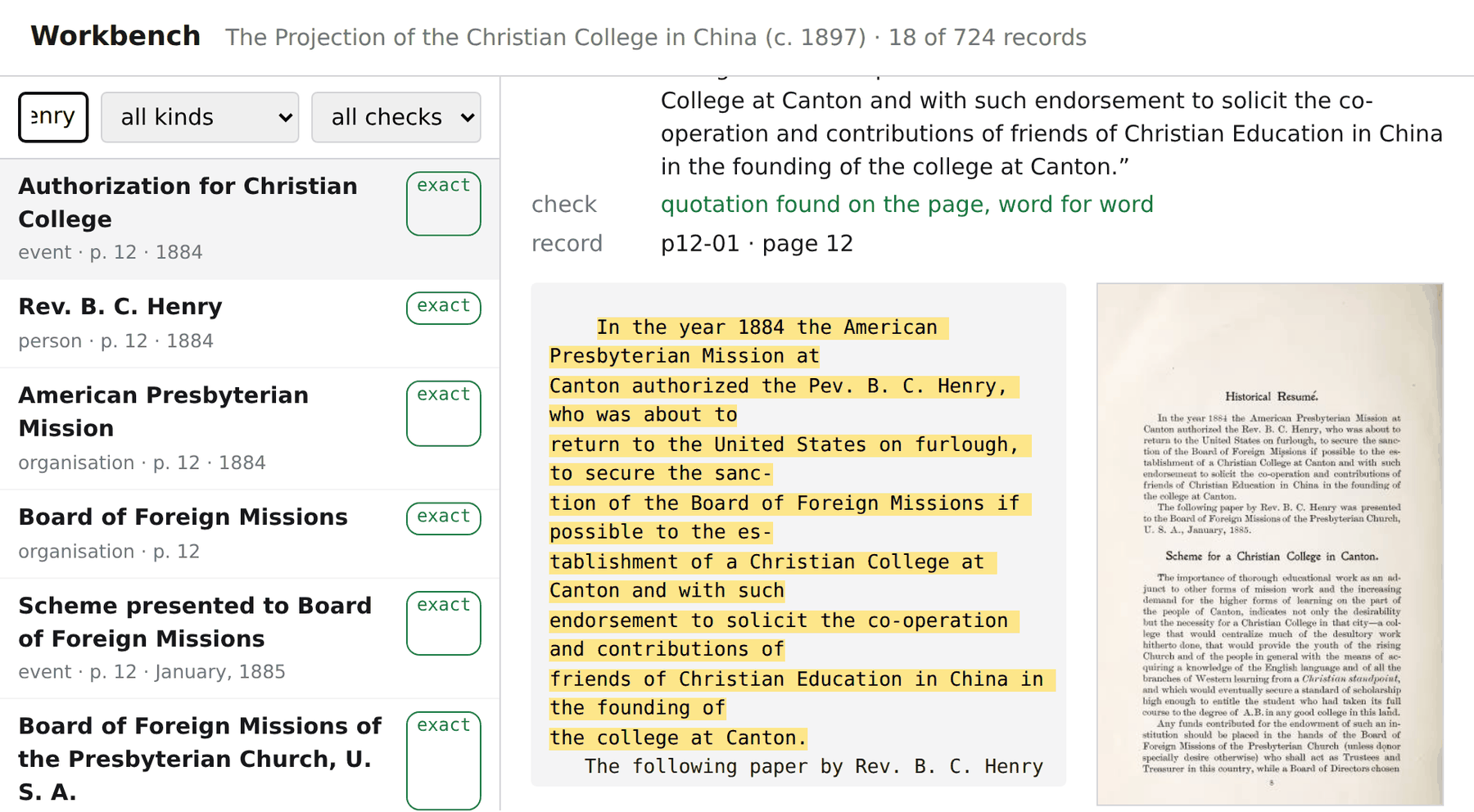
The workbench is one web page for your own use. The 724 records are on the left. On the right are the chosen record, its check result, its quotation highlighted in the page text, and the scan.
Ask the agent to build it, and to look at it itself.
OpenCode · art-ai-workshop-2026
Build a workbench as one HTML file: the records on the left withfilters; on the right the record, its check, the page text with thequotation highlighted, and the scan. Then open it in the browserand check that it works.← Write research/build_workbench.py
$ python research/build_workbench.py
exact 658 · layout 62 · altered 2 · missing 1
→ Browser: opened workbench/index.html, clicked p12-01
0 errors; the quotation is highlighted; screenshot saved.▣ Build · DeepSeek V4.1 Flash
Build · DeepSeek V4.1 Flash · OpenCode Go · max
The agent builds the workbench as one HTML file and then opens it in a browser itself. It clicks a record, looks for errors and for the highlight, and hands the page over when it works.
What such tools are built from: a few names worth knowing.
Name
What it is for
Today
Python
scripts and data: extracting, cleaning, checks
the extraction, the database, the checks
HTML, JavaScript
what a browser shows; runs with no installation
the workbench: one HTML file
TypeScript
JavaScript with types, so mistakes are caught before running
these slides
React
building an interface from reusable parts
these slides
A backend (a server)
the program behind the page, when data must be saved or shared
not needed today
Go
a fast, simple language, often used for servers
not used today
SQLite
a whole database in one file
lingnan.sqlite
You do not have to write any of them. Know the names, so you can ask for one, and understand what the agent chose and why.
Some names are worth knowing when you ask an agent to build a tool. Python is for scripts and data. HTML and JavaScript are what the browser shows, and TypeScript is JavaScript with checked types. React is for interfaces built from parts. A backend or server, often written in Python or Go, is needed when data must be saved or shared. SQLite is a database in one file.
OpenCode Browse: the agent drives a browser, and sees the page it built.
OpenCode
› Open the workbench in the browser, click through it, and fix any error, missing file or text that overflows.← browser open · click “altered”
← browser screenshot
The filter shows 3 records; one titleis cut off. Fixing the style…
Build · DeepSeek V4.1 Flash · OpenCode Go
Diagram for this workshop
A browser · the page it built
Workbench built for the workshop, 12 Nov 2026
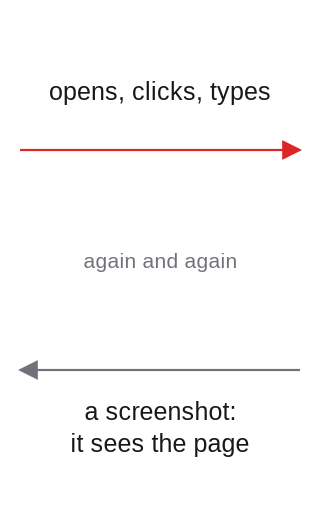
OpenCode Browse gives the agent a browser. It is an MCP server with a browser extension, and it lets the agent open pages, click, type and take screenshots in your own browser. The agent can then see the page it built and correct it over several rounds. When a login is needed it hands the tab back to you.
Programmers call these tests: say what should be true, and run it every time.
research/checks.py · three of the five rules
every record has a page and a quotation
the quotation is on that page, word for word
the donations add up to the printed total
Then
run them after every change
a rule that fails is a place to look
the agent runs them itself, before it tells you it is done
Rules that are written down and run after every change are what programmers call tests. The agent runs them itself before it reports that it is done. The rules themselves come from the researcher's judgement.
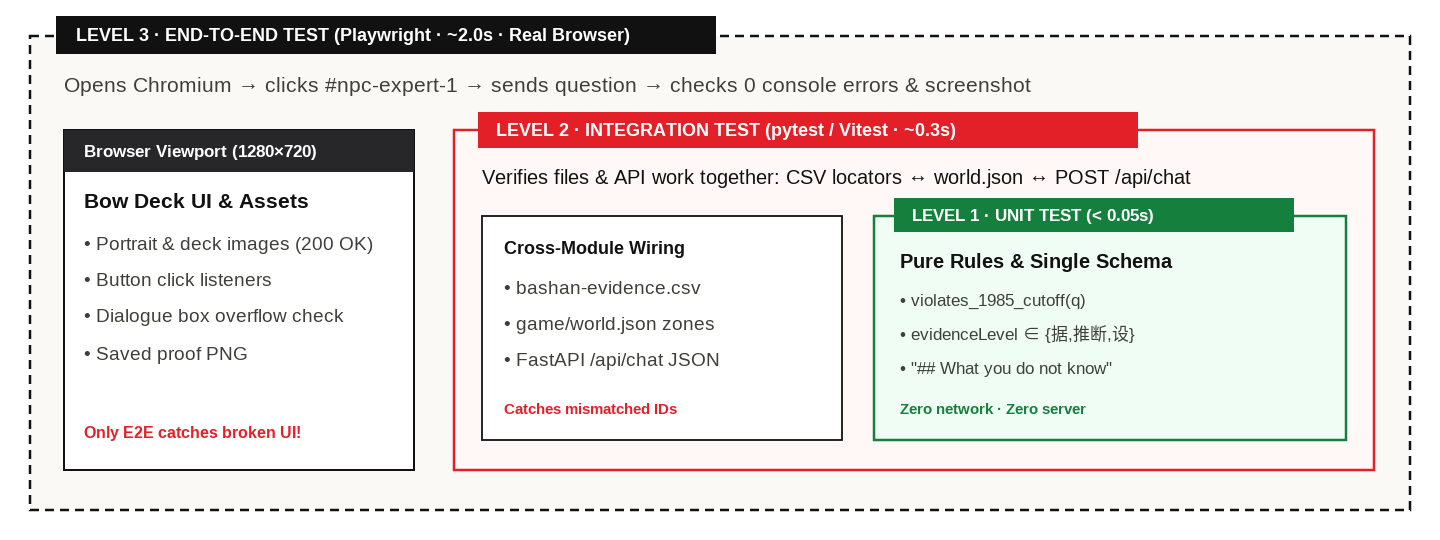
Tests come in levels: one rule, the parts together, the whole thing in a browser.
Three levels of automated test · from a course project
Course diagram by Bo An, from the Bashan project
Automated tests come in three levels. The first checks a single rule, the second checks that parts work together, and the third walks through the whole thing in a real browser. The agent runs the cheaper ones first.
A tool for one question: your own interface to compare two things side by side.
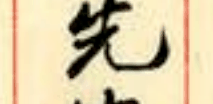
One of your questions was how to compare inscriptions. The same way: here, two characters from one column of a memoir, which the OCR read both as 先.
光 · in 鍾榮光
Lingnan University Library
先 · in 先生
Lingnan University Library
A tool can be built for a single question. Here the agent finds, crops and lines up every instance of 光 and 先, two characters the OCR confused, and the researcher judges them side by side.
Search by an idea, not a keyword: sentences become embeddings, then you ask by meaning.
The route
sentences, any language
each becomes an embedding: its meaning, as numbers
ask for an idea: the nearest meanings come back
pictures join, by a description or their own embedding
Ask · six passages from last week
Open this live page ↗ A search box with the query 'the evanescence of life' and six passages ranked by closeness of meaning: Ecclesiastes, Marcus Aurelius, Plato on Heraclitus, Su Shi and the Analects at the top, a memoir sentence about a Sunday outing last.
To search for an idea that has no keyword, one agent restates each passage in plain language, saying what it says and what idea is in it. A second agent turns that restatement into an embedding, which is stored with the source. For the query "the evanescence of life", the passages from the Analects, Heraclitus, Ecclesiastes, Marcus Aurelius and Su Shi rank above a control sentence about a Sunday outing. The restatement raises the scores only slightly. Its main use is that you can read why each passage matched, and check it.
A third small tool: a map of where the College's donors lived.
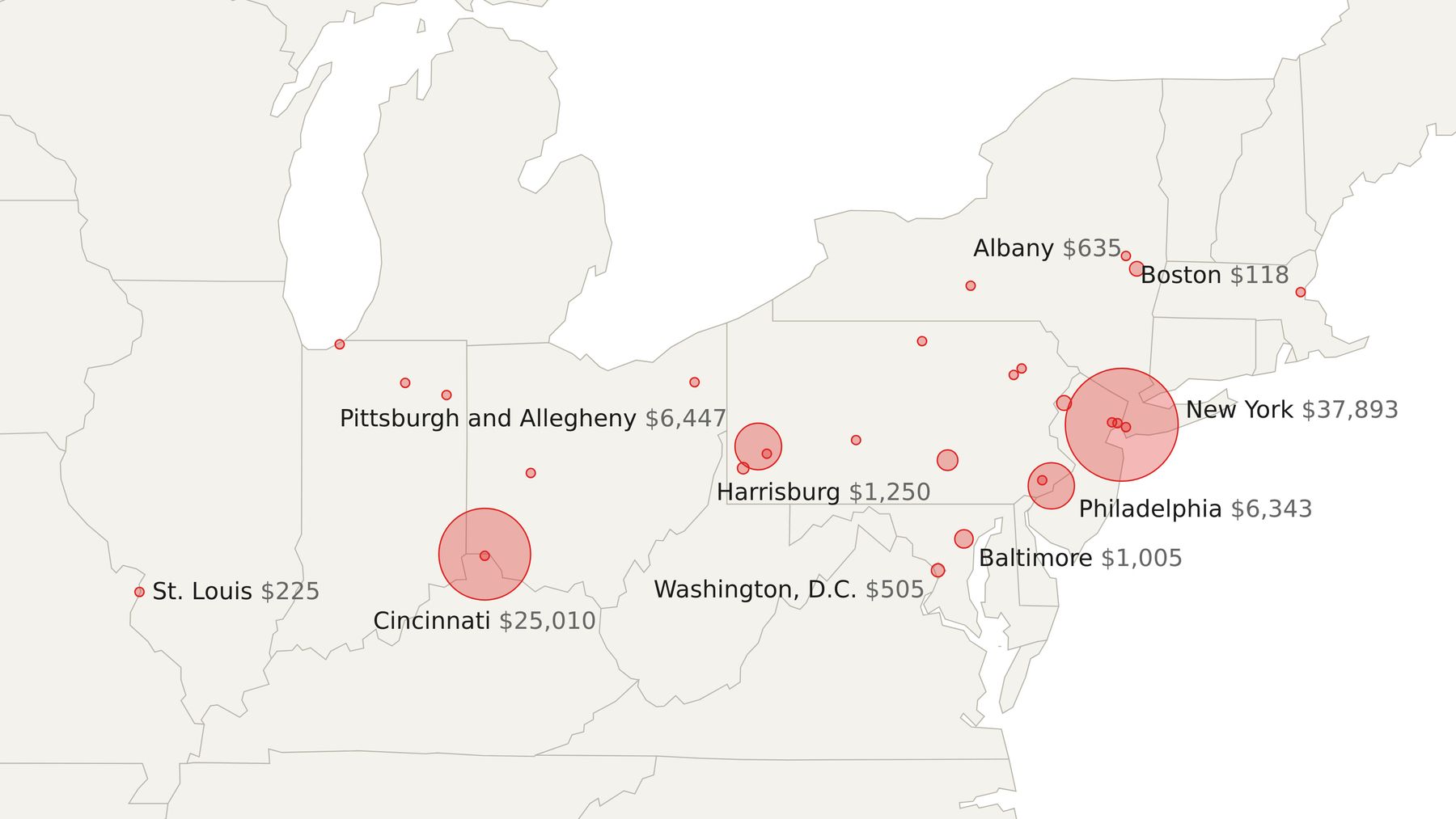
Donors to the College (later Lingnan) · USA · 1887–1897
Drawn for the workshop from the donations table, 12 Nov 2026; state outlines: public GeoJSON
The same rows, added up by city
City
Gifts
Dollars
New York
17
37,893
Cincinnati
2
25,010
Pittsburgh
14
6,447
Philadelphia
23
6,343
The donations table from the Lingnan booklet is drawn as a map of the United States for 1887 to 1897. New York gave 37,893 dollars, Cincinnati 25,010, Pittsburgh 6,447 and Philadelphia 6,343. The 85 rows without a recognised place are left off.
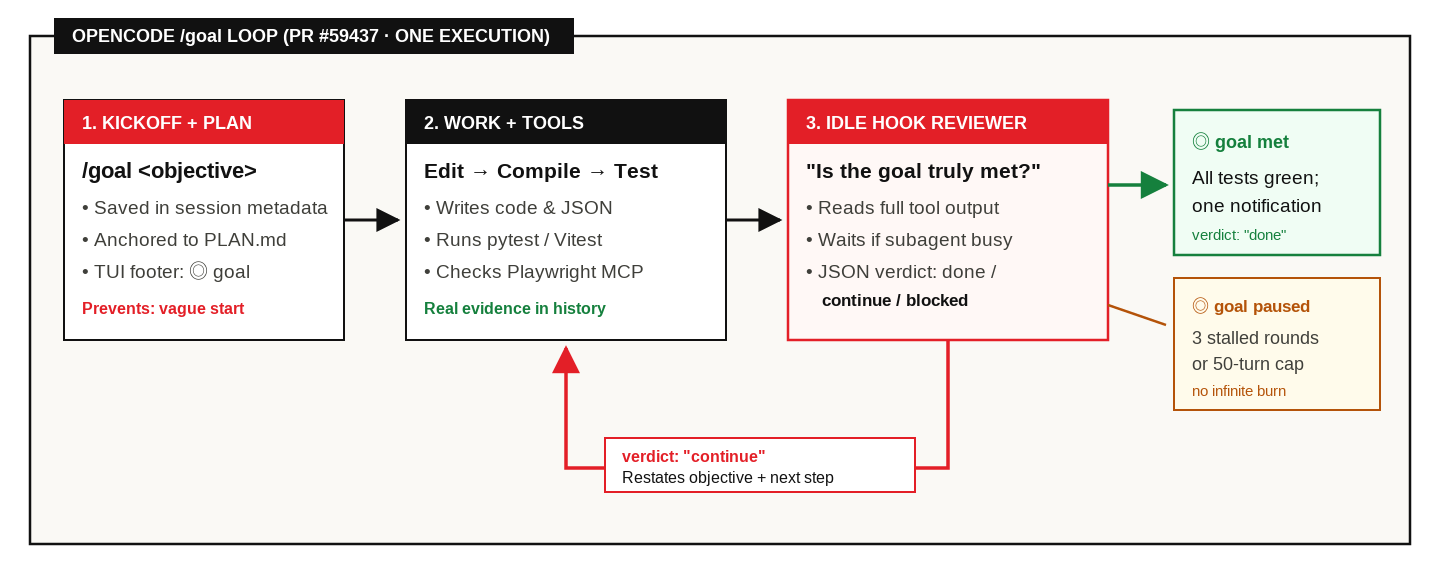
In OpenCode this loop is now built in: /goal works until a reviewer says done.
OpenCode · /goal · the loop, built into the tool
Course diagram by Bo An, after OpenCode pull request 59437
OpenCode's new /goal command keeps the agent working across turns. Each time the agent would stop, an internal reviewer checks whether the objective has been met. The user still supplies the checks and says what "done" means.
A goal the agent can finish: a plan, its limits, and checks it can run.
OpenCode · art-ai-workshop-2026
/goal Build the workbench per @research/design-doc.md.Use only records in research/lingnan.sqlite.Done when research/checks.py passes and the pageopens in the browser with 0 errors.◎ Goal: Build the workbench per design-doc.md…$ python research/checks.py→ Browser: opened workbench/index.html
◎ goal met
◎ Build · DeepSeek V4.1 Flash · OpenCode Go
What backs a good goal
a written plan, not a wish
the evidence it must stay within
checks the reviewer can run
A goal the agent can finish needs three things, all built earlier in the session: a written plan, the evidence it must stay within, and checks it can run itself. Here the checks are the database checks and a browser page with no errors.
Module 9 turns to pictures, where the question is whether a result is good enough. It covers agreeing on a look with the agent, the ways to control a picture, choosing a model, and keeping a record.
ask it to paint what a term means, then correct it · the feedback is your words, or a reference picture
2 · Control the picture
a sentence, a seed, a reference, an edit, a LoRA; then video · each is one more way to steer
3 · Choose a model
closed or open, where it runs, how long it takes · and ComfyUI, for the open ones
4 · Keep the record
label what was generated, as you do generated text
The imaging module has four parts. First, agree on a look by asking the model to paint a term and correcting it. Second, the ways to control a picture: a sentence, a seed, a reference, an edit, a LoRA, and then video. Third, choosing a model and where to run it. Fourth, keeping a record of what was generated.
What you need to agree on decides what you ask it to draw.
A plan, a structure
a diagram · before the break: the plan for the database
A layout, a space
a whiteboard you both draw on · also before the break
A look, a manner
a generated picture · next: does the model know what “boneless manner” looks like?
What you need to agree on decides what you ask for. A plan needs a diagram, a layout needs a shared whiteboard, and a look or manner needs a generated picture.
Does it know what “boneless manner” means? Ask it to paint it.
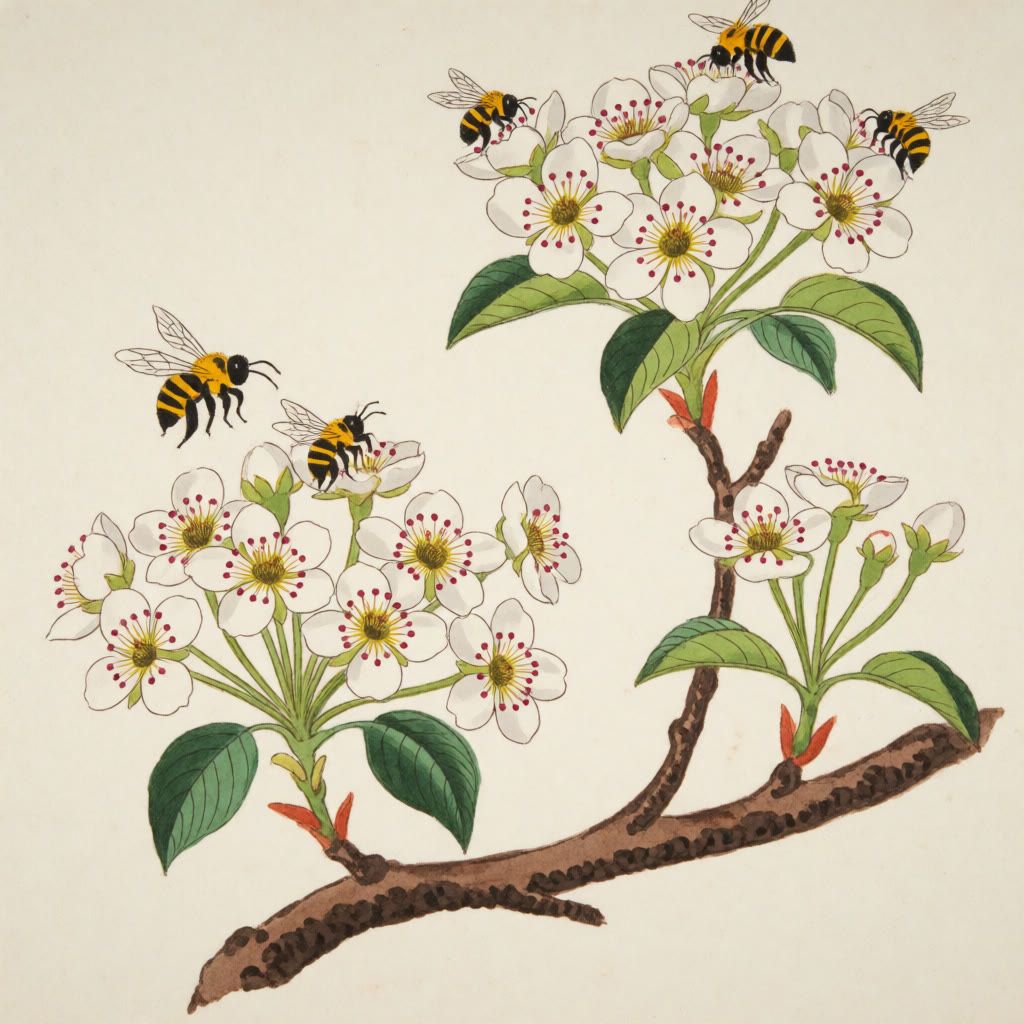
Asked: “a Canton export watercolour”
Generated with Gemini 3.1 Flash Image, 12 Nov 2026
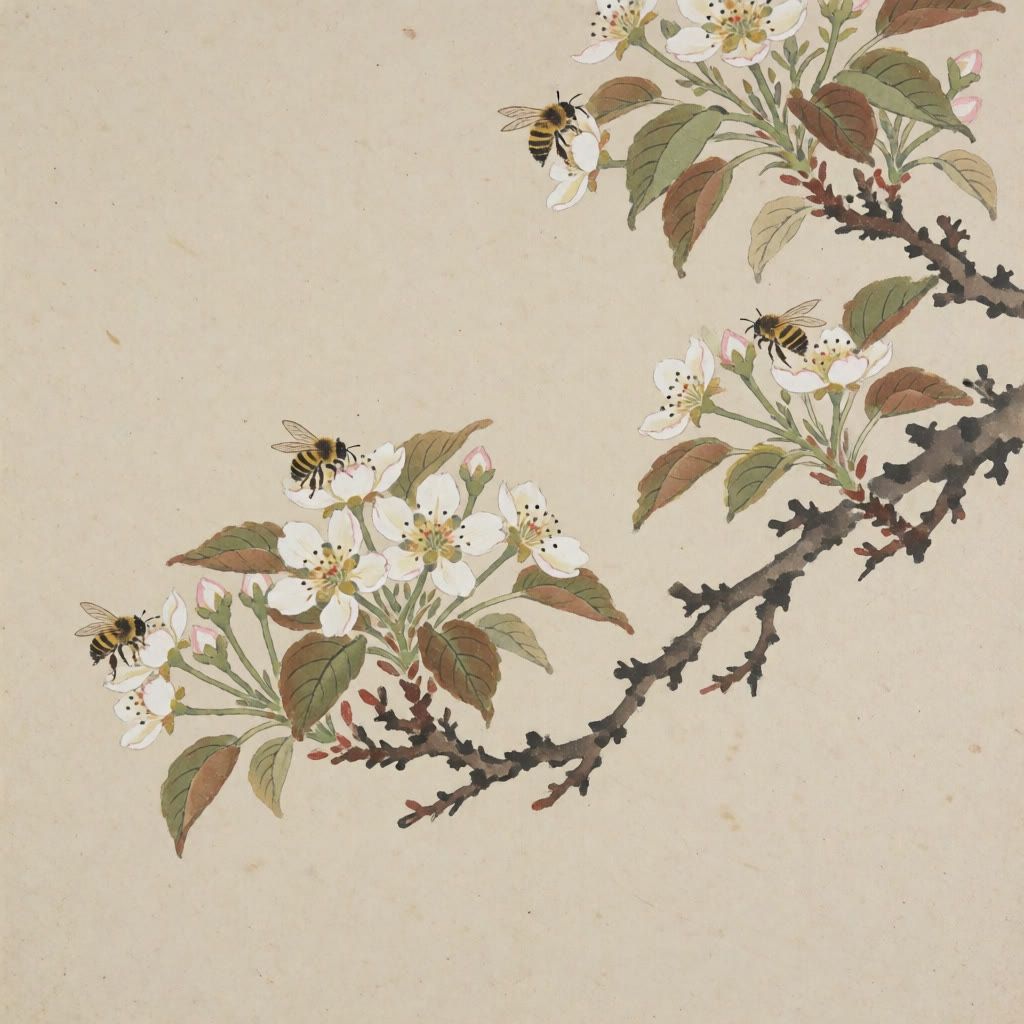
Same branch, asked: “Ju Lian's boneless manner”
Generated with Gemini 3.1 Flash Image, 12 Nov 2026
The model was asked to paint the same subject twice, once as a Canton export watercolour and once in Ju Lian's boneless manner. The two pictures show what it understands by each term, and you can see what to correct.
Then put it beside a real Ju Lian: your correction is the feedback.
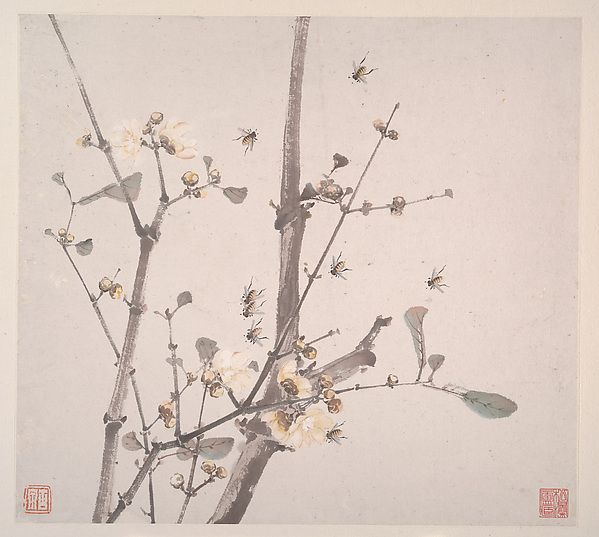
The real painting · Ju Lian, 1865
Ju Lian, Insects and Flowers, dated 1865. The Metropolitan Museum of Art, Gift of Robert Hatfield Ellsworth, 1986 (Open Access, CC0)
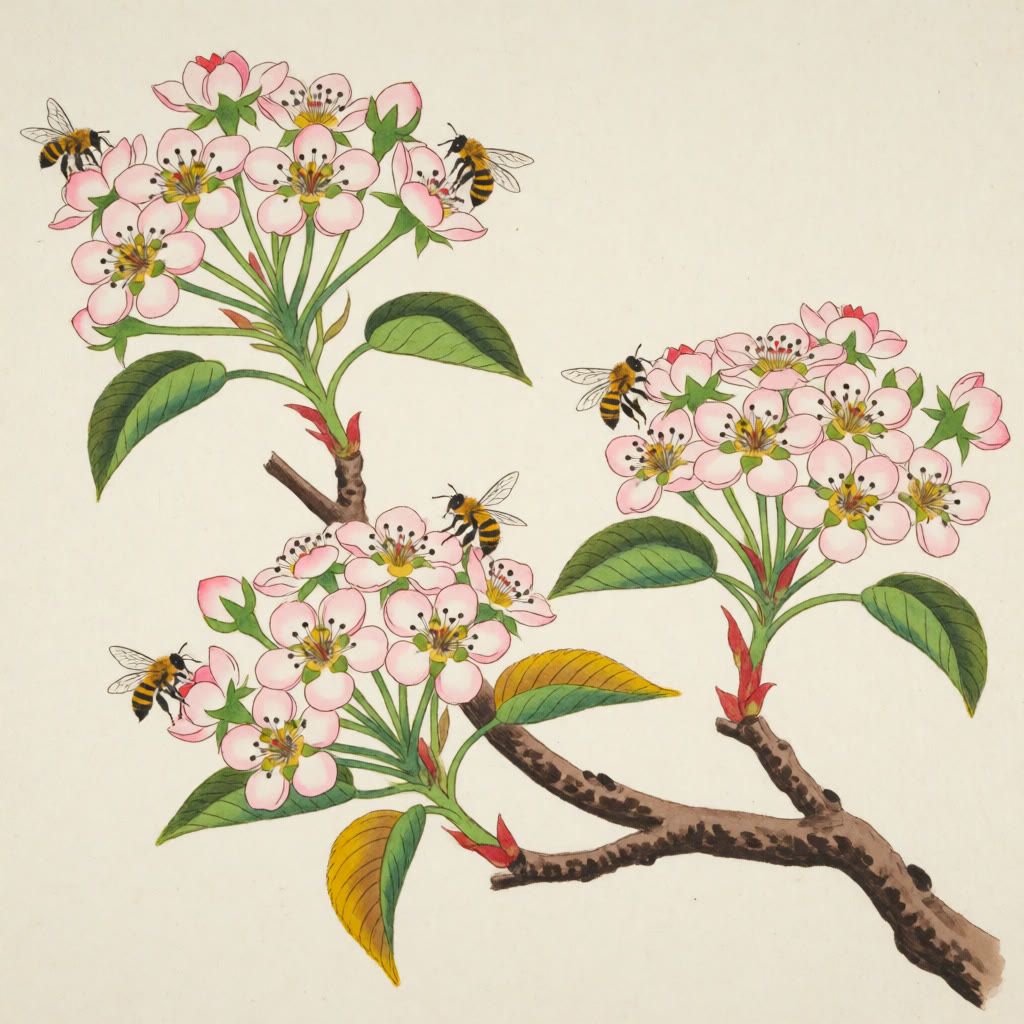
What the model painted
Generated with Gemini 3.1 Flash Image, 12 Nov 2026
Beside Ju Lian's album leaf of 1865, the generated picture can be corrected in plain words. The judgement is the researcher's. A generated picture is a way of asking the model a question, and it cannot serve as evidence.
Where does the picture get made? Three places, two kinds of model.
An API · closed model
on the company's machines: often the best quality; you pay per picture; your pictures leave your computer
Your machine · open weights
you download the model: full control, add-ons, nothing leaves; it needs a graphics card
A rented machine · open weights
the same open models on a remote graphics card, by the hour: Google Colab is one
An image model runs in one of three places. Behind an API, a closed model on the company's machines returns a picture, and your own graphics card plays no part. On your own machine, you download open weights and run them. On a rented remote machine such as Google Colab, you get a computer and run the model on it yourself.
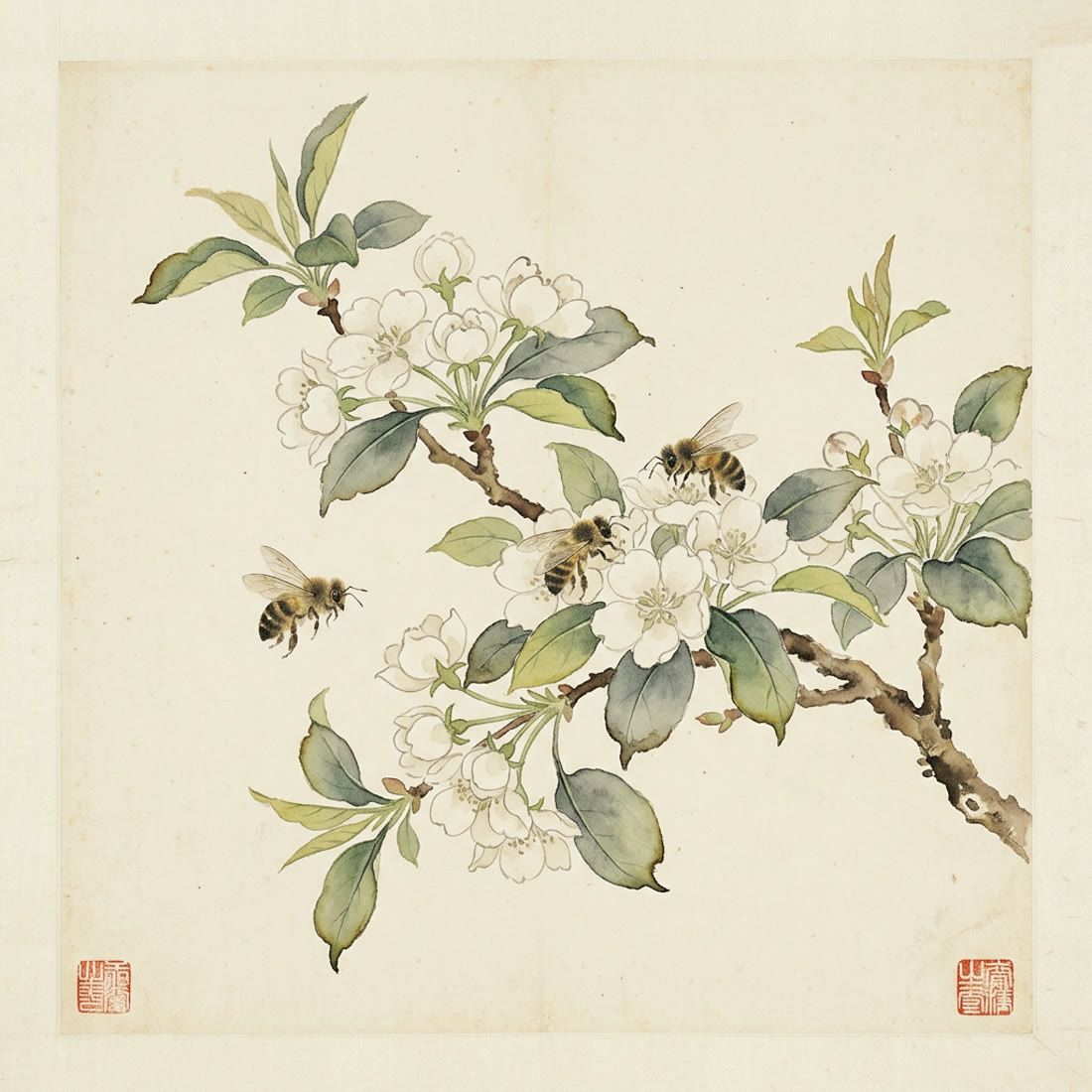
Generated with Krea 2 Turbo (open weights, Krea 2 Community License) in ComfyUI on a rented A100, 12 Nov 2026
Asked for Ju Lian's boneless manner
Generated with Krea 2 Turbo (open weights, Krea 2 Community License) in ComfyUI on a rented A100, 12 Nov 2026
What was sent
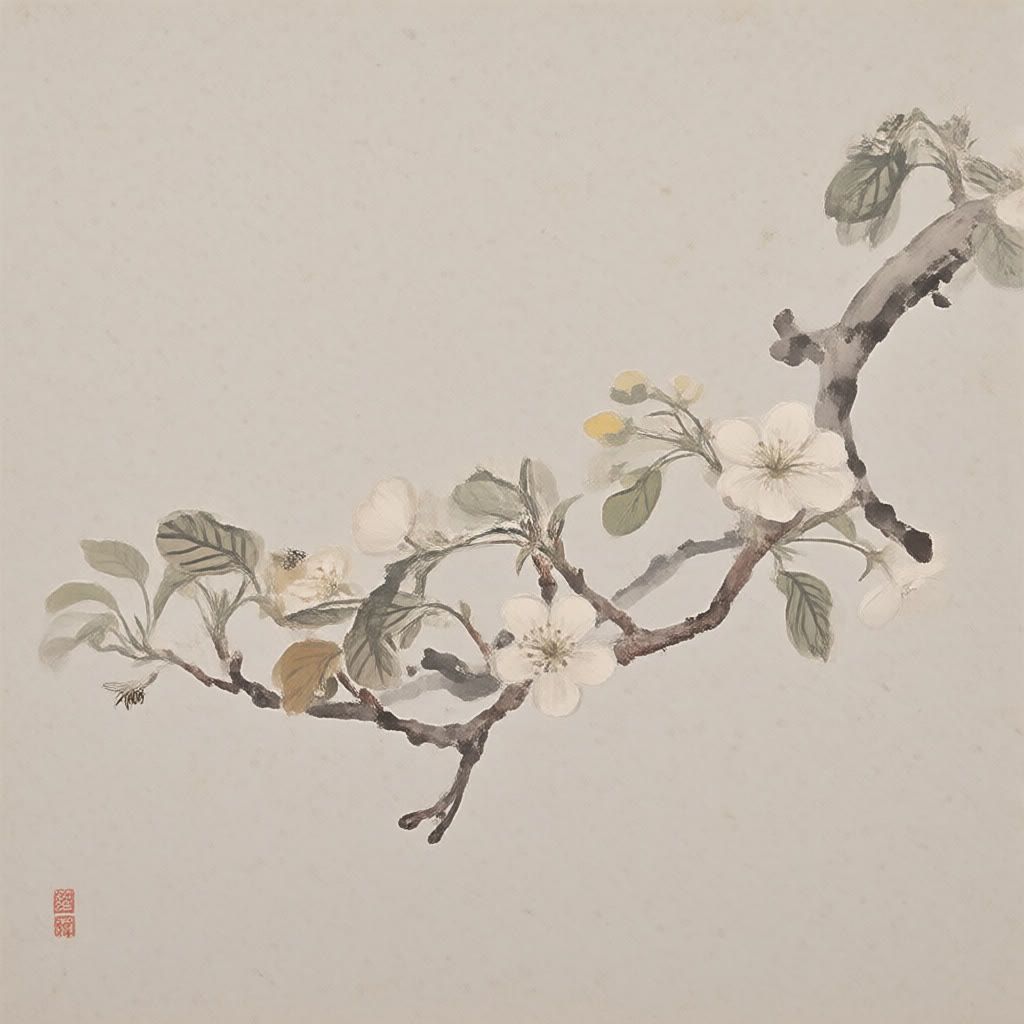
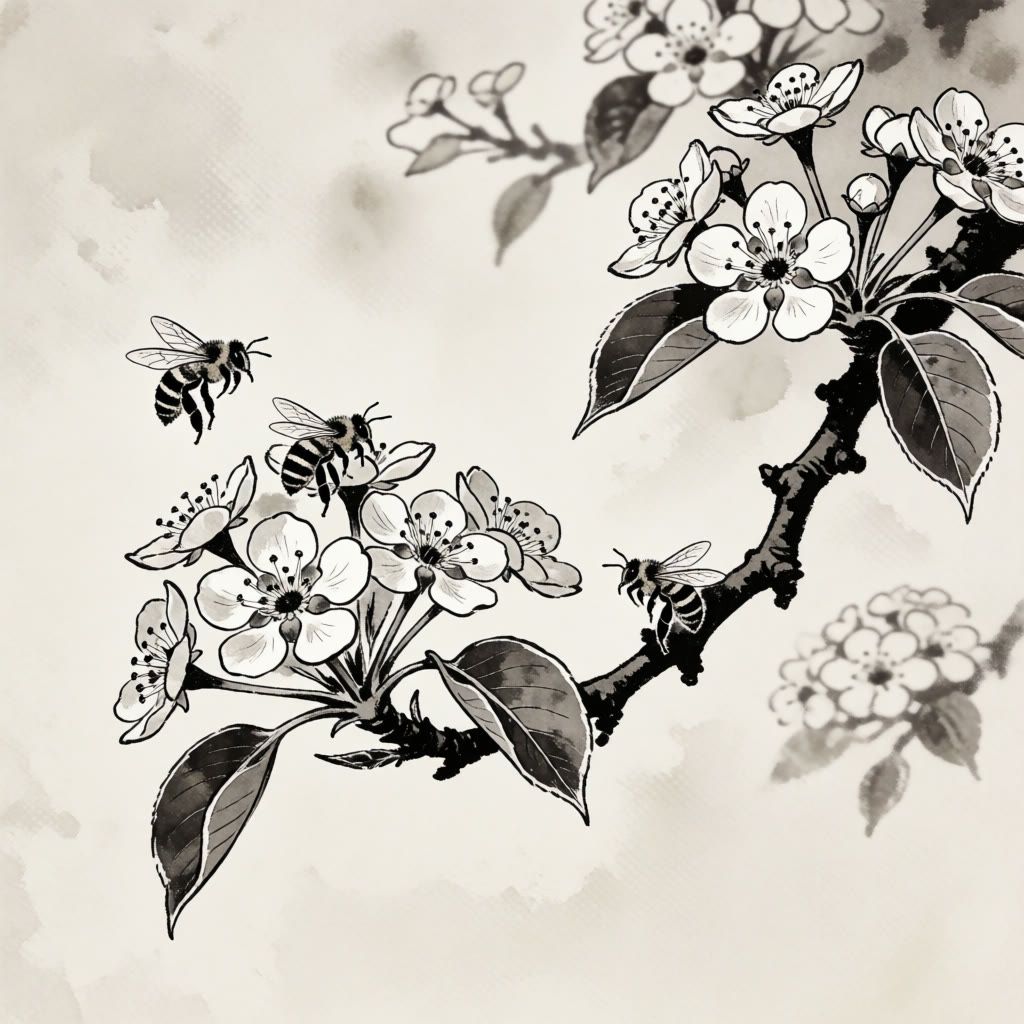
Left “a flowering pear branch with bees, 19th-century Canton export watercolour, firm ink outline, flat bright colour”
Right “a flowering pear branch with bees, in the boneless (mogu) wash manner of Ju Lian, no outlines, muted colour, bare paper”
model: Krea 2 Turbo · seed 1865 · 8 steps · 1024 × 1024 · about 6 seconds each
Text to image turns one sentence into one picture. Krea 2, an open-weights model with a strong look of its own, made each of the two pictures in under six seconds. Its official template rewrites the prompt by default, and I switched that off.
The seed: the same sentence, another number, another picture.
Seed 1865
Generated with Krea 2 Turbo (open weights, Krea 2 Community License) in ComfyUI on a rented A100, 12 Nov 2026
Seed 1866 · the same sentence, word for word
Generated with Krea 2 Turbo (open weights, Krea 2 Community License) in ComfyUI on a rented A100, 12 Nov 2026
The seed is the starting noise. Keep the number and you can make the same picture again; change it and you get a sibling.
The seed is the number of the random noise a picture starts from. A different seed gives a different composition from the same sentence. The same model, sentence and seed give exactly the same picture.
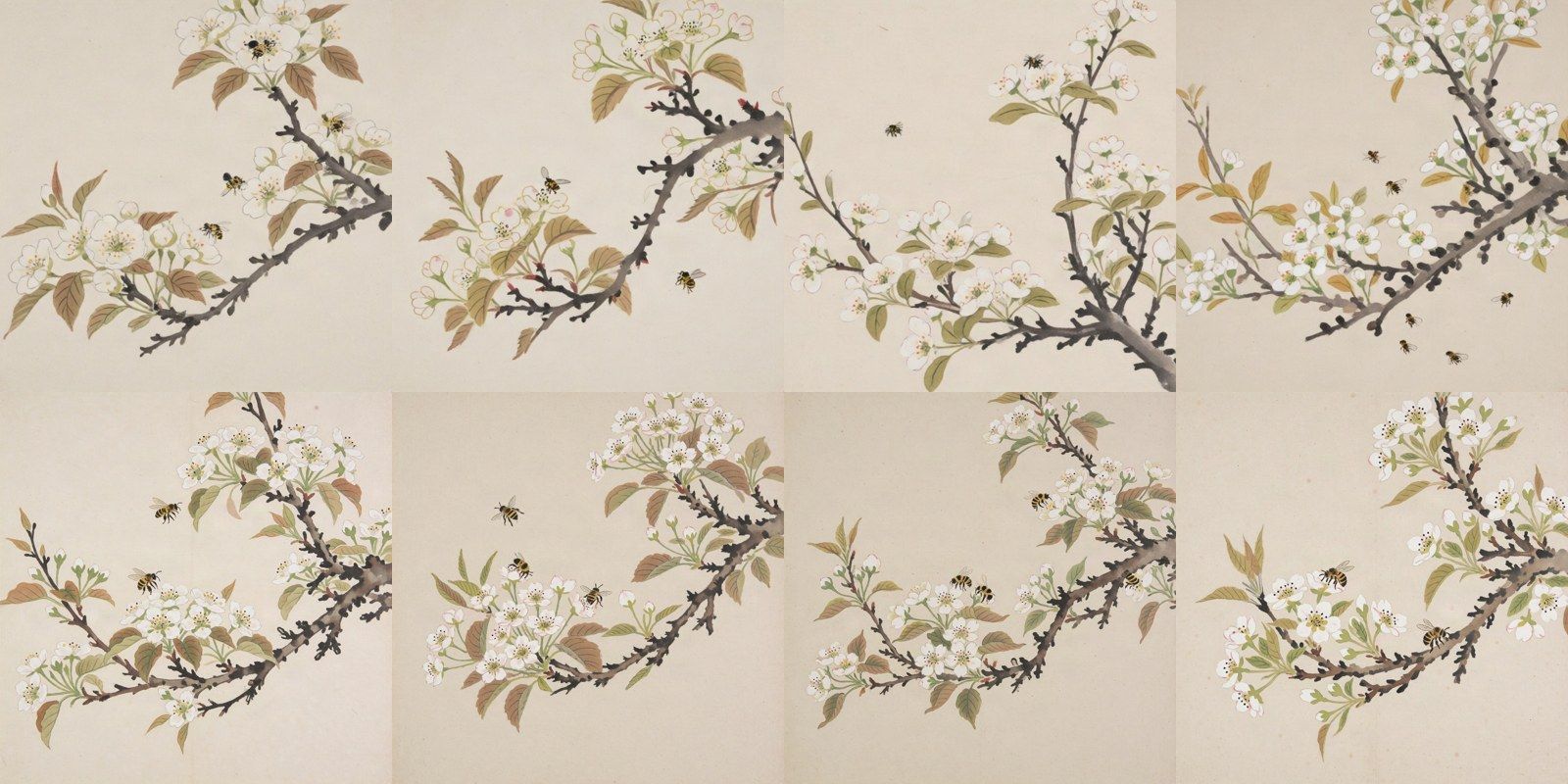
Starting from an existing picture: give it as a reference, and ask for a new one in its manner.
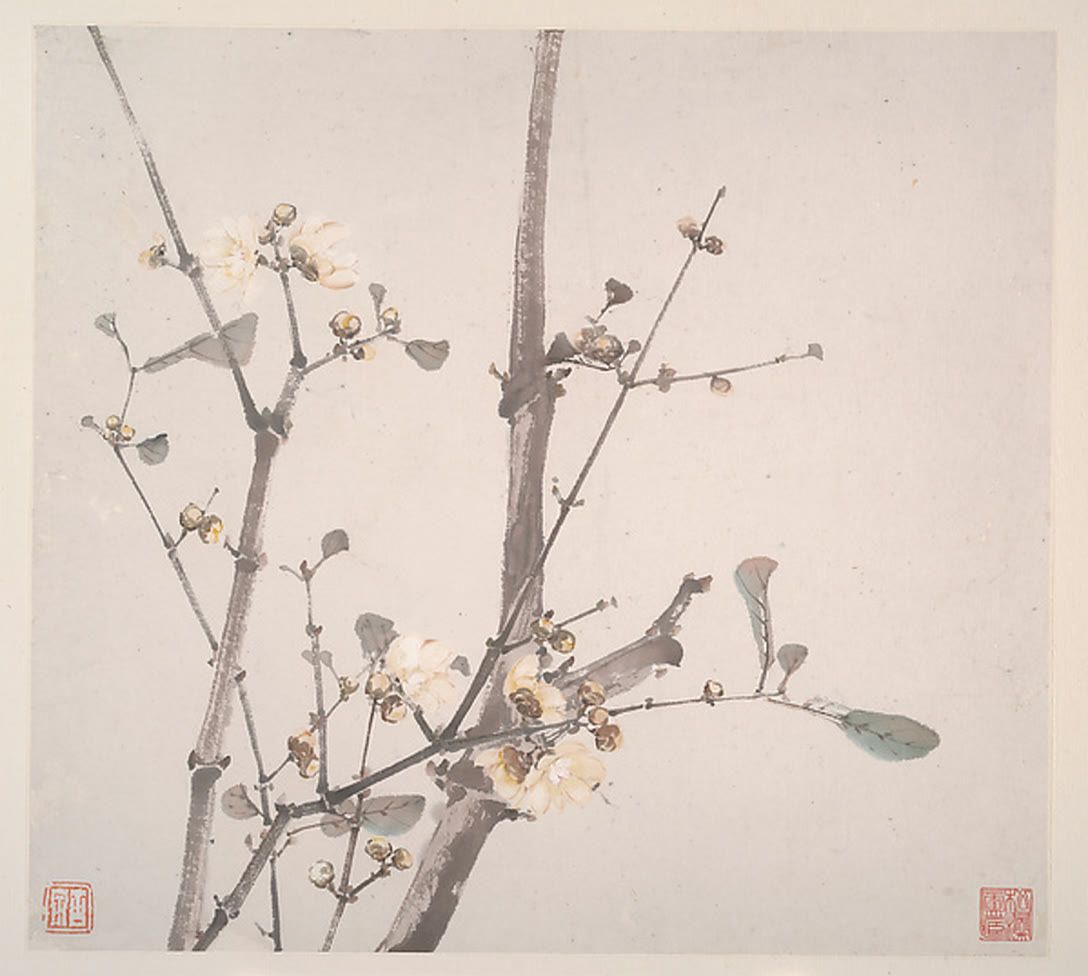
The reference · Ju Lian, 1865
Ju Lian, Insects and Flowers, dated 1865. The Metropolitan Museum of Art, Gift of Robert Hatfield Ellsworth, 1986 (Open Access, CC0)
A new picture, in that manner
Generated with Krea 2 Turbo (open weights, Krea 2 Community License) in ComfyUI on a rented A100, 12 Nov 2026 and its style-reference LoRA
A reference image gives the model a manner to follow. With Ju Lian's leaf as the style reference, the model painted a branch in washes that is closer to his hand than any wording had achieved. It also ignored parts of the written request.
An editing model changes one thing and leaves the rest: here, the bees are removed.
Ju Lian · 1865
Ju Lian, Insects and Flowers, dated 1865. The Metropolitan Museum of Art, Gift of Robert Hatfield Ellsworth, 1986 (Open Access, CC0)
Asked: “Remove the bees”
Edited with FLUX.2 klein 4B (open weights, Apache 2.0) in ComfyUI, 12 Nov 2026, from Ju Lian, Insects and Flowers, 1865, The Metropolitan Museum of Art (Open Access)
A generation model starts from nothing. An editing model takes a picture and an instruction, and changes one thing. Here the bees are removed from the Ju Lian leaf and everything else stays in place.
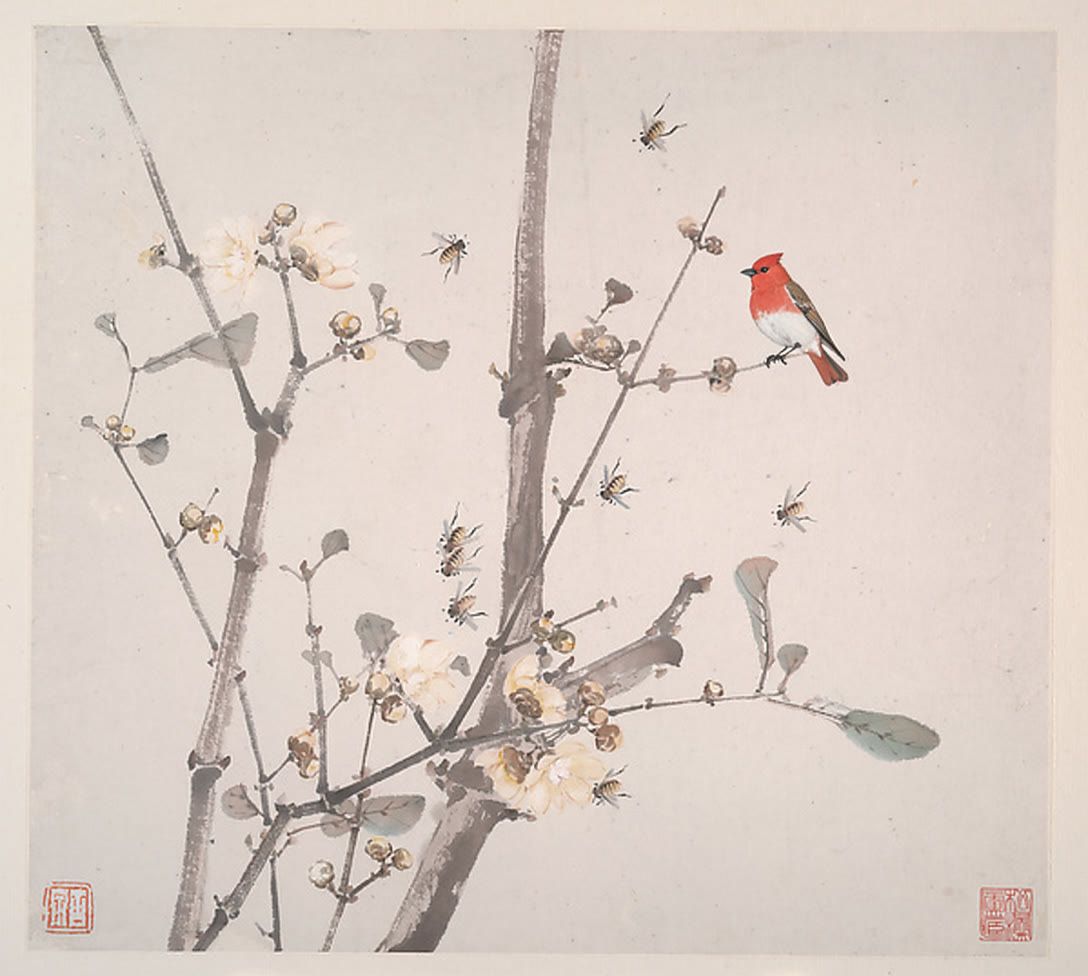
And one thing added: a small bird. An edited picture must always be labelled.
Ju Lian · 1865
Ju Lian, Insects and Flowers, dated 1865. The Metropolitan Museum of Art, Gift of Robert Hatfield Ellsworth, 1986 (Open Access, CC0)
Asked: “Add one small red-crowned bird”
Edited with FLUX.2 klein 4B (open weights, Apache 2.0) in ComfyUI, 12 Nov 2026, from Ju Lian, Insects and Flowers, 1865, The Metropolitan Museum of Art (Open Access)
The same editing model adds a small red-crowned bird to the Ju Lian leaf, which took three tries. An edited copy of a real work is an illustration, and must always say what was changed.
A LoRA: a small add-on file that teaches the model one manner.
The model alone · LoRA off
Generated with Krea 2 Turbo (open weights, Krea 2 Community License) in ComfyUI on a rented A100, 12 Nov 2026
LoRA at 0.6
Generated with Krea 2 Turbo (open weights, Krea 2 Community License) in ComfyUI on a rented A100, 12 Nov 2026 and the krea2_darkbrush LoRA
LoRA at 1.0 · too much
Generated with Krea 2 Turbo (open weights, Krea 2 Community License) in ComfyUI on a rented A100, 12 Nov 2026 and the krea2_darkbrush LoRA
A LoRA is a small add-on file, trained on a few dozen pictures to teach a model one manner. This one is under half a gigabyte, beside a model of 13 gigabytes. Its strength is a setting, and at full strength this ink LoRA dissolves the subject.
You can train a LoRA yourself: twenty to forty pictures of one manner.
What you give
15 to 40 pictures that share one look, each with a short description
On your own card
about an hour on a 24 GB graphics card; a 16 GB card can do it, more slowly
On a hosted trainer
US$2 to 4 per 1,000 steps: a usual run of 2,000 steps costs about US$5 to 9
Before you do
whose manner is it? A museum's open-access works, your own work: fine. A living artist's: ask
A style LoRA can be trained from 15 to 40 pictures of one manner. It takes about an hour on a 24 GB card, or about US$5 to 9 on a hosted trainer for a run of 2,000 steps. Do not train on a living artist's manner without asking.
Video usually starts from a picture: the picture becomes the first frame.
A picture · given as the first frame
Wan 2.2 first-frame/last-frame video (open weights, Apache 2.0) in ComfyUI, 12 Nov 2026
A video · five seconds, the model's
A video model usually starts from a picture, which becomes the first frame. Here the open model Wan 2.2 generated five seconds from it. This clip was also given its last frame.
On the Artificial Analysis text-to-image ranking, which is decided by blind votes, the top eight on 13 Nov 2026 were all closed API models. OpenAI's GPT Image 2.6 led with 1262. The best downloadable models (H3-Image, Qwen-Image-2.1, FLUX 3 Image Klein) scored about 1045 to 1067.
Closed API models (GPT Image 2.6, Nano Banana 2.1, Krea 3) lead in general quality and editing. Open-weight models each have a strength: Krea 2 Turbo for a strong look and LoRAs, Qwen-Image-2.1 for generating and editing with text, FLUX klein for editing, Z-Image Turbo for speed, and Wan 2.2 for video.
The same sentence, three models: closed models are usually better.
An API · Gemini 3.1 Flash Image
Generated with Gemini 3.1 Flash Image, 12 Nov 2026
Open · Krea 2 Turbo
Generated with Krea 2 Turbo (open weights, Krea 2 Community License) in ComfyUI on a rented A100, 12 Nov 2026
Open · Z-Image Turbo
Generated with Z-Image Turbo (open weights, Apache 2.0) in ComfyUI, 12 Nov 2026
Three models were asked for the same boneless branch. The closed model behind an API came closest and drew no outlines, while the two open models kept lines. Open models give control, repeatability and privacy. The closed one often gives better quality.
How long does one picture take? Measured within 16 GB of graphics memory.
Krea 2 Turbo
a 1024 × 1024 picture in about 5 seconds · 17 seconds the first time, while the model loads
FLUX.2 klein
an edit in about 2 seconds
Not measured
a desktop 16 GB card: expect slower than this rented one. It also used about 20 GB of ordinary memory
To save money
draft small to check the manner; the next slide shows what a draft cannot tell you
On a rented card limited to 16 GB, Krea 2 Turbo makes a 1024-pixel picture in about 5 seconds, and FLUX.2 klein makes an edit in about 2. Speed on a desktop card was not measured.
Draft small first? A small draft shows the manner, not the layout.
Top: four drafts at 512 pixels · bottom: the same four seeds at 1024 pixels
Generated with Krea 2 Turbo through fal.ai, 13 Nov 2026
Tested on 13 Nov 2026 with Krea 2 Turbo. Four drafts at 512 pixels and the same four seeds at 1024 pixels share a manner, and their compositions differ. A small draft is therefore a cheap way to check the manner of a prompt (0.2 cents against 0.8), and it cannot be used to choose a layout.
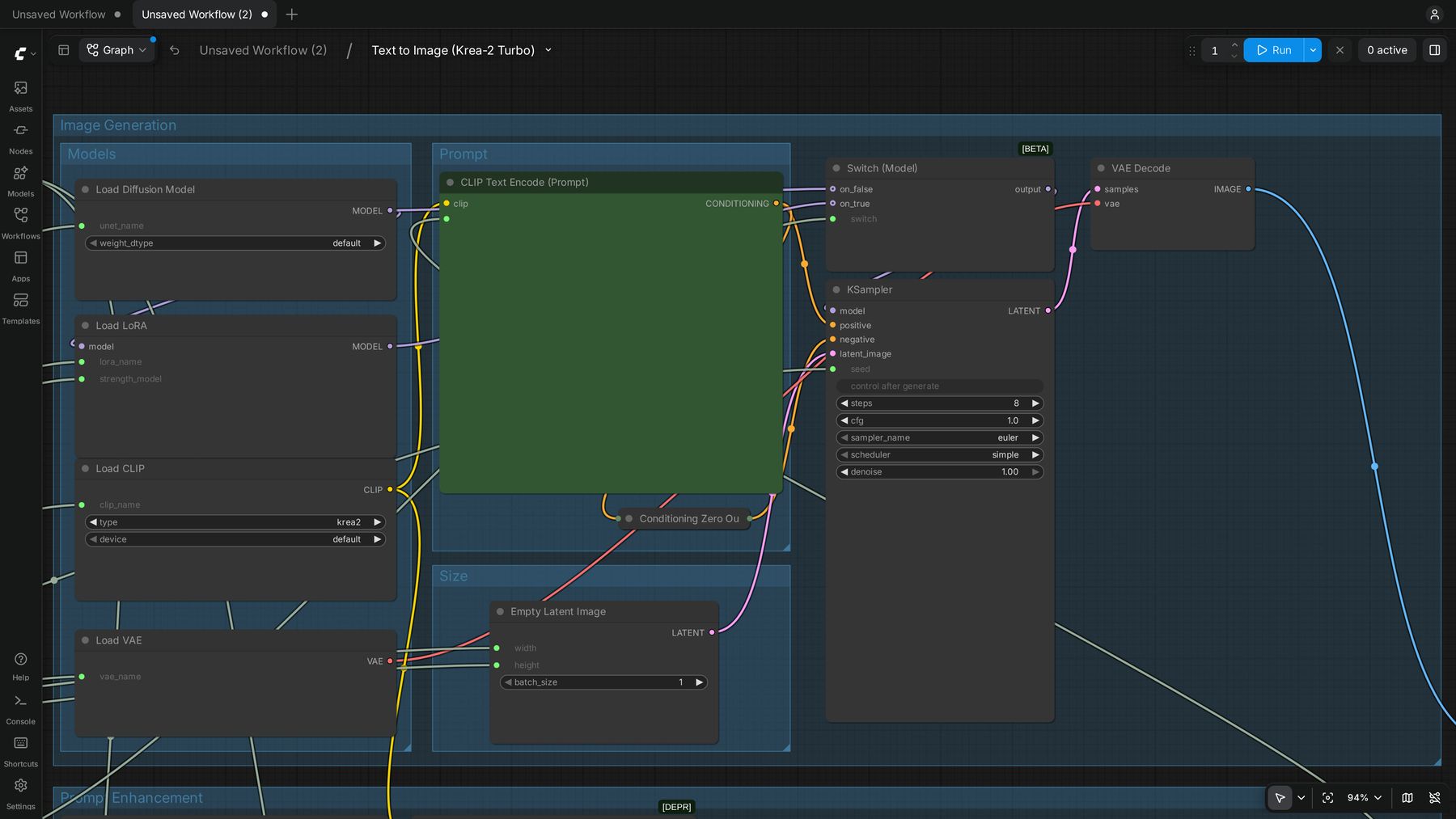
The Krea 2 text-to-image workflow, as ComfyUI shows it
Screenshot of ComfyUI 0.45 with the Krea 2 text-to-image template, 12 Nov 2026
ComfyUI is the free program in which most open image and video models are run. A workflow is a graph of boxes saved as a file. It looks complicated, and an agent can now install it, build the workflow and run it for you.
The agent sets it up: install, build the workflow, run the batch, keep the log.
OpenCode · art-ai-workshop-2026
Set up ComfyUI on this machine with an open text-to-image model.Then run these two prompts at two seeds each, save the pictures inmy-work/artifacts/, and log model, prompt, seed and time for each.← Write setup.sh, workflow.json, run_batch.py
$ bash setup.sh$ python run_batch.py4 pictures saved; log.md has model, prompt, seed and seconds for each.▣ Build · DeepSeek V4.1 Flash
Build · DeepSeek V4.1 Flash · OpenCode Go · max
Installing, writing workflow files, running batches and logging the model, prompt and seed are all work the agent can do. The researcher needs to know the concepts in order to say what is wanted.
Remember to label generated pictures, as you do generated text.
ComfyUI writes the prompt and every setting into the picture file itself
through an API nothing is written down: keep the record yourself (model, prompt, seed, date)
ours for this module is one file, demo/comfy/PROMPTS.md: an agent can make any picture again from it
Label generated pictures as you label generated text. ComfyUI stores the prompt and settings inside the picture file. Through an API you have to keep the record of model, prompt, seed and date yourself, as this module does in one prompts file.
Module 10 follows one unfinished case, a painting turned into a space. It shows how much iteration matters and what keeps it under control: the feedback the agent gets on its own work, and the way person and agent look at results together.
MCP is a plug: one standard way to connect an agent to a program.
You
say what you want
→
The agent
decides which tool
→
MCP
the plug
→
A program
browser, whiteboard, Blender
A skill is a recipe the agent reads. An MCP server is a tool the agent can hold.
MCP is a standard way to connect an agent to another program. You say what you want, the agent picks the tool, and through MCP it operates a browser, a whiteboard or Blender. A skill tells the agent how to do something, and an MCP server gives it a tool to do it with.
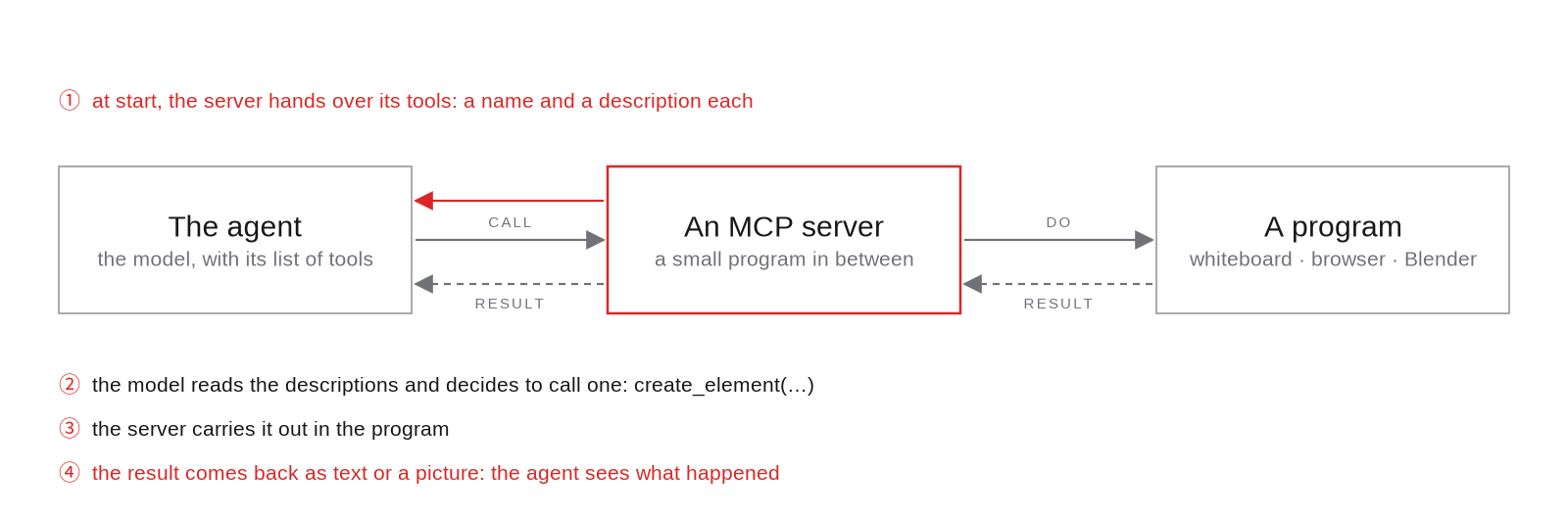
How it works: the server hands the agent a list of tools, and carries out the ones it calls.
Diagram for this workshop
To install one, do not edit settings by hand. Say: “set up the Excalidraw MCP for me”, restart the agent, and the tools are there.
An MCP server sits between the agent and a program. When it starts it gives the agent a list of tools, each with a name and a description. The model decides to call one, the server carries it out, and the result comes back. To install a server, ask the agent to set it up and then restart.
Many are made by volunteers, and each can act on your computer: look at who wrote one before you install it.
MCP servers that are useful in research include a browser (OpenCode Browse, Playwright), a reference library (Zotero), notes and files (Notion, Google Drive, Obsidian), code history (GitHub), drawing and design (Excalidraw, Figma), studio tools (Blender, TouchDesigner, Krita, ComfyUI) and current documentation (Context7). Many are made by volunteers, so check the author before you install one.
Blender through MCP: the agent looks and tries; what is kept is a script.
Live, through MCP
the agent works inside your open Blender
it looks at the scene, moves things, tries a light
good for looking and quick trials
Kept, as a script
real sizes, every object named
run again and the same room comes back
you can read what changed between two versions
Through blender-mcp the agent works inside an open Blender, which is good for looking and for quick trials. What is kept is a script with real sizes and named objects, so that the same room can be rebuilt and compared.
First, one shot: the whole room in fifty minutes. The result is very poor.
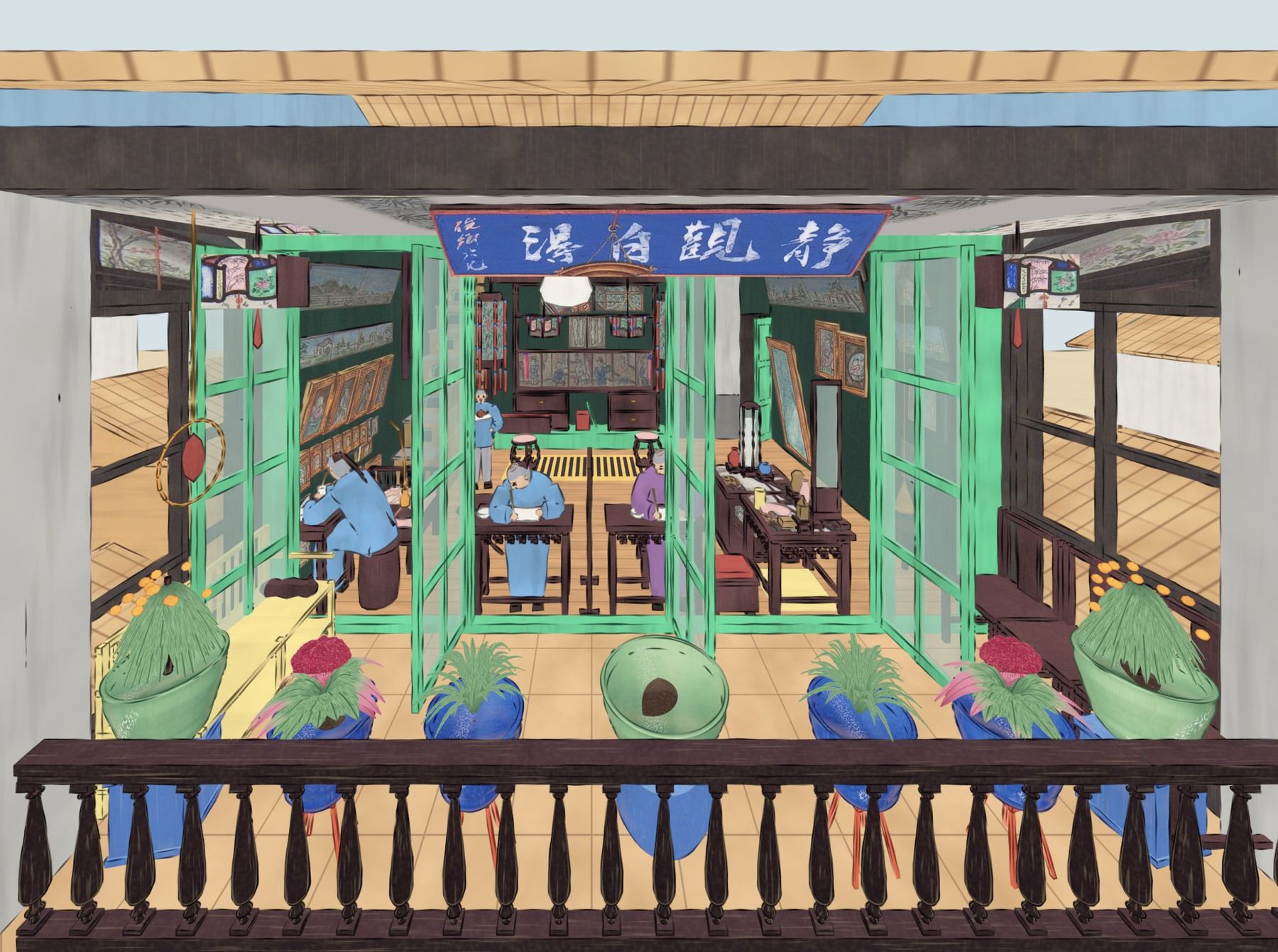
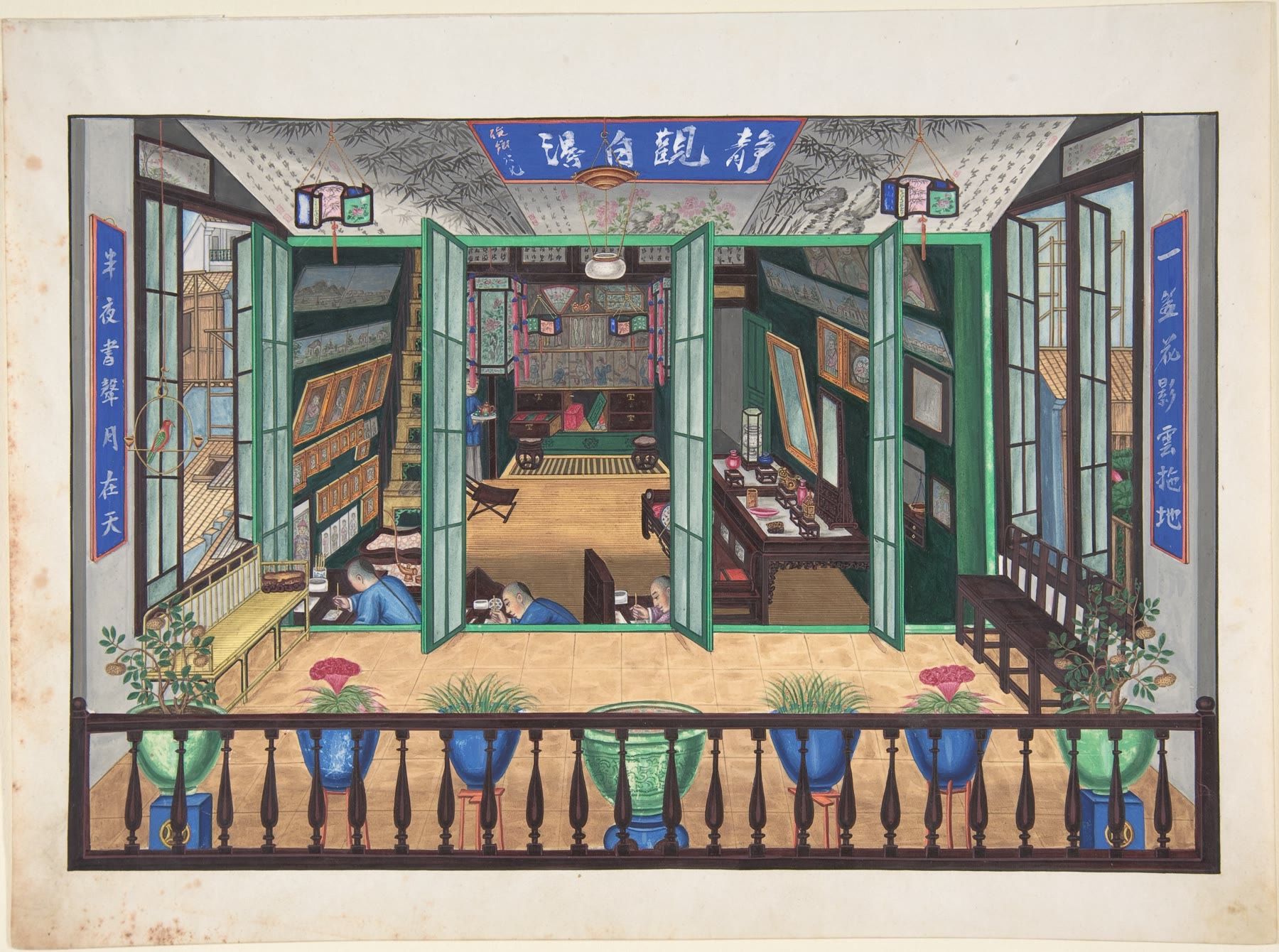
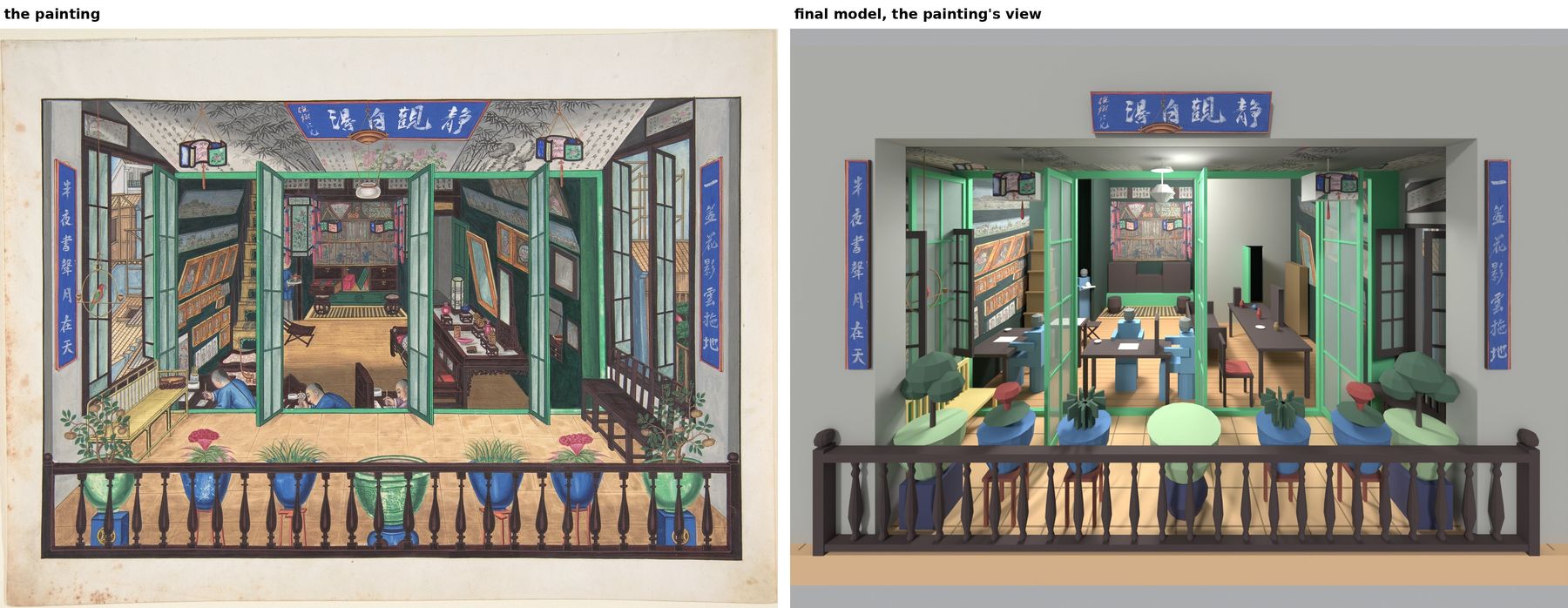
The painting, and the one shot from the same view
First pass by the modelling agent, 12 Nov 2026; painting: The Metropolitan Museum of Art (Open Access)
The one-shot model · W A S D to move, drag to look · Full screen at its top left
Open this live page ↗ The first, one-shot 3D model of the studio: fly round it and walk into it with W A S D, and open it full screen.
Left to run by itself, the agent produced the whole room in fifty minutes, in eight recorded stages. I judged the result very poor: pictures were pasted flat on the walls, and nothing had been worked out object by object. The process was orderly and the result was still bad.
Compared part by part with the painting, three quarters of it is wrong.
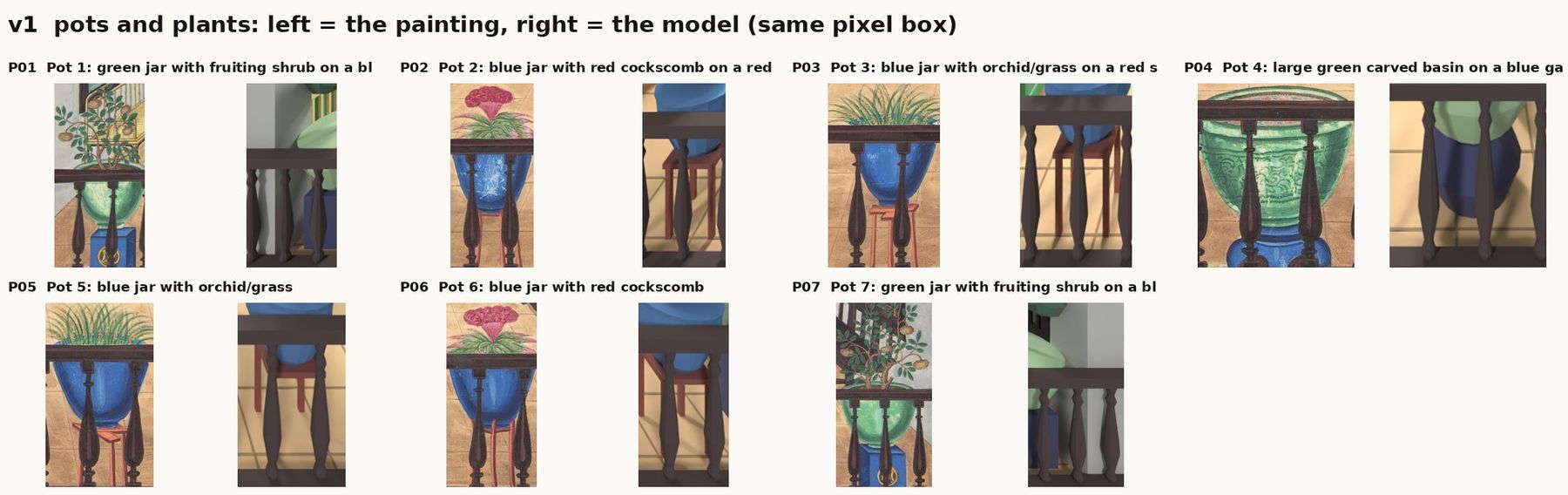
The same pixel box, from the painting and from the model · 71 things: 18 right, 34 wrong, 19 absent
Pair sheet made by the modelling agent, 12 Nov 2026; painting: The Metropolitan Museum of Art (Open Access)
A pair sheet cuts the same pixel box out of the painting and out of the model for each of 71 things. Of these, 18 are right, 34 are wrong and 19 are absent. Seen whole, the room had looked better than this, so the loop has to look at parts.
So start again, with a plan. First the scope: ask for options, and choose.
OpenCode · art-ai-workshop-2026
I want this painting as a room in 3D. Give me three differentways to scope it, two lines each. I will choose one.
A A stage set: only what the painting shows, seen from its viewpoint.
B One floor you can walk: veranda and studio, the unseen wall filled in.
C The whole house: the room upstairs and the neighbours' roofs as well.
B. Mark everything you fill in.
Plan · DeepSeek V4.1 Flash · OpenCode Go · max
The scope is set by asking for options and choosing one. The agent proposed three ways to turn the painting into a 3D room. My choice came with a requirement: mark everything that is filled in.
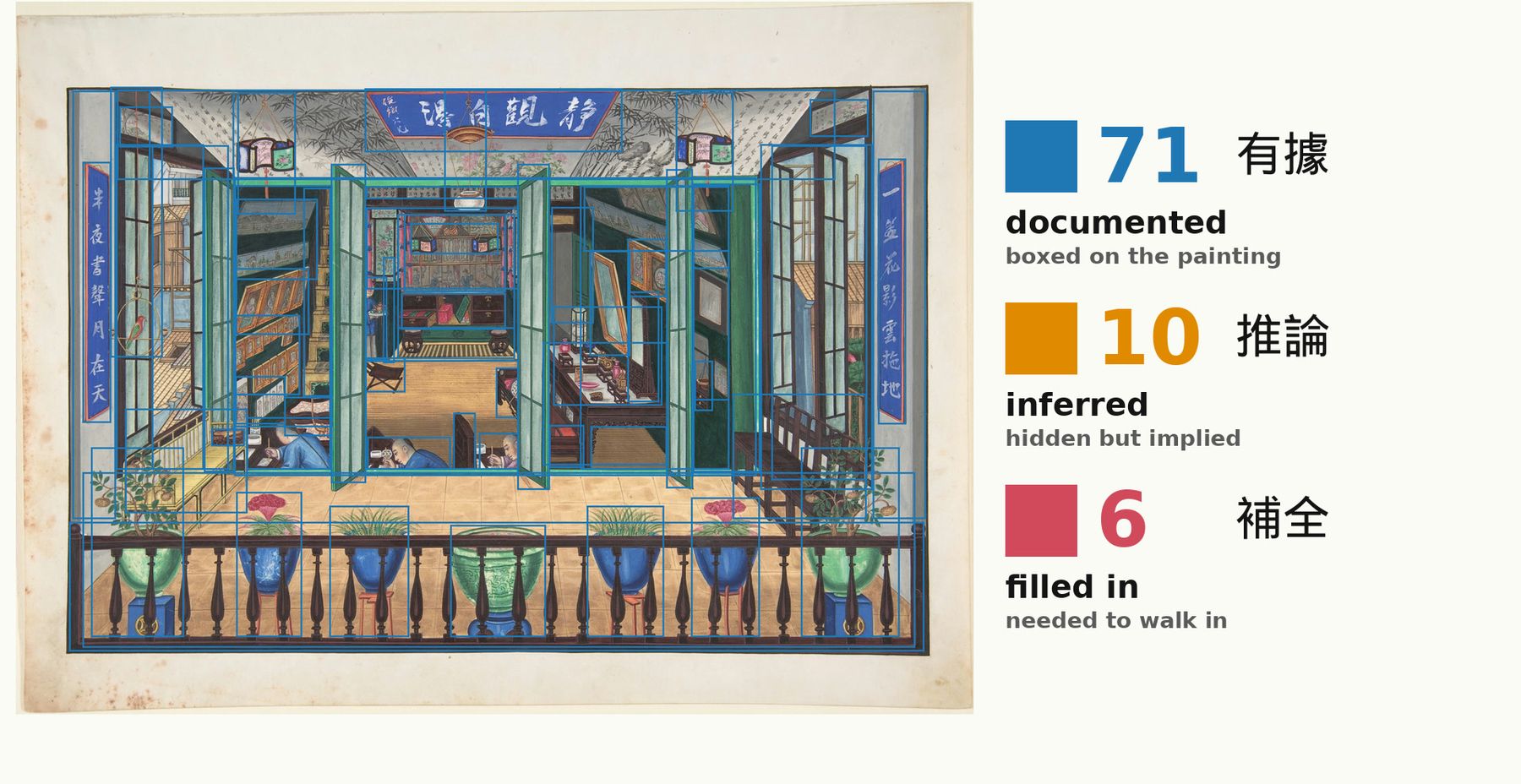
Then read the picture: 87 things, each marked by how sure we are.
Stage 0 · six minutes · no cost
Made by the modelling agent for the workshop, 12 Nov 2026, on Hall of Quiet Study, The Metropolitan Museum of Art (Open Access)
The first stage is an inventory of the painting, made before any modelling. It lists 87 elements, each with a box and a class: documented (71), inferred (10) or filled in (6). The agent drew its boxes back onto the painting and corrected three of its own readings.
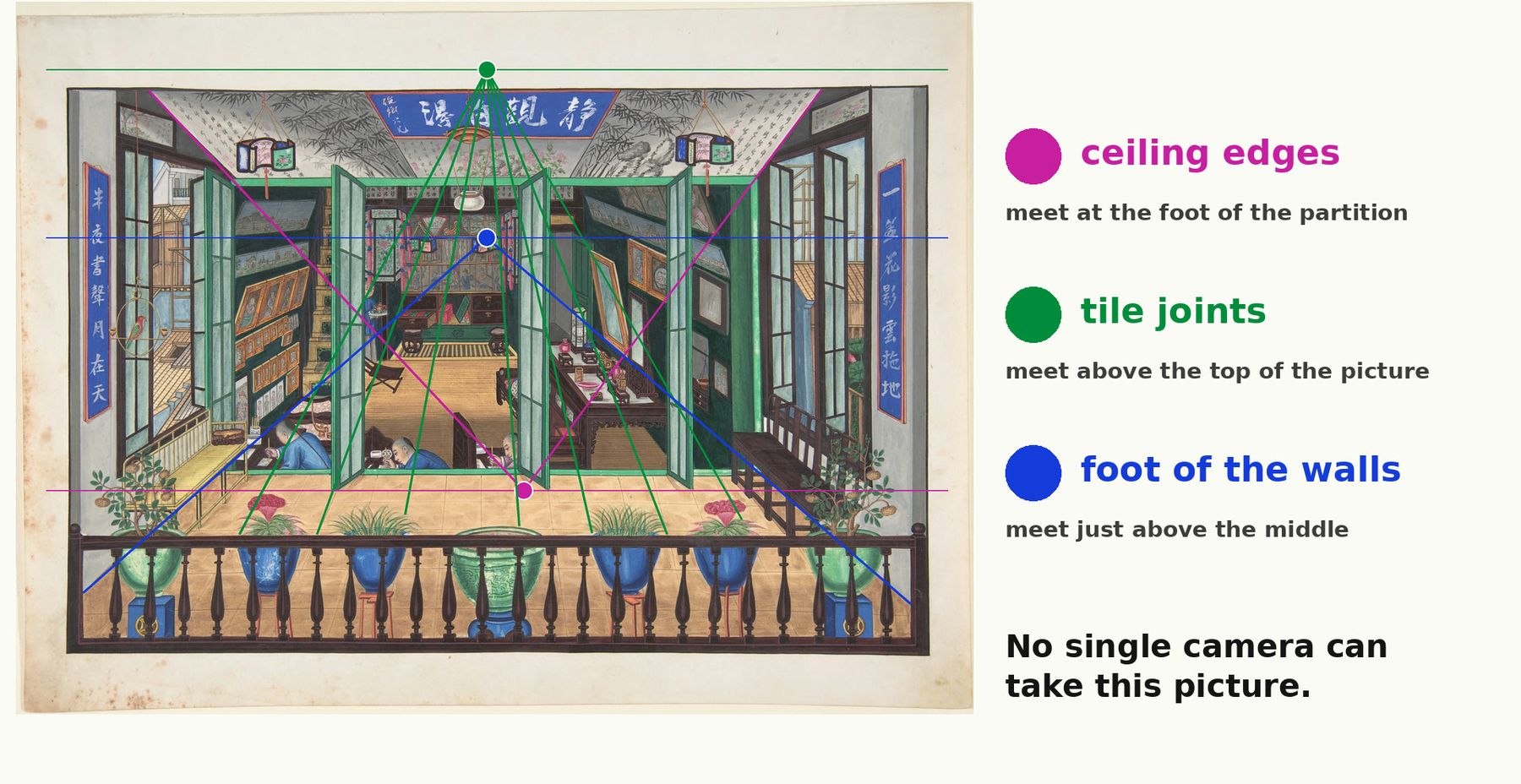
One painting, three eye levels: no camera can take this picture.
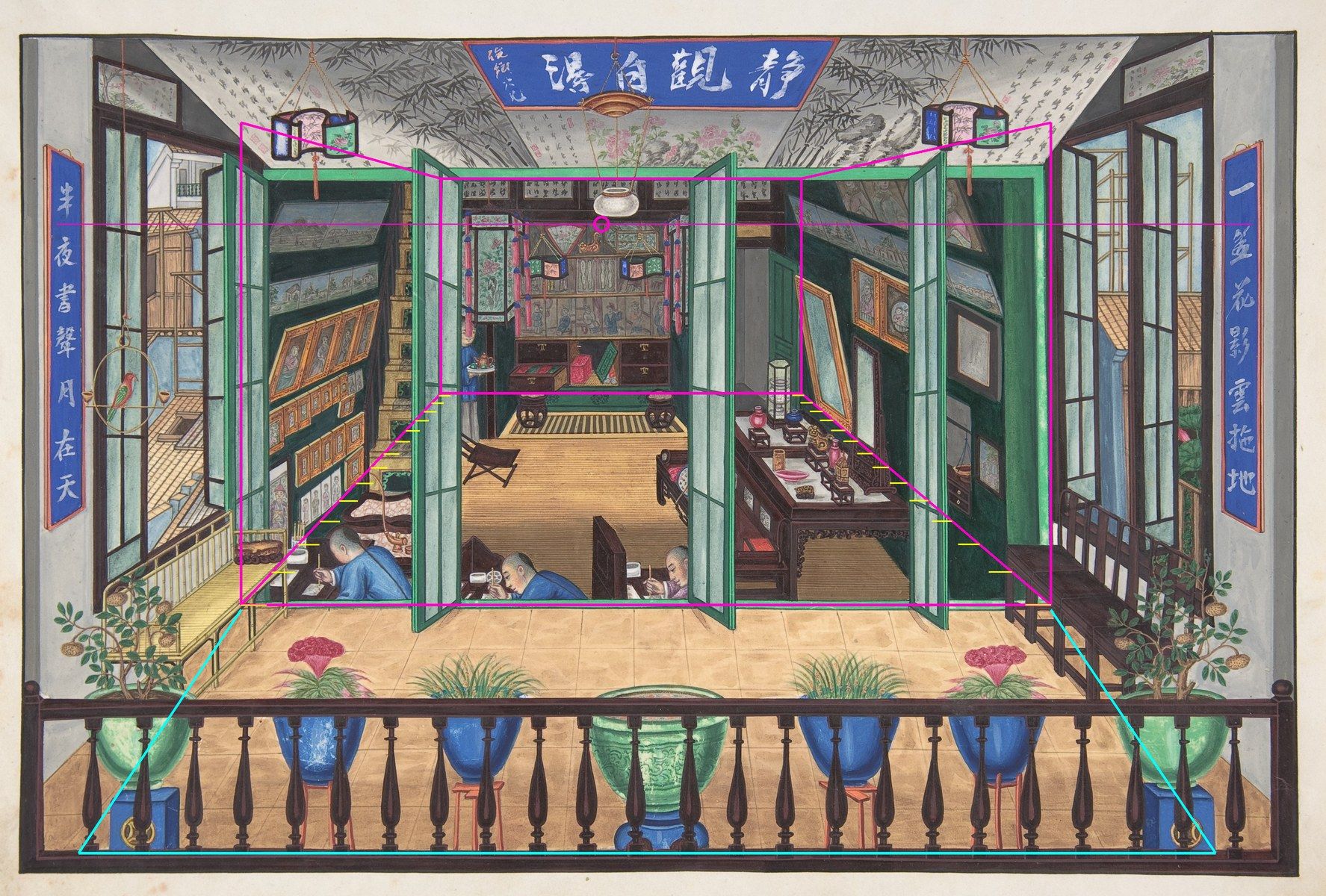
Stage 1 · the receding lines, drawn on the painting
Made by the modelling agent for the workshop, 12 Nov 2026, on Hall of Quiet Study, The Metropolitan Museum of Art (Open Access)
Measuring the receding lines gives three different eye levels in one painting, so no single camera can reproduce it. The one viewpoint from which floor and ceiling are both seen hangs in the air, 2.56 m in front of the balustrade.
A plan and a section before any 3D, and every number with its reason.
Stage 1 · plan and section · the working drawing lists ten assumptions
Drawn by the modelling agent for the workshop, 12 Nov 2026
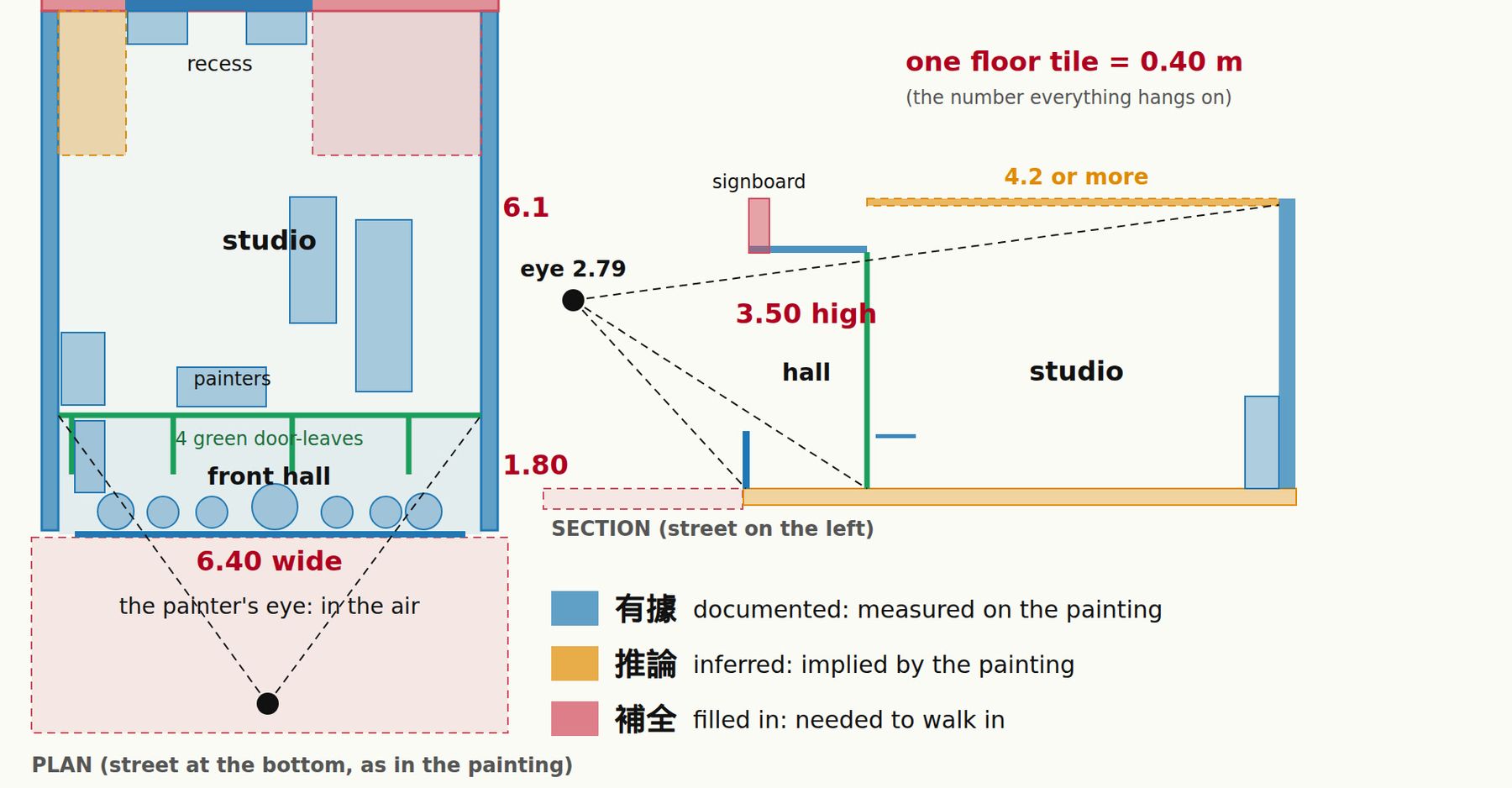
One floor tile, 0.40 m, is the number everything hangs on; change it and the whole room is rebuilt.
Before any 3D there is a plan and a section in metres, with every assumption listed. My requirements enter at this point: one tile-size parameter from which the whole room is rebuilt, furniture kept at human size, and both readings of the signboard recorded.
Say the goal in one sentence; the agent turns it into checks it can run.
The target
Painting-realistic, not photo-realistic: very accurate, and in the painting's own manner.
Criteria it checks itself against
each thing can be recognised in its own pair
no flat picture stands in for a solid thing
every surface keeps the painting's colour and line
done means: no pair a visitor would call wrong
I gave the target in one sentence: "painting-realistic, not photo-realistic". The agent turned it into criteria that it can check by looking, and ended with a definition of done.
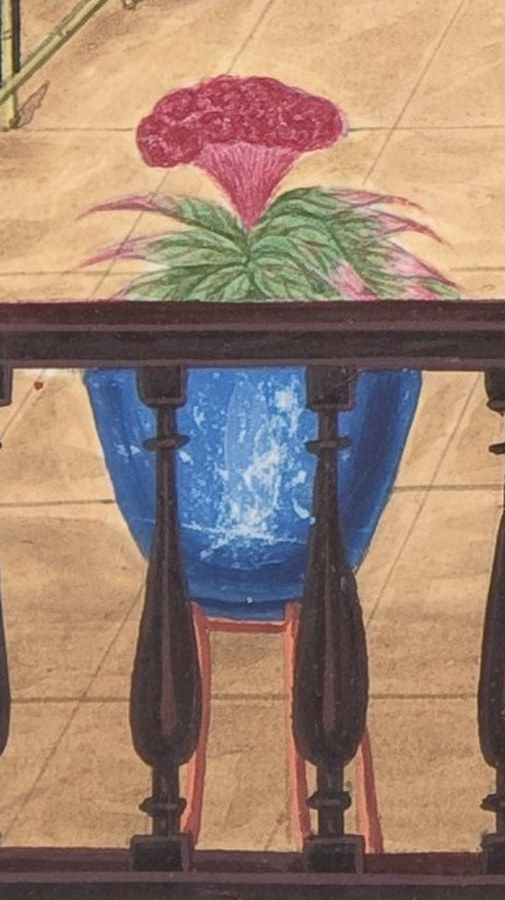
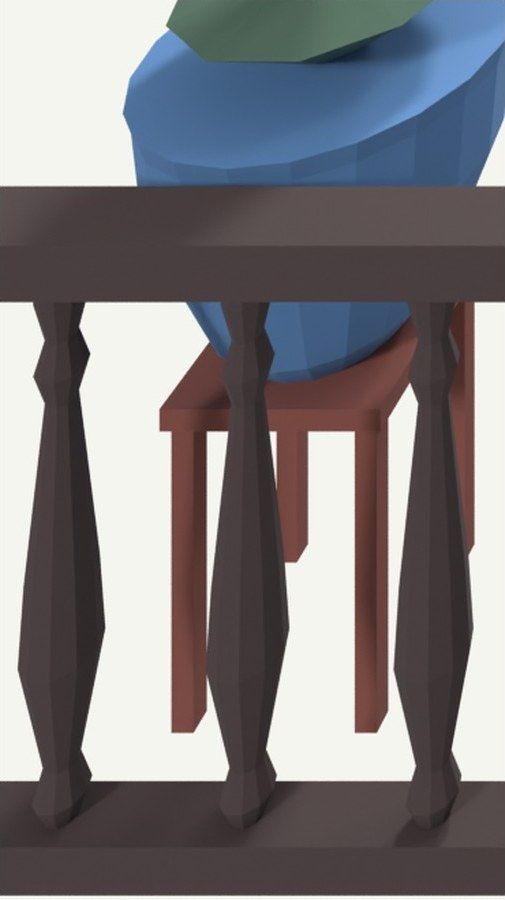
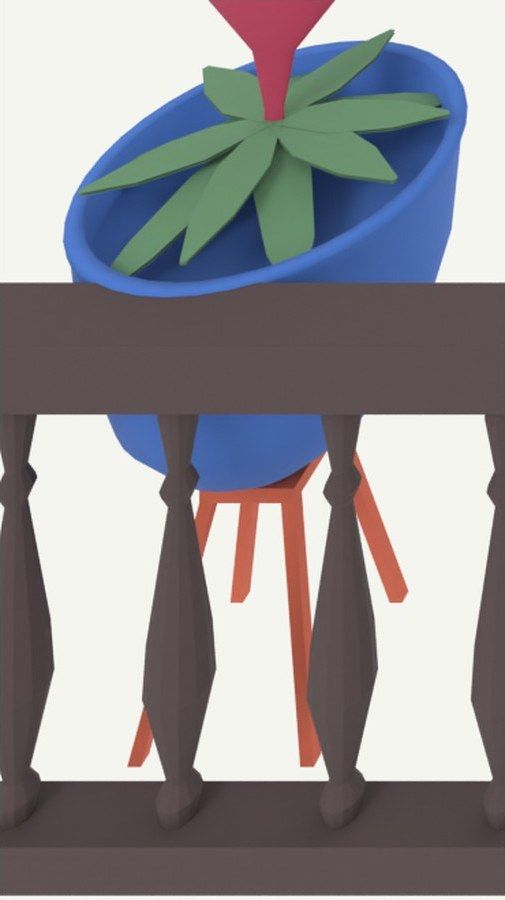
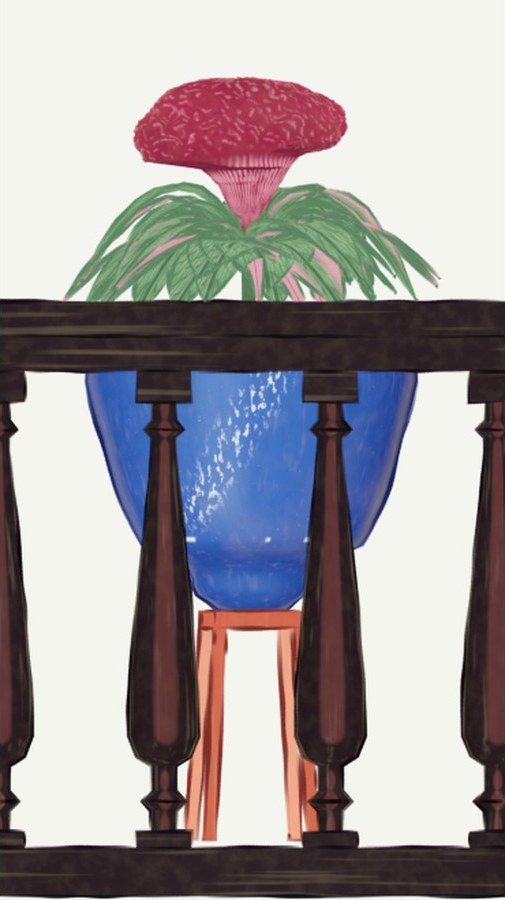
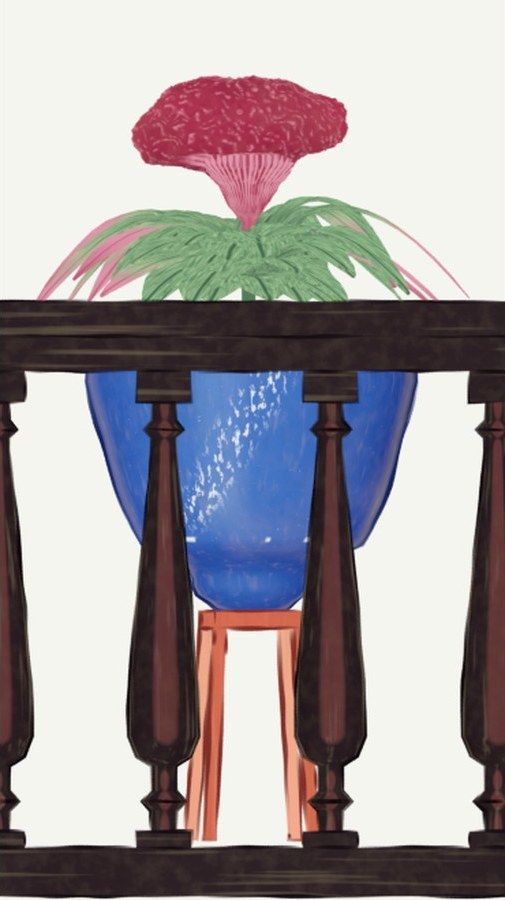
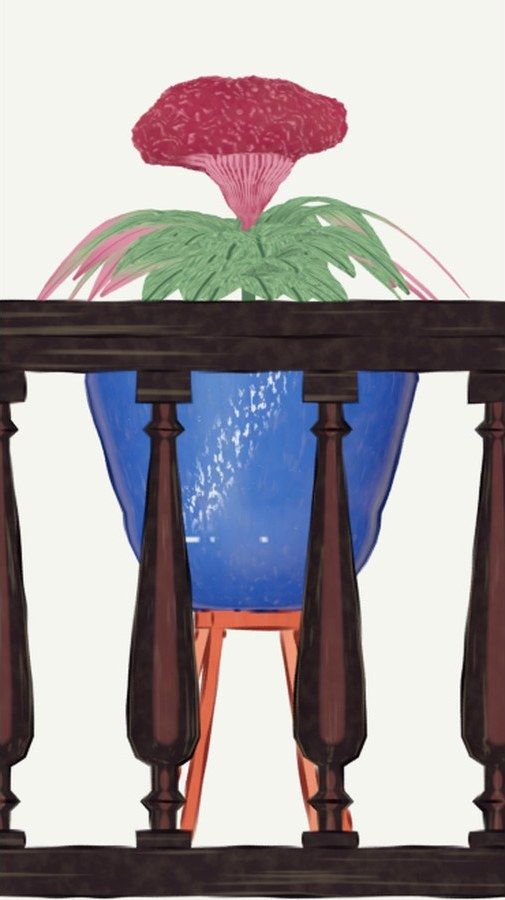
One object, followed all the way: pot 2, in twenty rounds.
The painting · never changes
Unidentified artist, Painter's studio (detail). The Metropolitan Museum of Art, Open Access
The model · the same frame every round
Render of the workshop's own 3D model, 12 Nov 2026
Render of the workshop's own 3D model, 12 Nov 2026
Render of the workshop's own 3D model, 12 Nov 2026
Render of the workshop's own 3D model, 12 Nov 2026
Render of the workshop's own 3D model, 12 Nov 2026
Render of the workshop's own 3D model, 12 Nov 2026
Render of the workshop's own 3D model, 12 Nov 2026
Render of the workshop's own 3D model, 12 Nov 2026
Render of the workshop's own 3D model, 12 Nov 2026
Render of the workshop's own 3D model, 12 Nov 2026
Render of the workshop's own 3D model, 12 Nov 2026
Render of the workshop's own 3D model, 12 Nov 2026
Render of the workshop's own 3D model, 12 Nov 2026
Render of the workshop's own 3D model, 12 Nov 2026
Render of the workshop's own 3D model, 12 Nov 2026
Render of the workshop's own 3D model, 12 Nov 2026
Render of the workshop's own 3D model, 12 Nov 2026
Render of the workshop's own 3D model, 12 Nov 2026
Render of the workshop's own 3D model, 12 Nov 2026
Render of the workshop's own 3D model, 12 Nov 2026
Render of the workshop's own 3D model, 12 Nov 2026
first◀▶round 20 ⇄ firstbefore any loop: the first whole-room pass
One object, pot 2, is followed through twenty rounds in one evening. The painting stays on the left. On the right the model is rendered in the same frame each round, and goes from a blue block to a painted pot. The turning points were things I said: that it should be stylized, and the question whether the agent was proud of it.
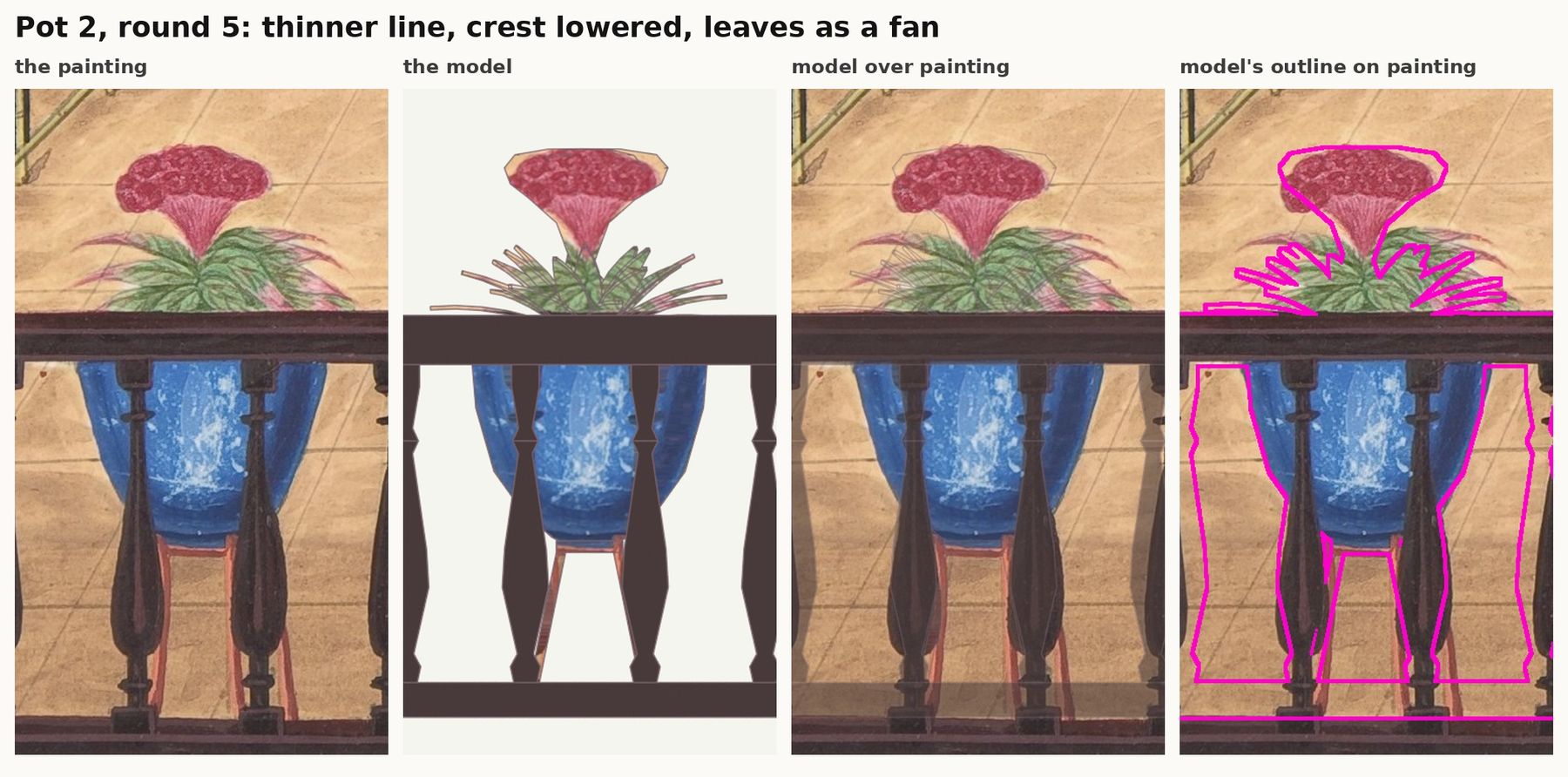
Always compare in one frame: the painting and the model, side by side.
Round 5 · measured from the painting, checked in a level view
Made by the modelling agent, 12 Nov 2026; painting: The Metropolitan Museum of Art (Open Access)
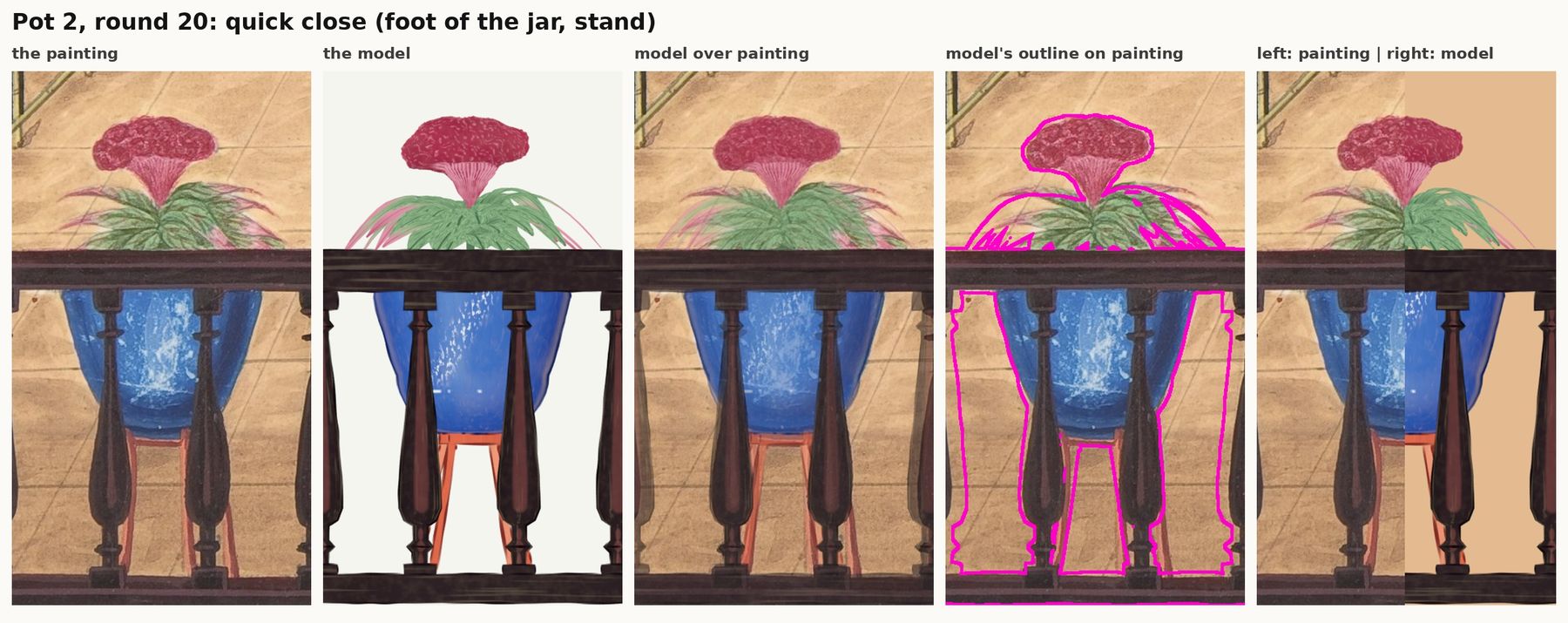
The painting, the model, an overlay and an outline are shown in one frame, because things looked at separately are misremembered. The comparison showed that the painter drew each object at its own eye level, on a floor seen from above.
My eye said “better”. The number said “no change”. Each checks the other.
Round 2
0.64 of the painted shape covered by the model's shape
Round 3
0.64: the leaves had improved, the flower had got worse
Rounds 10 to 17
about 0.74 throughout, while the pot improved most
The number sees the outline, not the hand: each checks the other.
"Almost pixel perfect" was turned into an overlap score for each part, with a map of the differences. In round 3 the agent's eye judged the pot better while the score stayed at 0.64. From round 10 to 17 the score stayed near 0.74 while the pot improved most. The score measures the outline and cannot see the painter's hand.
A shortcut I stopped: it had pasted the painting onto the pot. I asked it to paint the pot itself.
The same pot from four sides
Made by the modelling agent in Blender, 12 Nov 2026
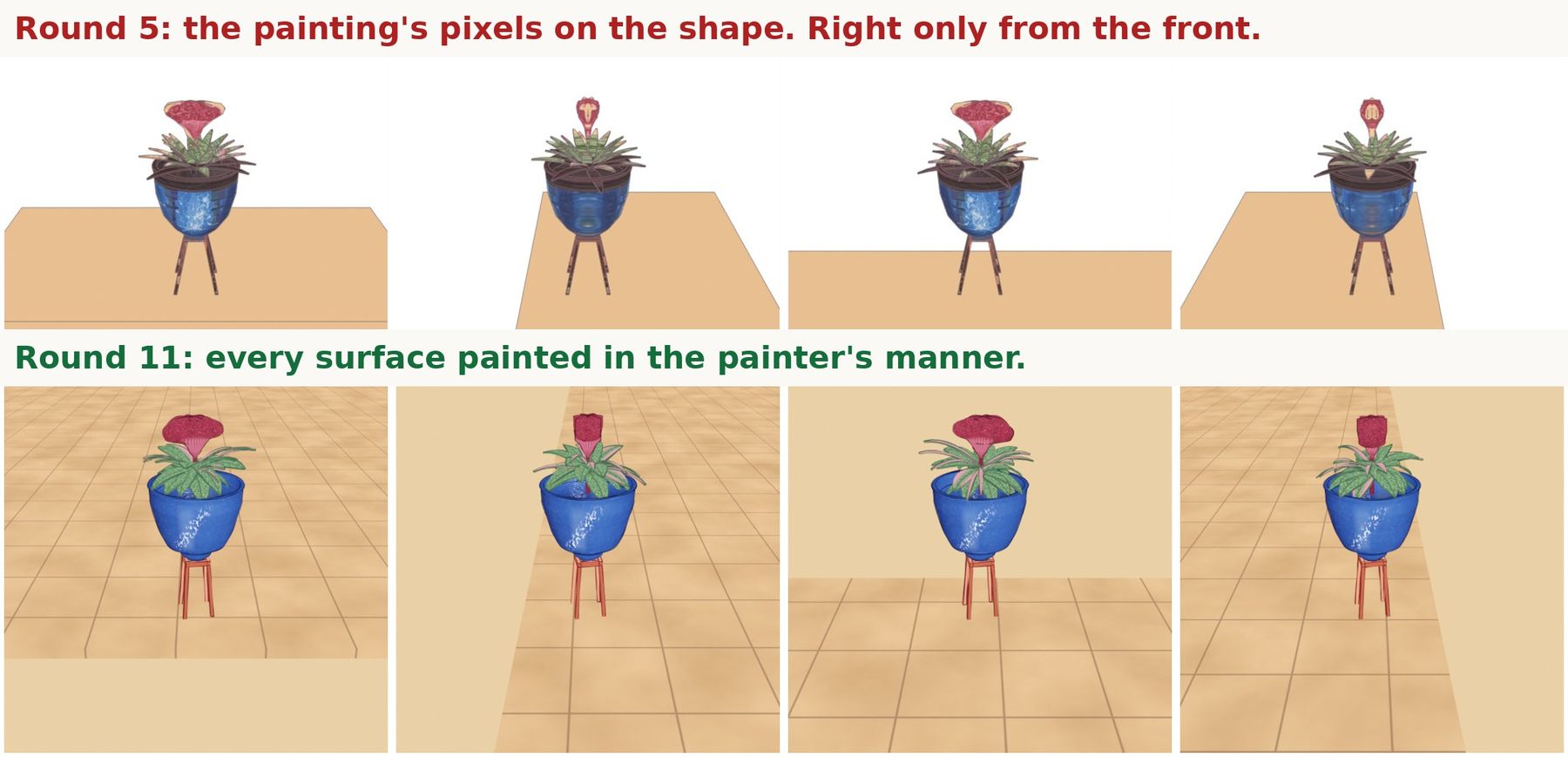
A good score hid a wrong method. The agent had projected the painting's pixels onto the shape, which looked right only from the front. I asked it to "paint it in 3D, living in the painting", and it rebuilt each surface as a painted material based on the painter's habits.
A stricter comparison: left half the painting, right half the model.
The latest round · the last panel is one picture: left half the painting, right half the model
Made by the modelling agent in Blender, 12 Nov 2026; painting: The Metropolitan Museum of Art (Open Access)
Before going on, the agent wrote down six conditions for "done", so that it could not change them later. The first is a picture joined from half the painting and half the model, and it showed errors that overlays had hidden. At round 17, five of the six conditions hold.
Then move in close: right from a distance, wrong close up.
The flower head at seven times enlargement · before, and after nine close-up rounds
Made by the modelling agent in Blender, 12 Nov 2026
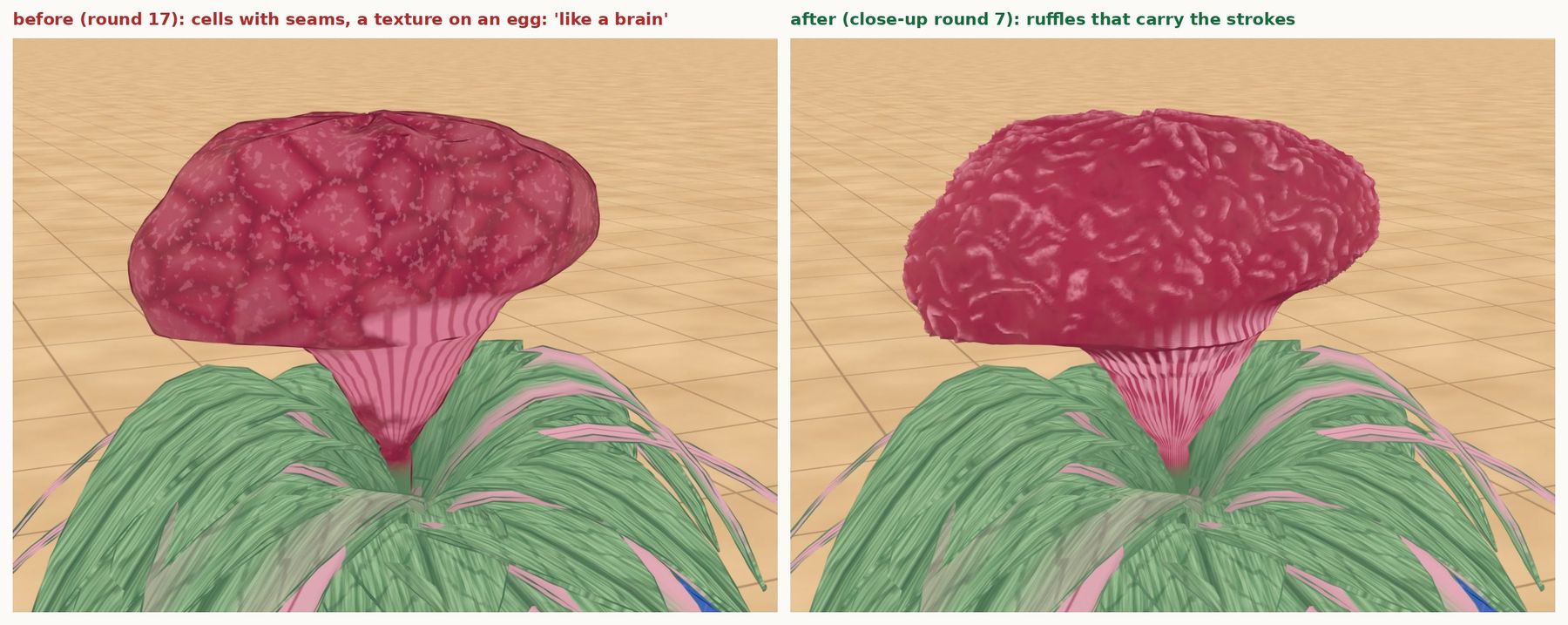
From a distance the flower head looked good. Close up it was "a texture on geometry, like a brain". Two loops at an enlarged scale fixed it, and the shape score did not move. Checks from a distance cannot see close faults, and close checks still have to be followed by a look at the whole.
The result: a pot you can walk around, painted like the painting.
Behind the balustrade
Made by the modelling agent in Blender, 12 Nov 2026
Walking round it
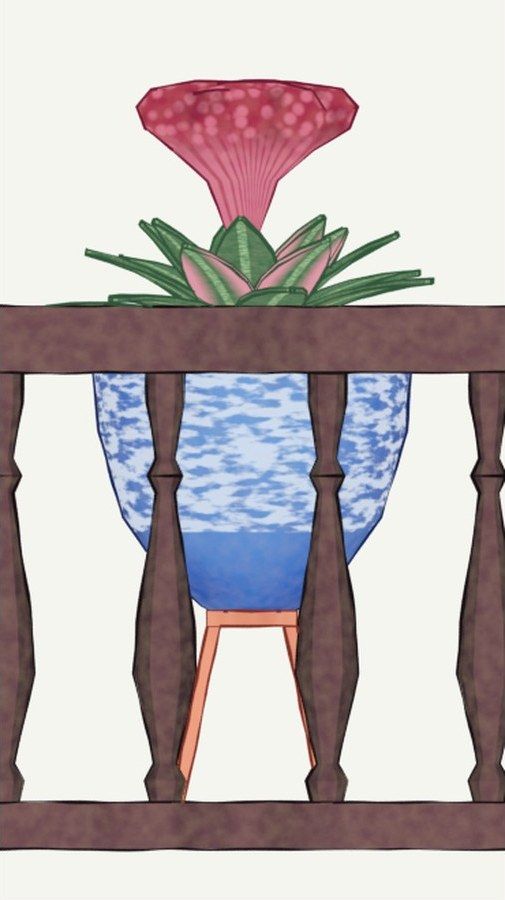
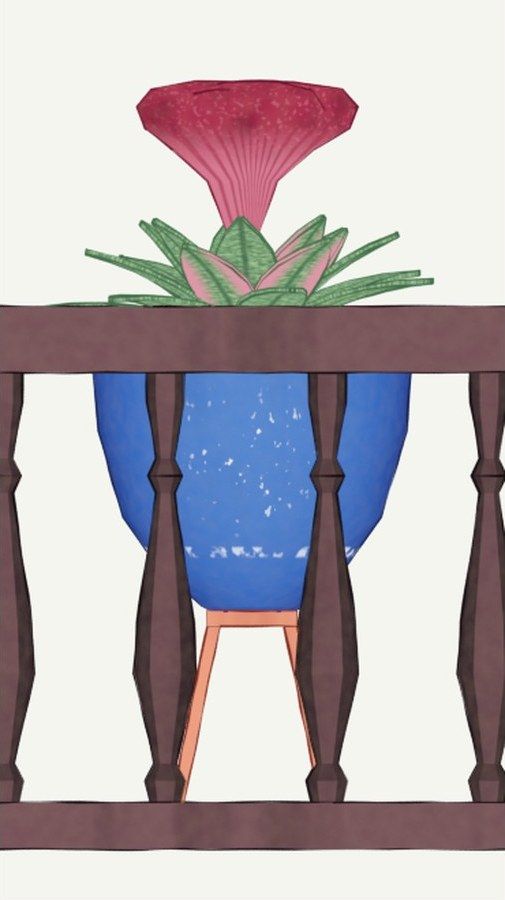
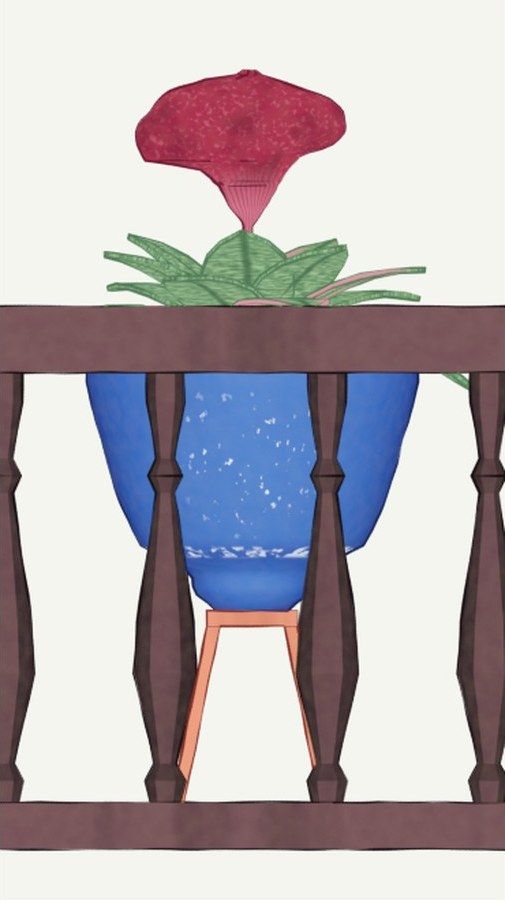
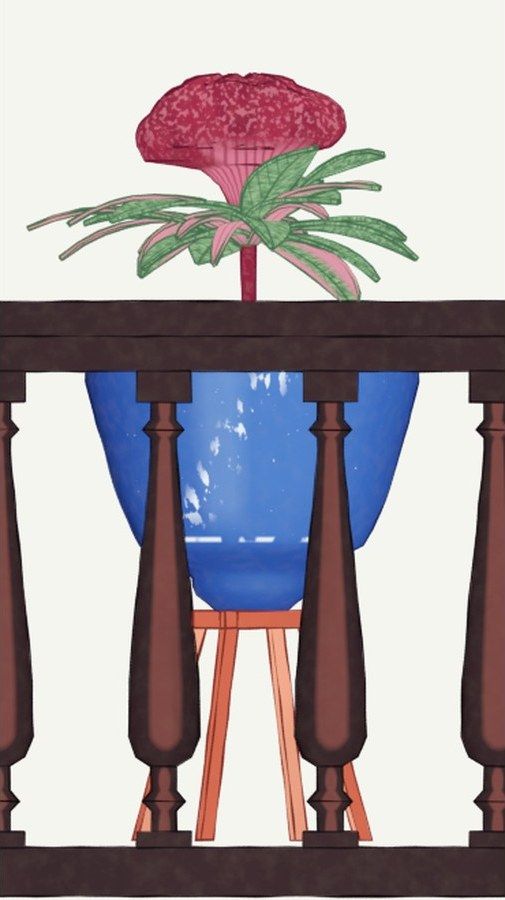
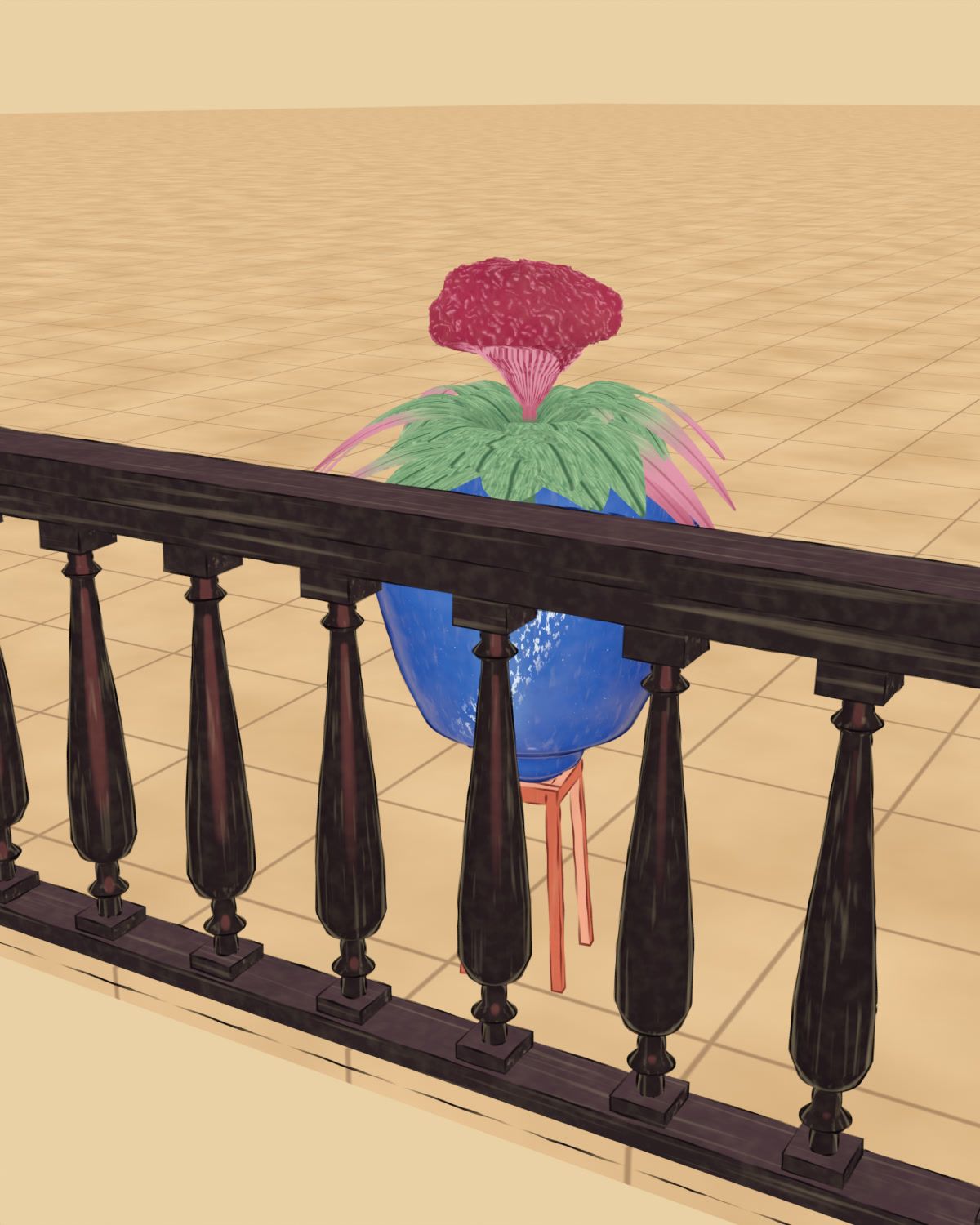
After about eighteen rounds the pot has the painter's shapes, and a surface painted in his manner on every side. This one object took more than twice as long as the whole room had taken in the first pass.
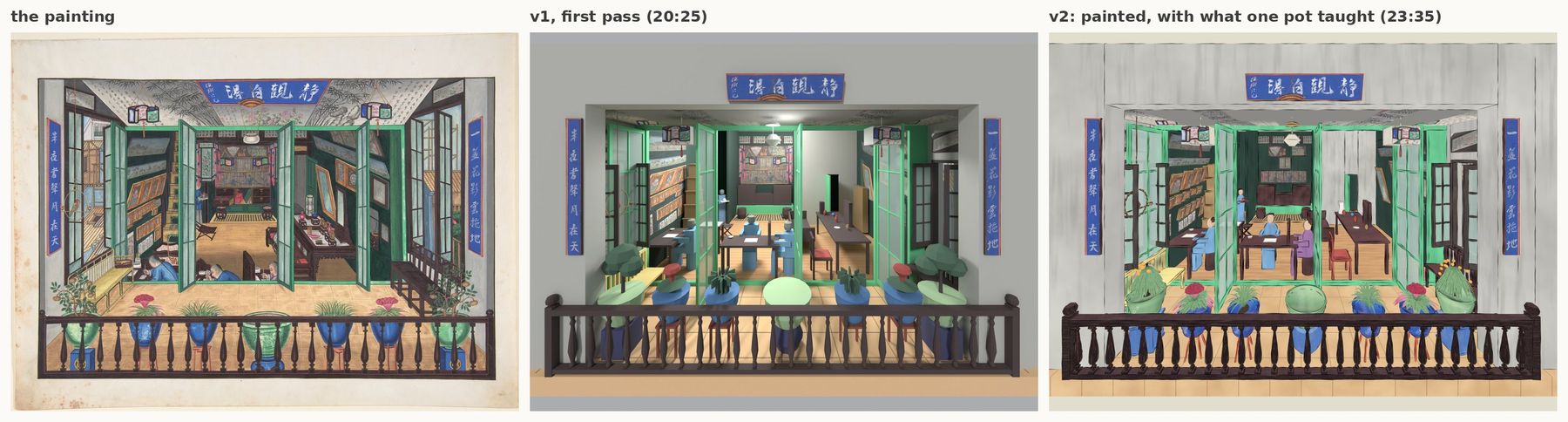
Then the whole room again, painted like the pot. Closer from afar; walk in, and the space is wrong.
The painting · the first pass, 20:25 · the room again, 23:35
Made by the modelling agent in Blender, 12 Nov 2026; painting: The Metropolitan Museum of Art (Open Access)
The whole room was then redone in the manner of the pot, though less thoroughly. It is now painted where before it was lit. By the agent's own account, only one object was refined to the limit, and most of the others were repainted on their first-pass shapes.
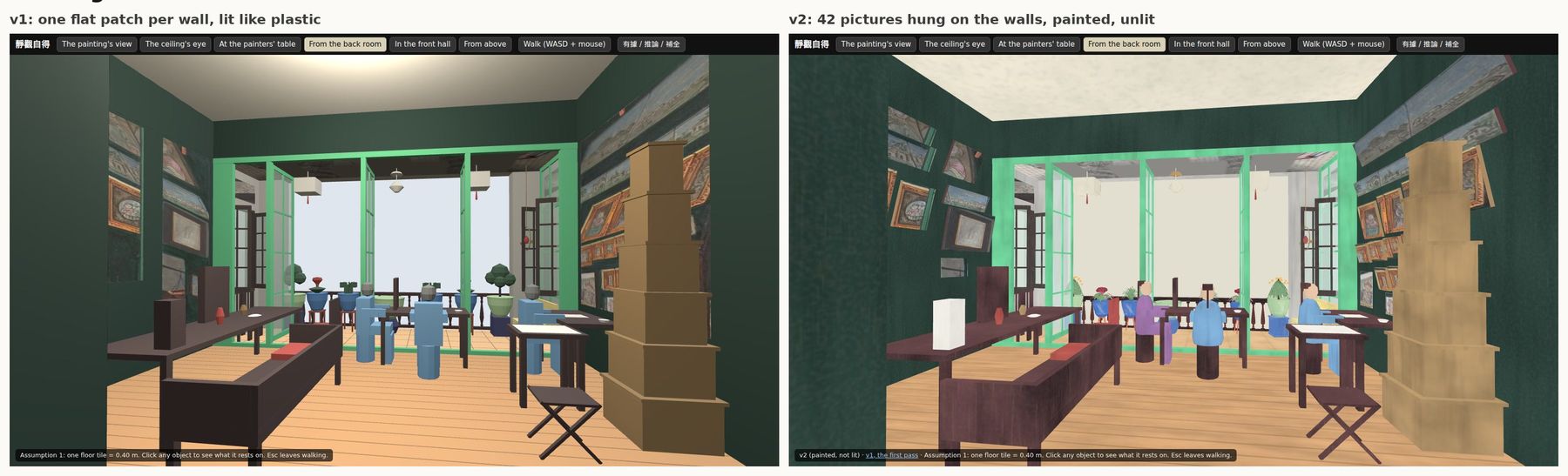
What it learned on the pot did not carry over to the room by itself.
From the back room · one flat patch per wall, and forty-two pictures hung one by one
Viewer built by the modelling agent, 12 Nov 2026
Inside, forty-two pictures now hang separately where the first pass had one flat patch on each wall. The manner and the checks carried over from the pot. The shapes of the other objects did not improve.
So it had to understand the space first: where the floor and the walls are.
One box fits the studio; the front hall has its own, steeper floor
Made by the modelling agent, 13 Nov 2026; painting: The Metropolitan Museum of Art (Open Access)
The third pass starts from the space. Behind the partition the architecture follows one consistent perspective, and five tests on things not used to find it confirmed this. The first pass had the walls nearly right and almost everything between them wrong.
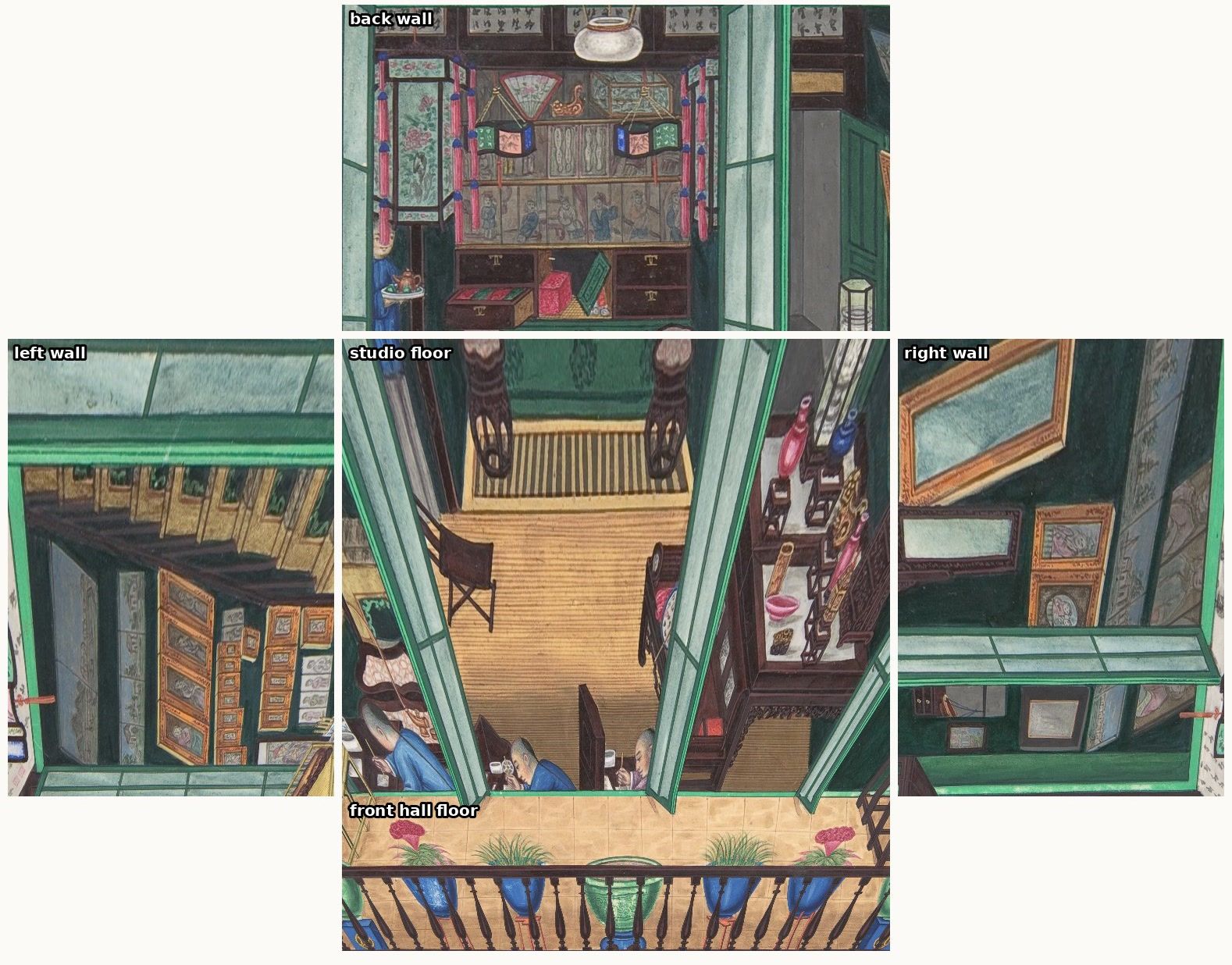
The room unfolded like a paper model, using only the painting's own paint.
Studio floor in the middle; back, left and right walls folded outward
Made by the modelling agent, 13 Nov 2026, from Hall of Quiet Study, The Metropolitan Museum of Art (Open Access)
Once the box of the room is found, the room can be unfolded like a paper model using the painting's own paint, and its contents become readable. The agent read 23 relations from the painting, such as "the screen stands on the table", and tests them automatically in the model.
A painted look is lost when a 3D file is exported. So it painted each view instead.
Six standing places · each view painted in Blender, shown round the visitor in the browser
Painted in Blender by the modelling agent and shown in the browser, 13 Nov 2026
The painted look that made the pot good is lost when a 3D file is exported. So at six standing places Blender paints the view all round, and the browser shows those pictures around the visitor. Of the agent's six written conditions, four hold and two hold partly.
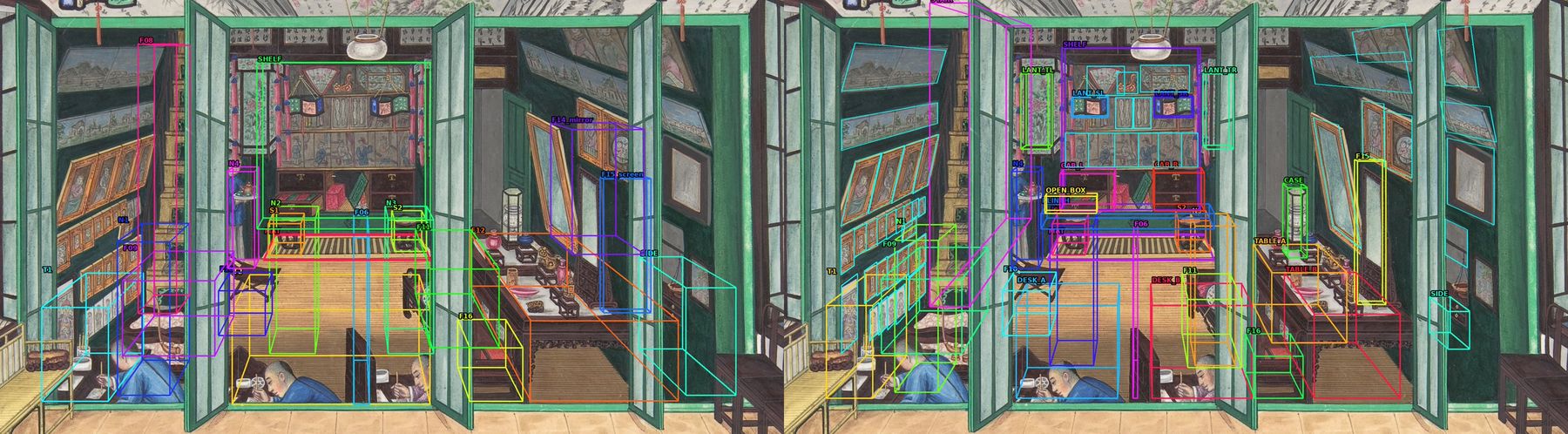
The cheapest check found the most: draw the model's boxes back on the painting, each with a name.
Two seconds, no rendering · the model's boxes drawn on the painting · before, and after my corrections
Made by the modelling agent, 13 Nov 2026; painting: The Metropolitan Museum of Art (Open Access)
In the fourth pass the agent recorded twelve kinds of feedback, each with its cost and what it caught. The cheapest caught the most. Drawing the model's boxes back on the painting takes two seconds, and it showed errors that four rounds of rendering had missed.
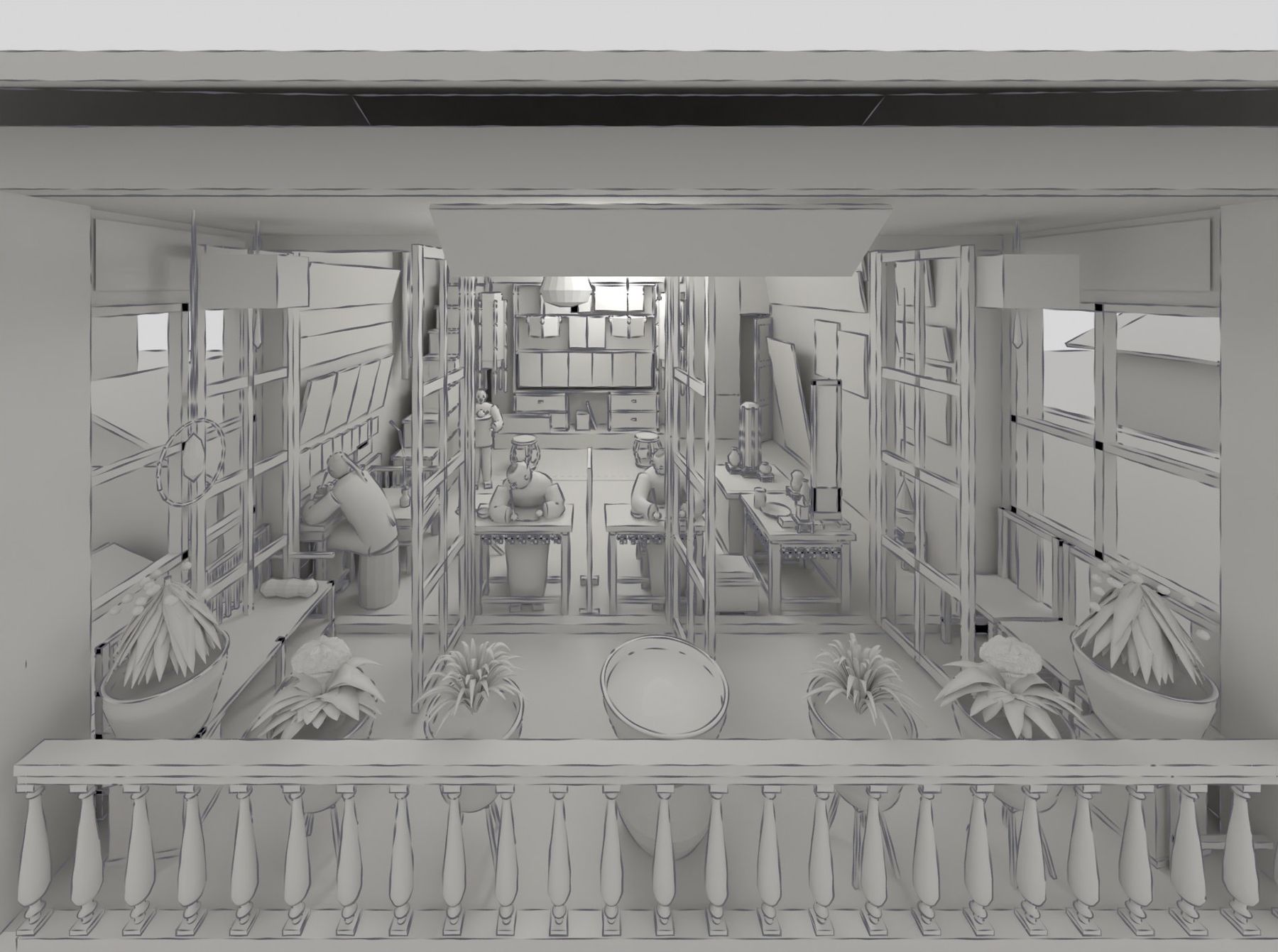
A white model first: get the space right before any paint goes on.
White model · only shapes and positions, checked against the painting
Render of the workshop's own 3D model, 13 Nov 2026
Then painted · the same model, the same viewpoint
Render of the workshop's own 3D model, 13 Nov 2026
For the space, the agent was given ways to see its own work. It built a white model first and checked only shapes and positions against the painting. Paint was applied after the space was right.
No check found that the "stand" was a staircase. A person did.
The agent read
a tall gilt stand in tiers; one long table; small lanterns; a closed door
I said
a staircase going up; two tables with marble tops; large palace lanterns; the door is open
And after its fix
19 collisions: the stair ran through a lantern, the door through the mirror
Checks test whether it built what it read. Only a person, or looking again enlarged, tests the reading.
None of the twelve checks found that the object read as a tiered stand was a staircase. A person did. The checks test whether the agent built what it read, and they cannot tell whether it read correctly. Automatic checks are most useful right after a confident change, and this one produced 19 collisions.
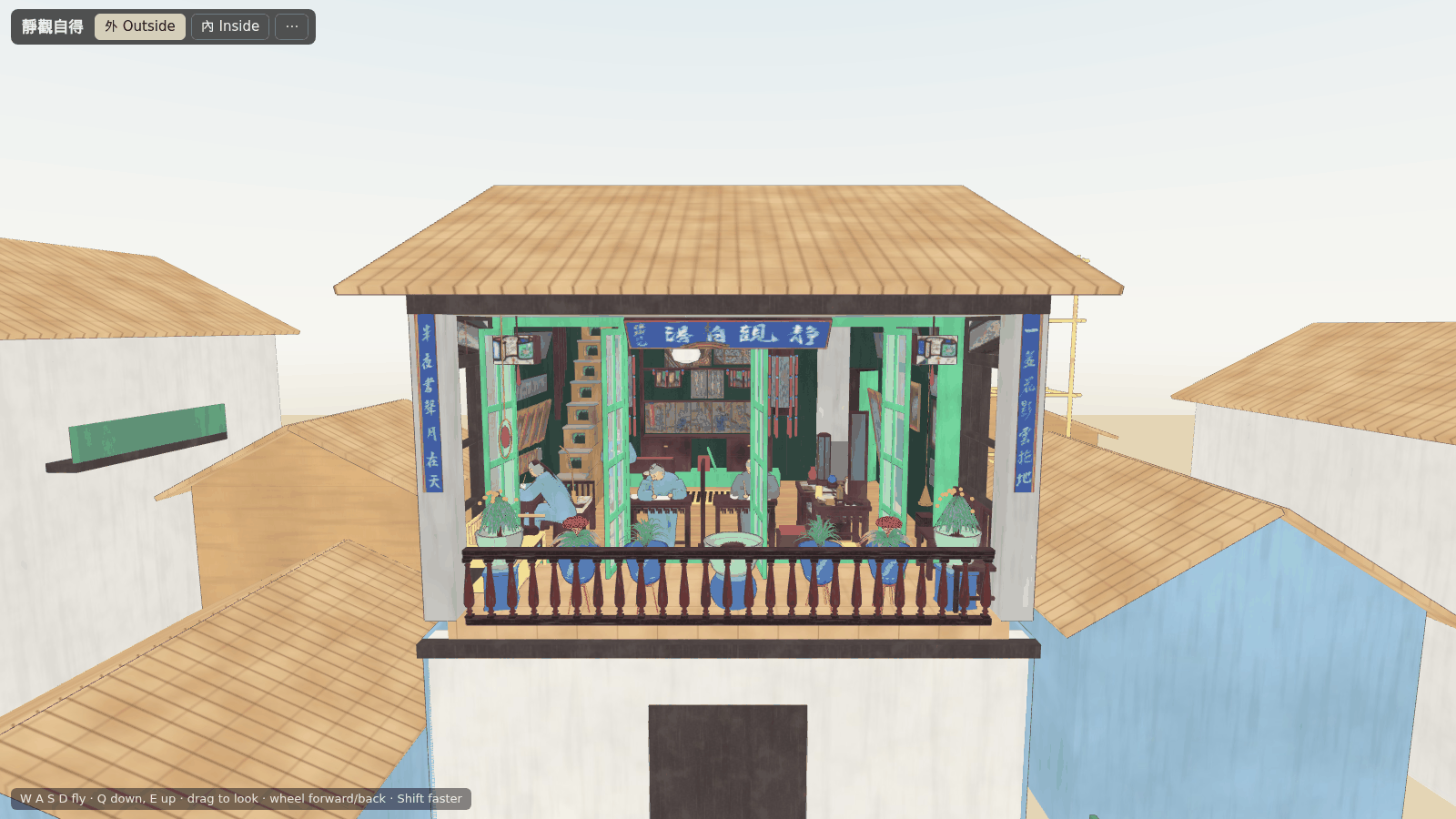
Open this live page ↗ The latest 3D model of the painter's studio in a viewer: it can be looked at from outside or walked through inside.
The latest version of the 3D studio is embedded in this slide. You can look round it, fly over it from outside or walk through it. It is still unfinished.
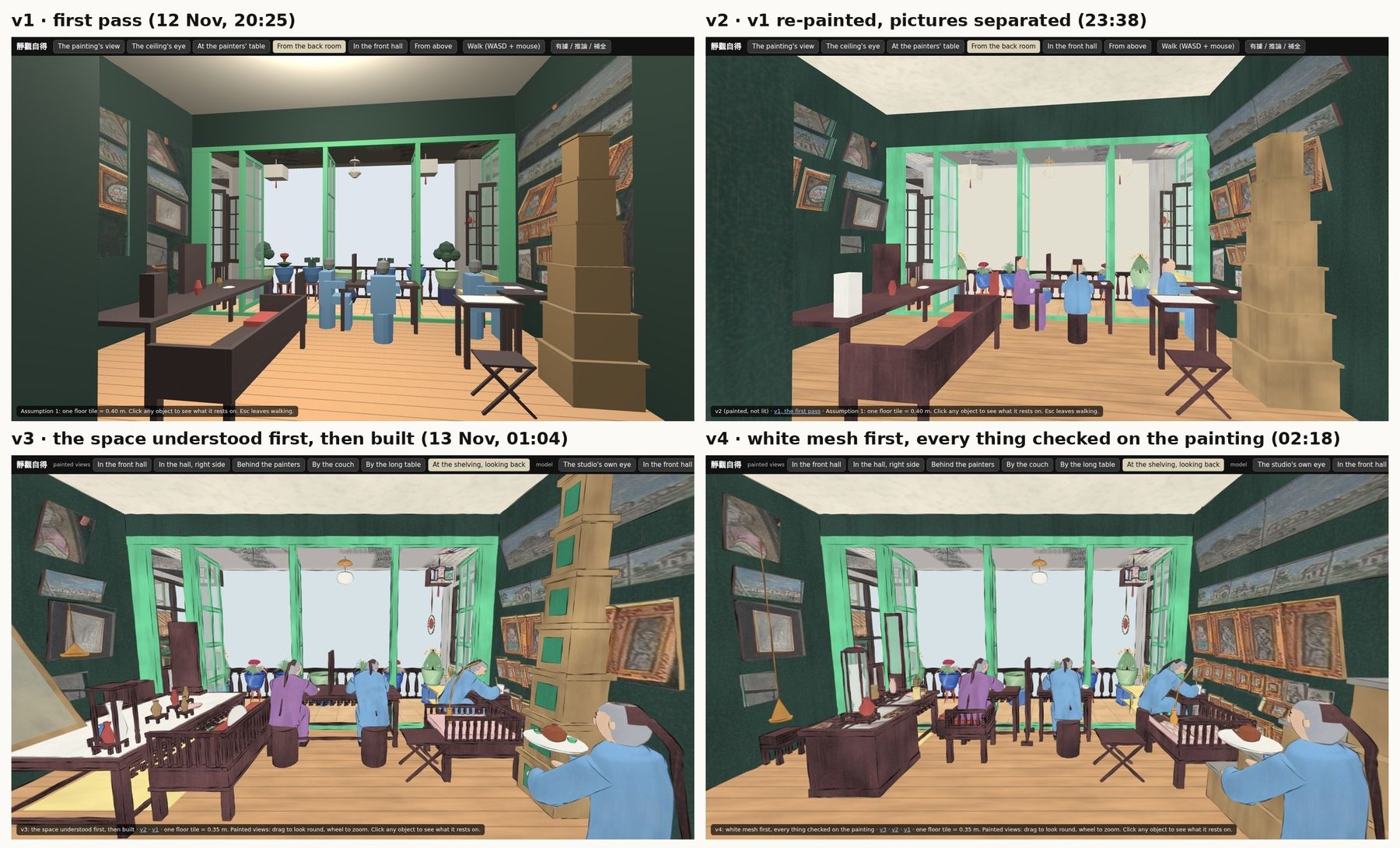
Before and after: one night's four versions, and where it stands now.
The same spot at the back · v1 first pass · v2 repainted · v3 space first · v4 white model first
Screenshots of the workshop's own 3D viewer, 12 to 13 Nov 2026
Now · from outside
Screenshot of the workshop's own 3D viewer, 13 Nov 2026
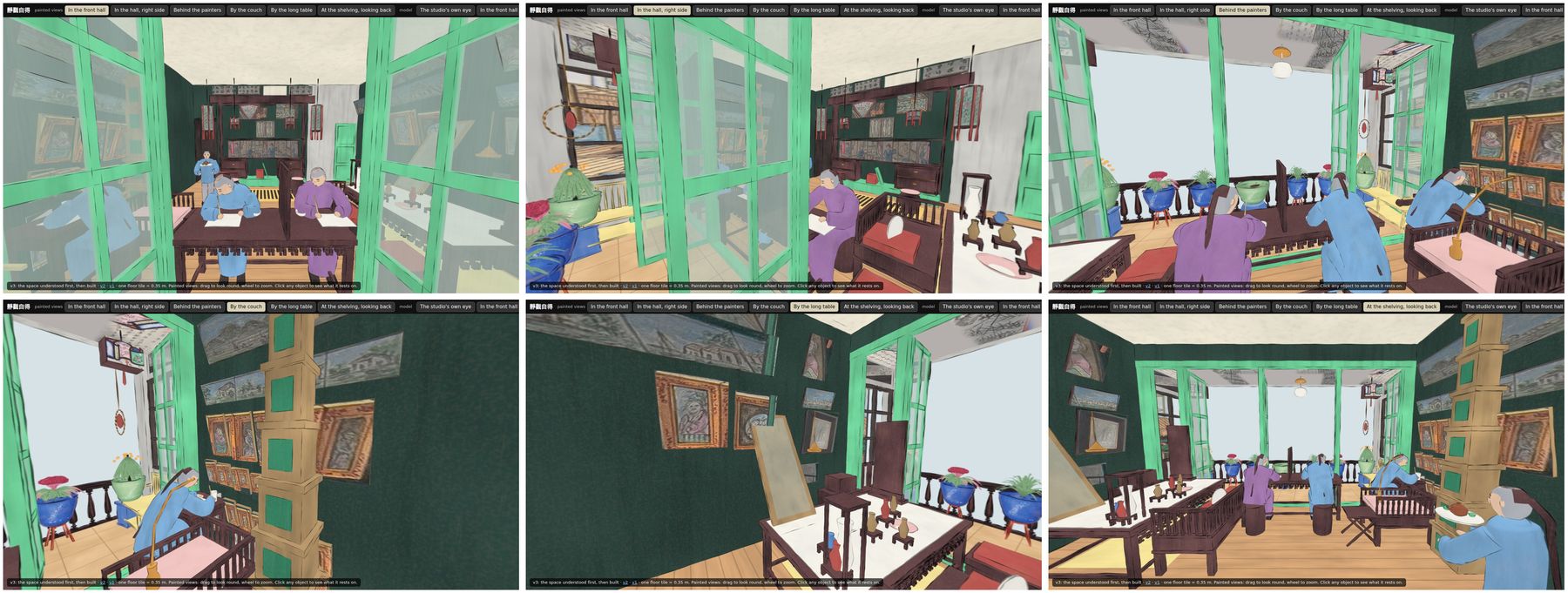
Four versions are seen from the same place at the back of the studio, from a first pass in blocks to a room built as a white model first. Beside them is the latest version from outside, with its roof, signboard and neighbours.
from a distance it looks like the original, and that is exactly where to refine
Move in, then check the whole again.
you never re-understood the space, then rebuilt it, then expressed it
Space first: relations read, then tested.
Each plain sentence I said while looking at a result became a rule that the agent wrote down for itself and checks every round. Most requirements entered this way, one remark at a time, while looking at results.
What this case shows: iteration, and control within it.
Iteration
the same agent and tools: four rooms and one pot in one night, each by a different method
Its own feedback
pairs, a score, the half-and-half join, a close-up: it sees what it made
The interface between you
one frame to look at, a sentence to say, a rule that stays
The pot case shows that iteration matters, and that two things keep it under control. One is the agent's own feedback, which lets it see what it made. The other is the interface between person and agent: you look at a frame, say a sentence, and a rule is kept.
A paper: plain text, with every citation tied to a record.
my-work/research/draft.tex
The plan for a college at Canton was first authorised in 1884,
four years before classes began.\cite[12]{projection1897}
By March 1897 subscriptions had reached \$97,433.07,\cite[29]{projection1897}
two gifts of \$25,000 among them.\cite[28--29]{projection1897}

% p12-01 · p29 printed total · p28-106, p29-32
LaTeX or Markdown: plain text, so the agent can check every sentence.
A paper written in LaTeX or Markdown is plain text, so the agent can check it. Each sentence cites a page, and a comment records which database records stand behind it.
Citations without retyping: Zotero keeps the list, LaTeX formats it.
draft.tex · three lines set it up
\usepackage[notes,backend=biber]{biblatex-chicago}
\addbibresource{references.bib}   % exported by Zotero

... first authorised in 1884.\autocite[12]{projection1897}

\printbibliography
What each part does
Zotero · your library; with Better BibTeX it keeps references.bib up to date by itself
\autocite · a key and a page; nothing typed twice
biblatex-chicago · turns it into a Chicago footnote and a bibliography
the agent · can check that every key exists and every page is given
Zotero holds the library, and with the Better BibTeX add-on it keeps a references.bib file up to date. In the text a citation is a key and a page (\autocite). The biblatex-chicago package turns it into a Chicago footnote and bibliography. Since each citation has this structure, an agent can check that every key exists and every page is given.
Trace one sentence back, step by step, to the page.
Draft
draft.tex · line 3
→
Note
notes/ccc-1908.md
→
Highlight
PDF · scan p. 12
→
Text
"moved to Macao"
→
Page image
printed p. 9
Writing follows the same chain as data: draft, note, highlight, text, page image. Each step stores where it came from. Walking back along the chain shows that the page says the school moved to Macao, and says nothing about Hong Kong.
The same for a draft: trace each sentence back to its page.
my-work/research/draft.tex · checked by a second agent
The College opened on 3 June 1899 with six students.\cite[9]{ccc1908}
   VERIFIED    "the College opened June 3, 1899, with six students"
In June 1900 it moved to Macao, and then to Hong Kong.\cite[9]{ccc1908}
   OVERCLAIM   the page says Macao is "near Hongkong"; no move to Hong Kong
Corbett gives the same date for the move.\cite[31]{corbett1963}
   UNSUPPORTED Corbett says "early in July", not June
It returned to Canton in 1904.\cite[9]{ccc1908}
   VERIFIED    "until removed to its present location in 1904"
A second agent checks a draft sentence by sentence against the cited pages. Two of the four sentences fail. One of them is "and then to Hong Kong", which the page does not say.
Write the checks down as a skill, so one sentence runs them.
.opencode/skills/verify-claims/SKILL.md
---
name: verify-claims
description: Check every cited claim in a draft against its evidence.
---
1. For each sentence with a citation, open the cited note and its source page.
2. Quote the exact words that support it.
3. Verdict: VERIFIED, OVERCLAIM, QUOTE DRIFT, WRONG PAGE or UNSUPPORTED,
   with a one-line reason.
4. Never edit the draft. Write the report to research/verification.md.
The checks are written down once as a skill called verify-claims. It quotes the supporting words, gives a verdict and never edits the draft. Your own way of verifying should end up as a file like this.
Reslides, how to use it: one text file per slide, one list for the order; your agent writes them.
A deck is a folder of text
deck.yaml the order: which slides, how long
figures.yaml every picture: credit and rights
slides/
w01.md one slide: a title, Markdown, notesslides/w01.md, the whole slide that showed the workbench:
# A workbench: each record beside its words
# and its scan.
<iframe src="./workbench/index.html">
How to use it
give your agent the Reslides README, and your notes
say: “make a deck from these notes, one file per slide”
reslides check finds missing sources, rights and timing
reslides build makes a website; reslides pack makes one file
slides are a web page, so they hold live things: today's workbench, search and 3D room
Reslides keeps a deck as a folder of text files: one Markdown file per slide, a list for the order, and a file of picture credits. An agent writes the slides from your notes, and the check, build and pack commands verify and publish them. Slides made this way are web pages, so they can hold live things such as the workbench, the search and the 3D room.
for yourself: one file on your disk. For others: a static site built from it
Pictures, a 3D room
files in a folder; the room is a web page
A paper
LaTeX or Markdown, to PDF
Slides
text files, built into a page: these ones
Ask your agent to deploy each; try it yourself after class.
Each output goes out in its own way. A database goes out as a file for yourself or as a static site for others. Pictures and a 3D room go out as files and a web page. A paper goes through LaTeX or Markdown, and slides are text built into a page.
let code and a second model check, and read the verdicts yourself
Accuracy comes from three things: giving the model the source, keeping a locator on every claim, and having code and a second model check independently. None of them involves training a model.
The participants' own methods are sorted into three columns: what a program can check, what a second model can check, and what only the researcher can judge.
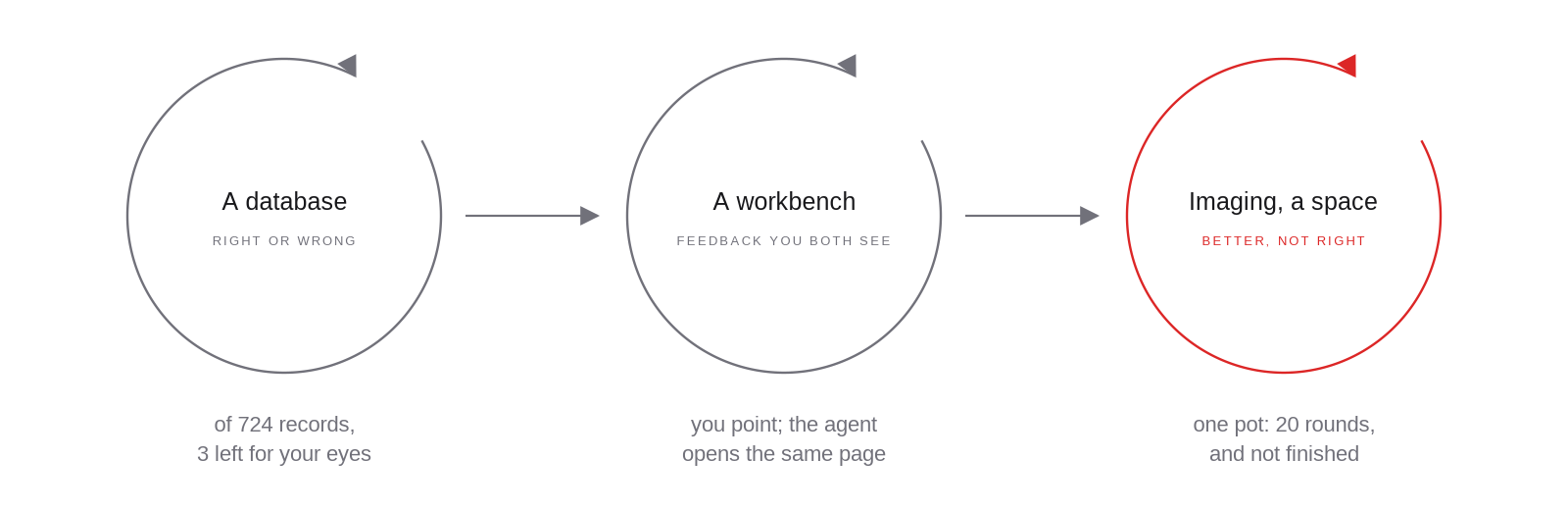
The same loop ran three times today. On the database it was about right or wrong. On the workbench it was feedback that both sides could see. On pictures and the 3D space it was about better, and it has no end.
Can this be checked? If not, change the way you work until it can.
While you work
How does the agent see what it made, and what do you look at together?
Two questions to keep. Before starting: can this be checked? While working: how does the agent see what it made, and what do the two of you look at together?
both sessions' slides, examples and skills; replay them with your own material
The guide
dhguide.org: extraction, vectors, maps, reconstruction, working with agents
Your questions
post them as issues on the workspace; I answer there
After the workshop: replay both sessions in the workspace with your own material, read the fuller chapters on dhguide.org, and post questions as issues.